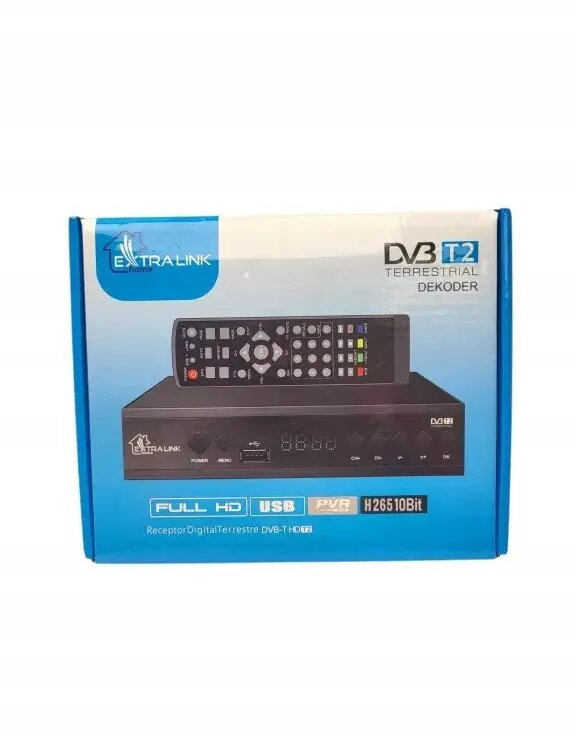
The Extralink DVB-T2 digital TV tuner is a high-performance device designed to bring modern terrestrial television standards to your home. By supporting the H.265 HEVC compression standard, this tuner ensures efficient signal processing and delivers crisp Full HD image quality. It serves as a reliable bridge between your existing television set and the latest digital broadcasting signals, providing a seamless viewing experience with enhanced clarity and stability.
Advantages
This tuner offers a significant upgrade for older television sets that lack built-in support for modern digital standards. Its compact design allows for discreet placement, while the inclusion of both HDMI and USB ports ensures versatile connectivity options for various displays and external storage devices. The user-friendly interface, combined with the included remote control, makes navigating channels and adjusting settings straightforward for users of all technical levels. Furthermore, the support for advanced video compression technology guarantees that you receive high-quality broadcasts without compromising on picture resolution.
Suitable for
- Upgrading older televisions to receive modern DVB-T2 digital signals
- Watching high-definition terrestrial television broadcasts
- Playing multimedia files from external USB storage devices
- Users seeking a simple and reliable digital TV reception solution
When it may not be suitable
This device is designed specifically for terrestrial DVB-T2 signals and will not function with satellite or cable television systems that require a different signal input. It is also not intended for use with older analog-only televisions that lack an HDMI input port.
Key specifications
- Supported standard: DVB-T2
- Video compression: H.265 HEVC
- Resolution: Full HD
- Connectivity: HDMI and USB ports
- Control: Included remote control
How to use
To begin using the tuner, connect it to your television using an HDMI cable and attach your terrestrial antenna to the designated input port. Once connected, power on the device and follow the on-screen setup menu to perform an automatic channel scan. After the scan is complete, you can use the included remote control to browse channels, adjust volume, and access multimedia features via the USB port.
What to consider before purchase
- Ensure your television has an available HDMI port for connection
- Verify that your local area has coverage for DVB-T2 terrestrial broadcasts
- Check if your antenna is compatible with digital terrestrial signal reception
Usage recommendations
For the best signal quality, ensure your antenna is properly positioned and oriented toward the nearest broadcast tower. Regularly check for firmware updates to maintain optimal device performance and compatibility with changing broadcast standards.