


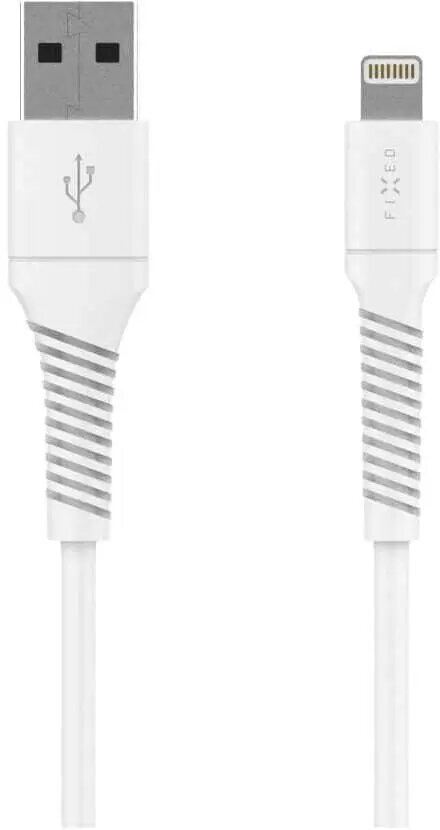
USB to Lightning data and charging cable FIXED FIXD2-UL12-WH, 1.2 m, USB 2.0, white
Short description

Cheapest delivery:
Unisend LV
Product information
Description
Wired USB to Lightning data and charging cable by FIXED, model FIXD2-UL12-WH, offers a simple, everyday solution for connecting Lightning-equipped smartphones and tablets to USB-A ports. The cable is 1.2 m long and supports USB 2.0 data transfer and charging, providing a practical balance between reach and portability. Finished in white with standard USB-A to Lightning connectors, it is designed for routine syncing, file transfer and powering compatible devices.
Advantages
The FIXED USB to Lightning cable provides reliable charging and USB 2.0 data transfer speeds for common tasks such as syncing and file exchange. At 1.2 m length it is long enough for comfortable use while charging from a desk or power bank yet compact enough for storage. The standard connectors ensure wide compatibility with USB-A chargers, computers and other host devices. The white finish is unobtrusive and matches most device setups.
Suitable for
- Charging Lightning-equipped smartphones and tablets from USB-A chargers or power banks
- Data syncing and file transfer between devices and computers supporting USB 2.0
- Everyday home, office and travel use where a reliable wired connection is needed
Key specifications
- Cable length: 1.2 m
- Connector type: USB-A to Lightning
- Data standard: USB 2.0
- Primary functions: Charging and data transfer
- Color: White
How to use
Connect the USB-A end of the cable to a compatible USB-A port on a charger, computer or power bank and insert the Lightning end into the device's Lightning connector. The cable supports device charging and data transfer over USB 2.0; when connected to a computer, use the operating system tools or device software to manage syncing and file transfers. Disconnect by gently removing the connectors to avoid stress on the cable or device ports.
Usage recommendations
For best results, use the cable with USB-A chargers and ports that meet your device's power requirements. Avoid bending or pulling the cable sharply at the connector ends and store it coiled without tight kinks to prolong service life. Inspect connectors for debris before use to ensure reliable connections.


