Dreame vacuums for fast and efficient cleaning!
In cart {{totalProductsCount}} item(s)
Your cart is empty
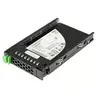
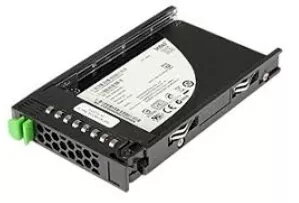
SSD drive Fujitsu 480 GB 2.5" SATA III PY-SS48NQ
The Fujitsu PY-SS48NQ is a 480 GB internal solid state drive in a 2.5" form factor, designed for server environments and storage upgrades. Supporting SATA III interface with up to 6 Gbit/s transfer rate, this SSD provides improved read/write responsiveness compared with mechanical drives and is suitable for systems that require consistent performance and lower latency. The compact 2.5" size fits rack-mounted servers, storage chassis and many enterprise workstations where a reliable internal SSD is required.
This Fujitsu 480 GB SSD delivers faster data access and reduced boot and application load times compared to traditional HDDs. The SATA III interface ensures compatibility with a wide range of server motherboards and storage controllers while providing stable transfer speeds up to 6 Gbit/s. The drive’s solid-state construction increases shock resistance and lowers power consumption, contributing to improved system reliability and operational efficiency in continuous-use environments.
Install the Fujitsu 2.5" SATA III SSD into a compatible 2.5" drive bay or adapter on the server or workstation. Connect the drive to a SATA III port on the motherboard or controller using a SATA data cable and connect power via the system power supply. Initialize and format the drive using the operating system’s disk management utility or storage controller firmware, and then deploy the operating system, virtual machines, or application datasets as required. Follow standard server maintenance procedures for firmware updates and health monitoring.
For reliable operation in server environments, use the drive in systems with proper cooling and a compatible SATA III controller. Monitor drive health periodically through SMART data and storage management tools, and implement regular backups for critical data. When deploying multiple drives, ensure firmware consistency and compatibility with the server’s RAID or caching configurations.
{{highlightedFeature.featureTitle}}:
{{getProductFeatureValueById(product, highlightedFeature.featureId)}}
{{ productComparisonGenerationError }}