Dreame vacuums for fast and efficient cleaning!
In cart {{totalProductsCount}} item(s)
Your cart is empty
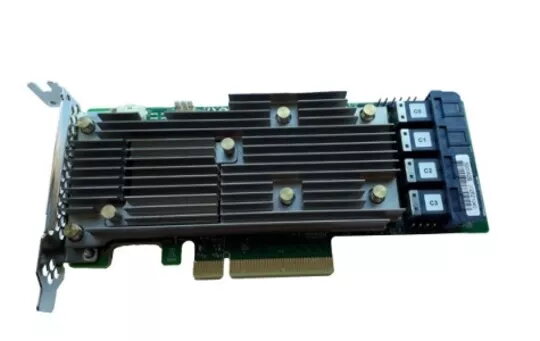
RAID controller Fujitsu PRAID EP540i FH/LP
The Fujitsu PRAID EP540i FH/LP is a RAID controller that combines up to 16x 12 Gbit/s SAS/SATA ports and support for up to 4 NVMe PCIe drives to form a single logical storage array. Based on the Broadcom MegaRAID® stack and equipped with 4 GB cache, the controller is intended to increase availability and reduce downtime by providing fault tolerance, high data throughput and integrated management within the Fujitsu ServerView environment. The PRAID EP540i supports multiple drive types and speeds (3, 6 and 12 Gbit/s SAS; 3 and 6 Gbit/s SATA) and offers FastPath® support for improved SSD-only performance. The controller supports common RAID levels including RAID 6 and RAID 60. An optional flash battery backup (FBU) can be combined with the bundled TFM module to preserve cached data to non-volatile flash memory in case of power loss.
The PRAID EP540i provides a high-performance RAID solution with up to 16 SAS/SATA ports and NVMe drive support, a 4 GB cache for improved read/write throughput and Broadcom MegaRAID® firmware with comprehensive fault-tolerance features. FastPath® support is included to accelerate SSD-only configurations, and management is integrated into Fujitsu ServerView RAID Manager for centralized control. Optional FBU plus the included TFM module safeguard cached data during power failures.
Install the PRAID EP540i into a compatible PCI Express slot on a Fujitsu server following the system and controller documentation. Connect the appropriate SAS/SATA or NVMe cabling for the target drive configuration; note that specific cable sets may be required for certain systems and that factory orders are shipped with appropriate cables. Configure the RAID array and cache settings using Fujitsu ServerView RAID Manager or the MegaRAID management utility, select the desired RAID level, and initialize the array. If using the optional FBU, install and configure it so the TFM module can copy cached data to non-volatile flash in the event of power loss.
For upgrade or downgrade between this controller and a standard SAS controller, verify required cable sets per system (may be L-Part) in the Paper Configurator or controller/system documentation before ordering or performing hardware changes.
{{highlightedFeature.featureTitle}}:
{{getProductFeatureValueById(product, highlightedFeature.featureId)}}
{{ productComparisonGenerationError }}