Dreame vacuums for fast and efficient cleaning!
In cart {{totalProductsCount}} item(s)
Your cart is empty
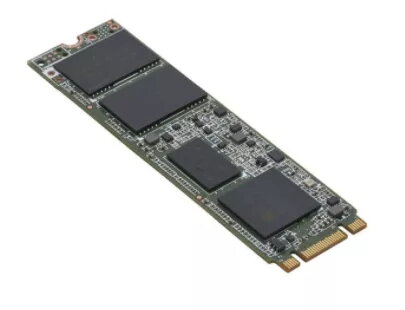
SSD disk Fujitsu 240 GB M.2 6 Gbit/s S26361-F5787-L240
The Fujitsu S26361-F5787-L240 SSD provides 240 GB of solid-state storage in an M.2 form factor with a 6 Gbit/s interface. Designed to improve system responsiveness and reduce boot and application load times, this drive is suitable for upgrading laptops, desktops, and compact systems where M.2 compatibility is required. The product is performance tested and quality assured by Fujitsu for dependable everyday use.
The M.2 240 GB SSD offers faster data transfer rates compared with traditional hard drives, lower latency, and greater resistance to mechanical shock. Its compact M.2 design saves internal space and supports quicker system boot and application launch times. The drive is simple to install and compatible with systems that accept standard M.2 SATA (6 Gbit/s) devices.
Power down the computer and disconnect it from mains power. Open the device chassis according to the manufacturer’s instructions, locate the M.2 slot, insert the SSD at a slight angle and secure it with the retaining screw. Reassemble the system, power it on, and initialize, partition, and format the new drive via the operating system’s disk management tools. If replacing the system drive, clone the existing OS or perform a fresh installation as needed.
Install the Fujitsu 240 GB M.2 SSD in systems that support M.2 SATA (6 Gbit/s). For best results when replacing a system drive, back up data before cloning or reinstalling the operating system and ensure firmware and drivers are up to date.
{{highlightedFeature.featureTitle}}:
{{getProductFeatureValueById(product, highlightedFeature.featureId)}}
{{ productComparisonGenerationError }}