Hurry and order now – up to 50% off!
In cart {{totalProductsCount}} item(s)
Your cart is empty
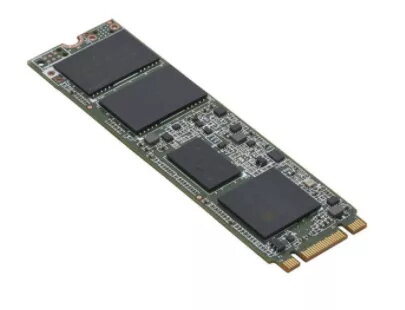
SSD drive Fujitsu 480 GB M.2 SATA III S26361-F5787-L480
The Fujitsu S26361-F5787-L480 is a 480 GB internal solid state drive in M.2 form factor with a SATA III interface. Designed for desktop and laptop use, this SSD supports data transfer rates up to 6 Gbit/s and is intended to improve system responsiveness, shorten boot times and speed up application loading.
The M.2 SATA III Fujitsu 480 GB SSD combines compact size with solid performance and compatibility with systems that support M.2 SATA. It offers faster read/write responsiveness compared with conventional hard drives, low power consumption typical for SSDs, and straightforward installation into compatible M.2 slots.
Power off the computer and discharge any static. Locate an available M.2 slot on the motherboard and insert the Fujitsu M.2 SATA SSD at the correct angle; secure it with the mounting screw. Power on the system, enter the BIOS/UEFI if required to verify drive recognition, then initialize, partition and format the drive in the operating system before use. If migrating from an existing drive, use disk-cloning software compatible with your OS.
For best compatibility, confirm your system supports M.2 SATA (not only M.2 NVMe) and update the motherboard BIOS if necessary. Regularly back up important data and use the operating system’s tools or manufacturer utilities for firmware updates when available.
{{highlightedFeature.featureTitle}}:
{{getProductFeatureValueById(product, highlightedFeature.featureId)}}
{{ productComparisonGenerationError }}