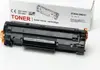
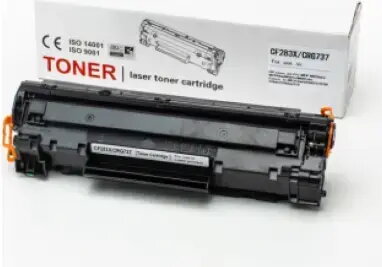
The Fusion CF283A laser toner cartridge is a high-quality printing supply engineered specifically for compatibility with HP LaserJet Pro M201, M202, M225, and M226 series printers. This black toner cartridge provides a reliable and efficient solution for producing professional-grade documents with sharp, clear text and consistent density. Designed to meet the demands of busy work environments, it ensures that your printer maintains optimal performance throughout its lifespan.
Advantages
This toner cartridge offers exceptional reliability and consistent output quality, making it a dependable choice for daily printing tasks. By utilizing high-grade toner powder, it ensures that every page printed features crisp characters and deep blacks, which is essential for professional correspondence and reports. The installation process is straightforward, allowing for quick replacements that minimize downtime in office or home settings. Furthermore, its high page yield provides a cost-effective printing solution, reducing the frequency of cartridge changes and lowering the overall cost per page.
Suitable for
- Printing professional business documents and reports
- Daily office correspondence and administrative paperwork
- High-volume text-based printing in home office environments
- Educational materials and academic assignments
When it may not be suitable
This cartridge is not intended for use with inkjet printers or laser printers outside of the specified HP LaserJet Pro M201, M202, M225, and M226 series. It is also not suitable for high-resolution photo printing or color graphics, as it is a monochrome black toner cartridge designed specifically for text and document output.
Key specifications
- Color: Black
- Page yield: Approximately 2200 pages
- Technology: Laser printing
- Compatibility: HP LaserJet Pro M201, M202, M225, M226 series
How to use
To install the cartridge, first open the printer's front cover and remove the empty toner cartridge by pulling it out carefully. Take the new Fusion CF283A cartridge out of its packaging and gently shake it from side to side to distribute the toner evenly. Remove any protective clips or sealing tape as indicated by the manufacturer. Insert the new cartridge into the printer slot, ensuring it is firmly seated in the correct position. Close the printer cover and wait for the printer to initialize before starting your print job.
What to consider before purchase
- Verify your printer model matches the supported HP LaserJet Pro series
- Ensure you have adequate storage space for spare cartridges in a cool, dry place
- Check your current toner levels to confirm a replacement is necessary
Usage recommendations
For the best print quality, store the cartridge in its original packaging until it is needed and keep it away from direct sunlight or extreme temperatures. If print quality begins to fade, gently removing and shaking the cartridge can sometimes help redistribute the remaining toner.