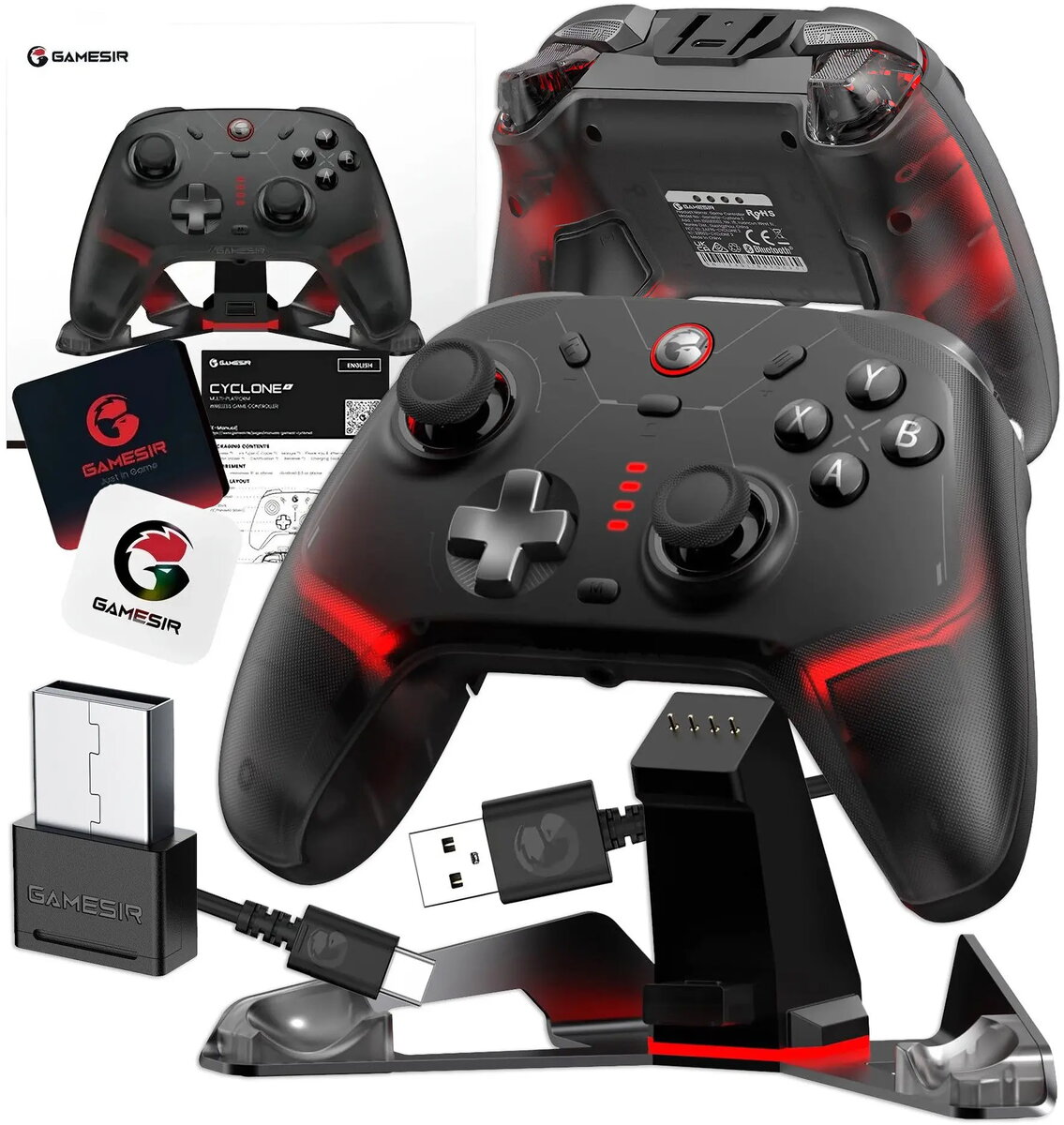
GameSir Controller Cyclone 2 Tri-Mode Connect Black is a versatile gaming controller that supports three connection modes: wireless (proprietary RF), Bluetooth and wired USB. The controller features a standard gamepad layout with dual analog sticks, a D-pad, face buttons and shoulder triggers, delivering responsive input for console, PC and mobile gaming. Designed for players who need flexible connectivity and straightforward setup, the Cyclone 2 works with a range of compatible devices and supports common gaming scenarios such as local play, remote streaming and cloud gaming via USB, Bluetooth or its wireless receiver.
Advantages
The Cyclone 2 Tri-Mode Connect Black provides multiple connection options to match different devices and latency requirements, allowing seamless switching between Bluetooth for convenience, wired USB for low-latency play, and wireless RF for stable connections at distance. Its ergonomic layout balances comfort and control for extended sessions, while responsive buttons and analog sticks ensure accurate input. The plug-and-play behavior in USB mode and straightforward pairing across modes reduce setup time and make the controller practical for mixed-device households.
Suitable for
- PC and laptop gaming with USB or wireless receiver
- Console-style gameplay on streaming platforms and remote play
- Mobile gaming on smartphones and tablets via Bluetooth
- Cloud gaming services where wired or low-latency connections are preferred
- Local multiplayer sessions using multiple controllers
Key specifications
- Connectivity modes: wireless RF, Bluetooth, wired USB
- Layout: dual analog sticks, D-pad, face buttons, shoulder triggers
- Power: internal rechargeable battery (built-in)
- Charging/data port: USB-C (for power and wired connection)
- Compatibility: compatible with Windows PCs, Android devices, and platforms supporting Bluetooth or USB controllers
- Ergonomics: contoured grips and button placement designed for extended use
How to use
To use the controller in wired mode, connect the included USB-C cable between the controller and your device; the controller will typically be recognized automatically as a gamepad. For Bluetooth pairing, enable Bluetooth on your device, put the Cyclone 2 into Bluetooth pairing mode according to the pairing procedure, and select the controller from the device’s Bluetooth list. To use wireless RF, insert the wireless receiver into a USB port on the host device and power on the controller to establish the connection. Charge the built-in battery using the USB-C port when needed; avoid fully depleting the battery before charging to maintain optimal battery life.
Usage recommendations
For the lowest input latency use the wired USB mode when playing competitive or timing-sensitive titles. Use Bluetooth for quick, cable-free sessions on mobile devices, and switch to the wireless RF receiver when you need a stable connection at a distance from the host. Keep firmware and device drivers up to date for best compatibility and performance.