Hurry and order now – up to 50% off!
In cart {{totalProductsCount}} item(s)
Your cart is empty
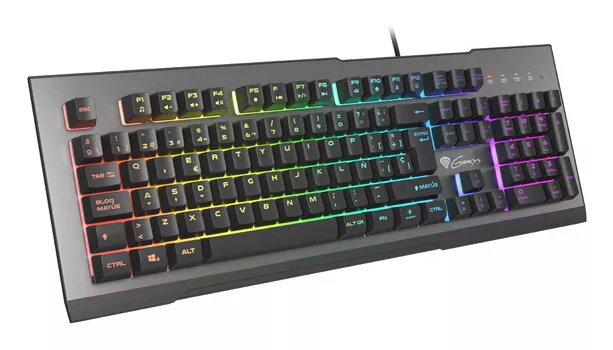
Genesis Rhod 500 RGB Gaming Keyboard, Full-size, USB, QWERTY Spanish Layout, Black and Grey
The Genesis Rhod 500 RGB is a full-size wired gaming keyboard designed for durability and performance. Featuring a robust aluminum-reinforced casing, this keyboard is built to withstand intense gaming sessions. It utilizes a reliable membrane switch mechanism that offers a quiet typing experience with a 55g actuation force, an 8ms response time, and a 2.5mm activation point. With its Spanish QWERTY layout and 104 keys, it provides a familiar and efficient interface for both gaming and daily tasks.
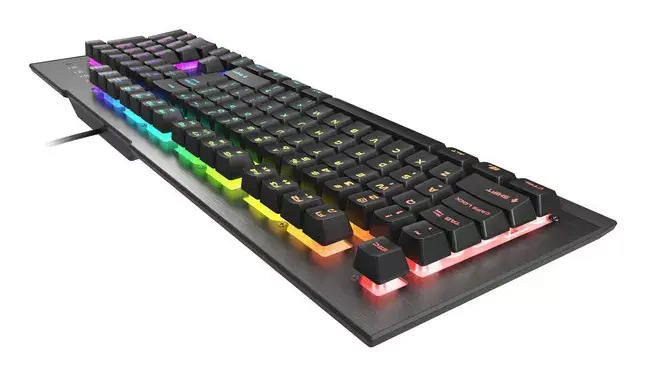
The keyboard stands out due to its 7-zone RGB backlighting, which allows users to customize their setup for a personalized aesthetic. The inclusion of advanced software enables users to program individual keys, manage multimedia functions, and save settings directly to the keyboard's built-in memory. Anti-ghosting technology ensures that multiple simultaneous key presses are registered accurately, while the Windows key lock prevents accidental interruptions during gameplay. Furthermore, the non-slip rubber feet and foldable design ensure stability during aggressive play, and the ability to swap WASD and arrow key functions provides additional flexibility for different gaming styles.
This keyboard may not be the ideal choice for users who strictly prefer the tactile feedback and durability of mechanical switches. Additionally, since it features a Spanish QWERTY layout, it may not be suitable for users who require a different regional keyboard layout for their specific language needs.
To begin using the Genesis Rhod 500 RGB, simply connect the USB cable to an available port on your computer. The device is plug-and-play, meaning it will be recognized automatically by most operating systems. To take full advantage of the customization features, such as macro programming and lighting adjustments, download and install the dedicated Genesis software from the manufacturer's website. You can use the function keys to control multimedia playback or toggle the Windows key lock to prevent accidental game minimization.
Usage recommendations: For optimal stability, ensure the keyboard is placed on a flat, clean surface and utilize the foldable feet to adjust the typing angle to your comfort. Regularly clean the keycaps with a soft, dry cloth to maintain the appearance of the aluminum-reinforced casing.
{{highlightedFeature.featureTitle}}:
{{getProductFeatureValueById(product, highlightedFeature.featureId)}}
{{ productComparisonGenerationError }}