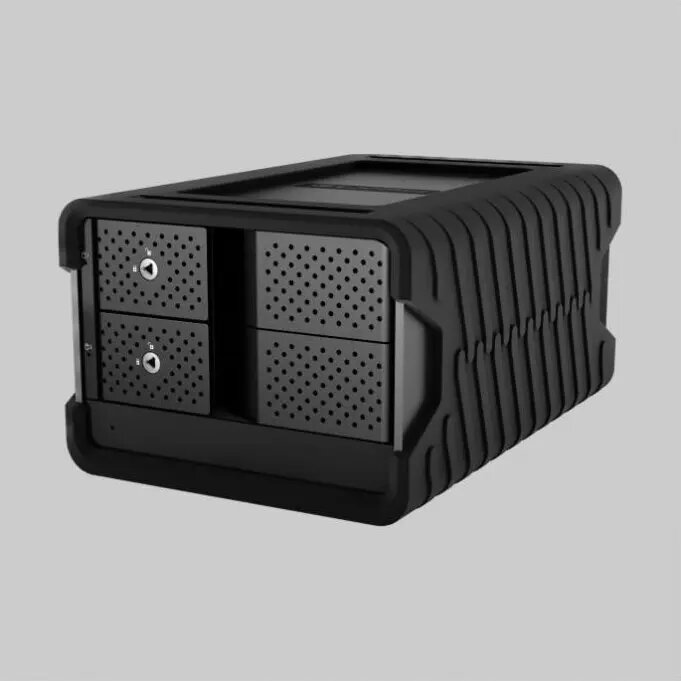
Glyph Blackbox PRO RAID 8TB Enterprise Class USB-C (3.1 Gen 2) is an external hard drive system designed for professional storage workflows. The enclosure houses enterprise-class HDDs with 8TB of raw capacity and supports RAID configurations to balance capacity, performance and data protection. Connection is via USB-C (3.1 Gen 2) to provide high-speed transfers for large media files, backup images and archives. The unit is intended for studio environments, small servers and mobile field use where reliable, RAID-protected disk storage is required.
Advantages
The Glyph Blackbox PRO provides RAID-configurable storage that combines enterprise-class drive reliability and an 8TB raw capacity in a single external unit. USB-C (3.1 Gen 2) interface enables faster sustained transfer rates compared with older USB standards, making it practical for moving large video, photo or dataset files. The enclosure design supports continuous operation typical of professional workflows and simplifies setup for backup and archive tasks.
Suitable for
- Video and photo editors who need fast, large-capacity external storage for projects and archives.
- Small production studios and post houses requiring RAID protection for media assets.
- Mobile field teams and freelance professionals who need durable, externally connected RAID storage.
- Backup and archival workflows where a single external unit is used for scheduled or manual backups.
When it may not be suitable
This external HDD is not the best choice for users who need very high random I/O performance, such as database servers or virtual machine hosts; those use cases typically require SSDs or specialized NAS solutions. It may also be excessive for casual or infrequent single-file backups where lower-capacity or less costly drives would be more appropriate.
Key specifications
- Raw capacity: 8 TB (single enclosure total)
- Interface: USB-C (USB 3.1 Gen 2) for host connection
- Drive class: enterprise-class hard disk drives optimized for continuous operation
- RAID capability: configurable RAID modes for capacity, redundancy or performance
- Form factor: external desktop enclosure designed for professional use
How to use
Connect the Glyph Blackbox PRO to a host computer using the supplied USB-C cable and a compatible USB 3.1 Gen 2 port. Configure the RAID mode according to your needs using the enclosure’s management interface or included utility; choose redundancy for data protection or a striped/concatenated mode for maximum usable capacity and performance. Format the logical volume with a file system appropriate to your operating system and workflow (for example exFAT, NTFS, HFS+ or APFS as required). Use the drive for project storage, backup images or archival copies, and follow standard backup best practices such as maintaining additional offsite copies.
What to consider before purchase
- Ensure your host device has a USB-C port that supports USB 3.1 Gen 2 to take full advantage of transfer speeds.
- Decide which RAID mode meets your priorities: redundancy for protection or striped/concatenated for capacity/performance.
- Confirm compatibility of the chosen file system with your operating system and multi-platform workflows.
- Plan for additional backup or offsite storage; RAID is not a substitute for a multi-copy backup strategy.
Usage recommendations
Use the Glyph Blackbox PRO for primary project storage and short-term archival where RAID protection is required. For long-term archives, complement the unit with offline or cloud-based copies and periodically verify data integrity. When transporting the unit, protect it from shocks and extreme temperatures to preserve drive health.