-
Megapixel (approx.):
The number (in millions) of light-sensitive picture elements known as pixels actually used by the camera's image sensor (CCD) to record light, and which are reflected to the final number of recorded pixels stored on the memory card.
-
12 MP
-
Weight:
Weight of the product without packaging (net weight). If possible, the net weight is given including standard accessories and supplies. Please note that sometimes the manufacturer leaves out the weight of accessories and/or supplies.
-
0.053 kg
-
Wi-Fi standards:
The type of wireless local area network (LAN). It can be ad-hoc, where units in a network communicate peer-to-peer, or Infrastructure, where units communicate with each other via an access point A LAN interconnects computers in a small area e.g. home, school or office.
-
Wi-Fi 6 (802.11ax)
-
Battery technology:
The type of battery in the device, e.g. nickel–cadmium (NiCd).
-
Lithium-Ion (Li-Ion)
-
Battery capacity:
A measure of the charge stored by the battery. Determined by the mass of active material contained in the battery.
-
220 mAh
-
Bluetooth version:
The type of bluetooth technology in the product e.g. Bluetooth Smart (v4.0).
-
5.3
-
Battery recharge time:
Approximate time required to recharge the battery from completely empty to completely full
-
1.25 h
-
Width:
The measurement or extent of something from side to side.
-
137 mm
-
Depth:
The distance from the front to the back of something.
-
155 mm
-
Battery life (max):
Maximum battery life. Mobile Mark™ (2002) is the standard often used to benchmark battery life time.
-
8 h
-
Bluetooth:
Bluetooth is a low-power radio technology developed to replace the cables and wires currently used to link or connect electronic devices such as personal computers, printers, and a wide variety of handheld devices including mobile phones. Because it uses radio-wave connectivity, a Bluetooth-enabled device has a constant, established connection to whatever browser it uses. This saves the user the trouble of logging on to check for emails or news updates, for example.
-
Yes
-
Compatible operating systems:
List of desktop operating systems tested as compatible with this product.
-
IOS 15.2 and above
Android 10 minimum
-
Wi-Fi:
Popular technology that allows an electronic device to exchange data or connect to the internet wirelessly using radio waves.
-
Yes
-
Quick start guide:
Instructions, either online, as a computer program or in paper form, to allow you to set up and start using the product quickly.
-
Yes
-
Master (outer) case height:
-
134.94 mm
-
Master (outer) case width:
-
185.74 mm
-
Battery weight:
Indicates the weight of the battery.
-
4.9 g
-
Battery voltage:
The voltage (V) of the battery.
-
4.15 V
-
Flash memory:
-
32 GB
-
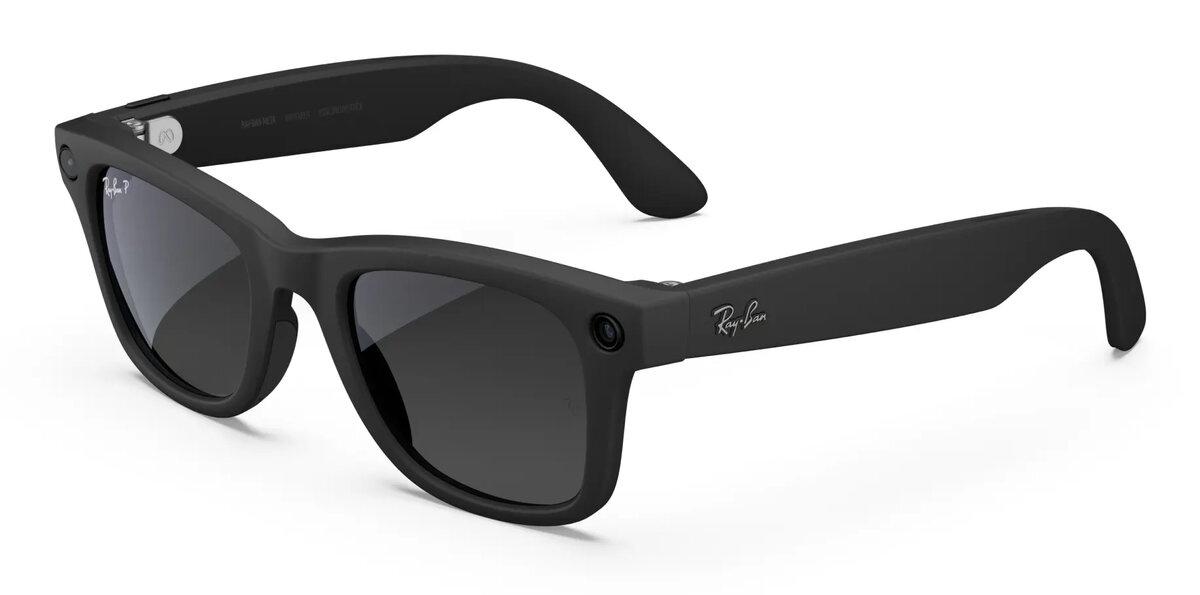
Lens colour:
-
Grey
-
Built-in camera:
The product has an integrated camera.
-
Yes
-
Cleaning cloth:
-
Yes
-
Battery capacity:
A measure of the charge stored by the battery. Determined by the mass of active material contained in the battery.
-
11.22 Wh
-
Frame colour:
The colour of the frame, which is a rigid structure that surrounds something such as a picture, door, or windowpane.
-
Black
-
Lens material:
-
Polycarbonate (PC)
-
Master (outer) case gross weight:
-
1425 g
-
Quantity per pack:
-
1 pc(s)
-
Lens polarization:
-
Polarized lens
-
Master (outer) case length:
-
193.68 mm
-
Products per master (outer) case:
-
4 pc(s)
-
Charging case:
-
Yes
-
Frame colour name:
-
Matte Black
-
Lens colour name:
-
Graphite Pol