Leave your address - as soon as the price of the product goes down, you'll know about it right away
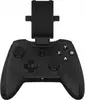
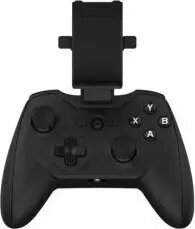
Green Cell RiotPWR Android Controller V2 RR1825A
In cart {{totalProductsCount}} item(s)
Your cart is empty
Green Cell RiotPWR Android Controller V2 RR1825A
Leave your address - as soon as the price of the product goes down, you'll know about it right away
Green Cell RiotPWR Android Controller V2 RR1825A
The Green Cell RiotPWR Android Controller V2 is a high-performance wired gaming peripheral engineered to elevate your mobile gaming experience. Designed specifically for Android devices, this controller provides a stable, low-latency connection that eliminates the input lag often associated with wireless alternatives. With its familiar ergonomic design, the controller ensures comfort during extended gaming sessions, while its precise analog sticks and tactile buttons offer the accuracy required for competitive play.
The primary benefit of this controller is its direct wired connection, which ensures that every command is registered instantly, providing a significant advantage in fast-paced games. The ergonomic build mimics the feel of traditional console controllers, making it easy for players to transition from home consoles to mobile platforms. Furthermore, the device is built for reliability and durability, ensuring consistent performance across a wide variety of Android-compatible titles and cloud gaming services.
This controller is designed specifically for Android devices and may not be compatible with iOS devices or gaming consoles like PlayStation or Xbox. Additionally, because it is a wired controller, it requires a physical connection to your device, which may not be ideal for users who prefer the freedom of wireless Bluetooth connectivity.
To use the Green Cell RiotPWR Android Controller V2, simply connect the integrated cable to the USB-C port of your Android device. Once connected, the device should automatically recognize the controller as an input peripheral. You can then launch your preferred mobile game or cloud streaming application. If the game supports controller input, it will automatically map the buttons, allowing you to begin playing immediately without the need for complex software configurations.
For the best experience, ensure your Android device is updated to the latest software version. If you are using a protective case on your phone, you may need to remove it to ensure a secure and stable connection with the controller's USB-C connector.
{{highlightedFeature.featureTitle}}:
{{getProductFeatureValueById(product, highlightedFeature.featureId)}}