Filters you can trust. Pure water every day.
In cart {{totalProductsCount}} item(s)
Your cart is empty
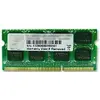
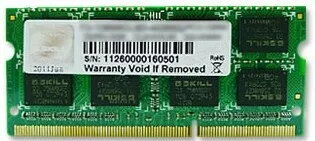
Memory Module G.Skill DDR3 8GB 1333MHz
The G.Skill DDR3 8GB 1333MHz memory module is a single 8 GB SO-DIMM designed for laptop systems that accept 204-pin DDR3 modules. With a 1333 MHz clock speed and CL9 latency, this low-profile module provides expanded system memory for multitasking, application responsiveness and smoother everyday computing. It operates at a standard 1.5 V and follows the PC3-10600 specification for compatibility with a wide range of notebooks and small form-factor systems that support DDR3 SO-DIMM memory.
This 8 GB DDR3 SO-DIMM increases available RAM capacity to reduce swapping and improve performance in common workloads such as web browsing, office applications and media playback. The 1333 MHz frequency combined with CAS latency 9 offers a balanced trade-off between speed and compatibility across many laptop platforms. The 204-pin form factor and standard 1.5 V operation ensure it can be installed in systems designed for DDR3 SO-DIMM modules without requiring voltage modification or adapter hardware.
Power off the laptop and disconnect the power supply and battery if removable. Open the memory access panel according to the device manufacturer's instructions, locate the SO-DIMM slot and carefully release the existing module by spreading the retention clips. Align the notch on the G.Skill DDR3 8GB 1333MHz module with the slot key and insert it at an angle, then press down until the clips lock the module in place. Reassemble the access panel, reconnect power and boot the system. Verify the new capacity and proper operation in the system BIOS or operating system memory information utility.
Before purchasing, confirm the laptop or system motherboard supports DDR3 204-pin SO-DIMM modules and 1.5 V memory. For best results when creating a dual-channel configuration, install matched modules in the recommended slots and consult the system manual for slot pairing. Handle the module by its edges and avoid contact with pins; observe anti-static precautions during installation.
{{highlightedFeature.featureTitle}}:
{{getProductFeatureValueById(product, highlightedFeature.featureId)}}
{{ productComparisonGenerationError }}