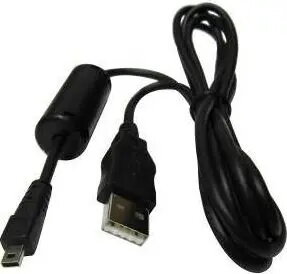
The HERTZ KF1 USB Cable for Nikon Konica Panasonic Cameras is a universal camera USB lead designed to connect compatible cameras to computers and other USB-enabled devices. It supports data transfer for image and video files, and where the camera model allows, it can be used for charging, firmware updates, or remote control functions. The cable follows a simple OEM-style design intended for reliable, everyday camera-to-PC workflows.
Advantages
This USB lead offers straightforward plug-and-play connectivity between cameras and computers without requiring special drivers on most modern operating systems. Its universal compatibility with several camera brands makes it a practical spare or replacement cable. The cable provides a compact and manageable solution for transferring photos and videos, performing firmware updates, and enabling tethered shooting or remote control when supported by the camera.
Suitable for
- Photographers who need a reliable USB connection to download images and videos
- Users performing firmware updates or remote camera control from a computer
- Anyone requiring a replacement or spare OEM-style cable for Nikon, Konica or Panasonic cameras
When it may not be suitable
The HERTZ KF1 cable is intended for cameras that use the compatible connector and support standard USB communication. It may not be suitable for cameras that require proprietary connectors, wireless-only data transfer, or special manufacturer-specific cables. It also does not add advanced features beyond physical connection — speed and functionality depend on the camera model and the host device.
Key specifications
- Function: data transfer and charging where supported by the camera
- Compatibility: designed for compatible Nikon, Konica and Panasonic camera models
- Connection: standard USB interface to host device (computer, USB hub, etc.)
- Cable type: camera-to-USB lead with OEM-style connectors
- Use case: image/video upload, tethered shooting, firmware updates, remote control (model-dependent)
How to use
Connect the camera end of the HERTZ KF1 cable to the camera’s data/charging port and plug the USB end into a computer or USB host device. Turn the camera on and set it to the appropriate mode for data transfer or remote control as specified by the camera manufacturer. Use your operating system’s file manager or the camera maker’s software to access and transfer files. For firmware updates or tethered shooting, follow the camera manufacturer’s instructions and ensure the camera battery is sufficiently charged before starting.
What to consider before purchase
- Verify that your camera model uses the compatible connector type and supports USB data transfer
- Check whether your intended functions (charging, tethering, firmware updates) are supported by the camera via USB
- Confirm required cable length and connector orientation for your workflow and camera setup
Usage recommendations
Use the cable with the camera powered off when connecting if the manufacturer recommends it; keep camera firmware backed up before performing updates, and avoid stressing the connector by supporting the camera while plugging and unplugging the cable.