Dreame vacuums for fast and efficient cleaning!

{{ totalProductsCount }}
In cart {{totalProductsCount}} item(s)
In cart {{totalProductsCount}} item(s)
Total:
{{sum | formatAmount}}
Your cart is empty
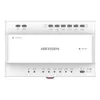 Video Distributor Hikvision DS-KAD7060EY Width 143.7 mm Depth 65.9 mm Height 92.4 mm
Product specification Video Distributor Hikvision DS-KAD7060EY Width 143.7 mm Depth 65.9 mm Height 92.4 mm
Manufacturer:
Hikvision
Category:
Network Switches
Description
The Hikvision DS-KAD7060EY video distributor is designed for efficient distribution of video signals. It features a compact design with dimensions of 143.7 mm in width, 65.9 mm in depth, and 92.4 mm in height, making it suitable for various installations. This device ensures reliable performance and high-quality video transmission, ideal for surveillance systems.
The Hikvision DS-KAD7060EY video distributor is a compact device for distributing video signals within surveillance and intercom systems. With dimensions of 143.7 mm (width) × 65.9 mm (depth) × 92.4 mm (height) and a white housing, it is intended for installations where space is limited or where retrofit of existing apartment intercom wiring is required. The unit supports 2-wire HD video intercom setups, enabling reuse of legacy wiring and minimizing installation effort while maintaining reliable video transmission and stable performance.
Advantages
The distributor supports 2-wire HD transmission that preserves image quality over existing cable runs, reducing the need for new infrastructure. Its compact size and white finish simplify integration into panels, housings or wall-mounted enclosures. Basic setup can be completed locally using device DEC knobs, and further configuration is available via mobile AP mode, providing flexible installation and management options. The design enables quick troubleshooting and maintenance by showing device connection status through the mobile web interface or floor shunt.
Suitable for
- Apartment intercom retrofit projects where existing two-core wiring is reused
- Small to medium residential or multi-dwelling surveillance and access control systems
- Installations requiring compact video distribution modules inside panels or meter boxes
- Environments where basic local setup and mobile-based advanced configuration are preferred
Key specifications
- Form factor: compact video distributor module
- Dimensions: 143.7 mm (W) × 65.9 mm (D) × 92.4 mm (H)
- Supported system: 2-wire HD video intercom
- Colour: white
- Configuration interfaces: local DEC knobs for basic settings, mobile AP mode for advanced settings
- Functionality: video signal distribution, device connection status monitoring, remote configuration via mobile web
How to use
Mount the distributor in a suitable enclosure or panel location that provides access to the existing two-wire intercom cabling. Power the unit according to the installation manual and perform basic configuration by turning the DEC knobs to set room or building numbers and initial parameters. For advanced configuration, enable AP mode on the device and connect with a mobile device to complete activation of devices, add user or personnel information, issue access cards and adjust other system settings. Verify video feed and connection status through the mobile web interface and the floor shunt to confirm correct operation.
Usage recommendations
During retrofit installations, confirm the condition and continuity of the existing two-wire cabling before mounting the distributor. Use the DEC knobs for quick on-site setup and reserve advanced parameter changes for a secure mobile AP session. Regularly check device connection status through the mobile web to detect and resolve wiring or device issues promptly.
Specifications
Weight & dimensions
- Height:
- 92.4 mm
- Width:
- 143.7 mm
- Depth:
- 65.9 mm
Power
- Output voltage:
- 48DC
Operational conditions
- Operating relative humidity (H-H):
- 10 - 90
- Operating temperature (T-T):
- -10 - 50
Design
- Product colour:
- White

Reasons to buy
2-Wire Series
Hikvision Two-Wire Video Intercom system includes both indoor and outdoor video intercom stations powered by a distributor that requires only two wires — one for power and one for audio/video transmission.This setup simplifies upgrades of older intercom systems. With fewer wires needed, you can reuse existing cabling from previous hardware. Installation becomes easier, faster, and more cost-effective.
Using advanced camera and Power Line Communication (PLC) technology, the product delivers improved video quality. The modular door station supports flexible combinations of function-specific modules. Configure the most suitable door station according to your needs by choosing among module options such as card readers, name tags, keypads, and more.
It integrates with CCTV systems and supports remote control via a mobile app, significantly enhancing the security of any residence.