Filters you can trust. Pure water every day.

{{ totalProductsCount }}
In cart {{totalProductsCount}} item(s)
In cart {{totalProductsCount}} item(s)
Total:
{{sum | formatAmount}}
Your cart is empty
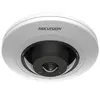 IP security camera Hikvision Panoramic Series 5 MP AcuSense Fisheye 180°
Product specification IP security camera Hikvision Panoramic Series 5 MP AcuSense Fisheye 180°
Manufacturer:
Hikvision
Category:
Network Equipment Accessories
Description
The Hikvision Panoramic Series 5 MP AcuSense Fisheye Network Camera features a 180° viewing angle, CMOS sensor, and supports indoor placement. It offers a detection distance of 21 m, observation distance of 8 m, and recognition distance of 4 m. This dome camera is ideal for comprehensive surveillance in various indoor environments.
The Hikvision Panoramic Series 5 MP AcuSense Fisheye Network Camera is a high-performance surveillance solution designed to provide comprehensive monitoring of indoor spaces. With its advanced fisheye lens, this camera captures a wide 180-degree field of view, effectively eliminating blind spots and allowing for complete situational awareness from a single mounting point. Equipped with a high-resolution CMOS sensor, it delivers clear and detailed imagery, while integrated AcuSense technology enhances security by accurately classifying human and vehicle targets to reduce false alarms.
Advantages
This camera excels in providing an expansive view of large indoor areas, significantly reducing the number of devices required for full coverage. The inclusion of AcuSense technology ensures that security personnel receive relevant alerts, as the system intelligently filters out irrelevant motion caused by animals or environmental factors. Its compact dome design allows for discreet installation, making it an unobtrusive addition to any professional or commercial interior environment while maintaining high-quality video output.
Suitable for
- Retail stores and supermarkets for monitoring aisles and checkout areas
- Office lobbies and open-plan workspaces
- Warehouses and storage facilities requiring wide-area surveillance
- Public indoor corridors and waiting rooms
This camera may not be suitable for outdoor environments, as it is specifically engineered for indoor placement and lacks the necessary weatherproofing for exposure to rain, snow, or extreme temperature fluctuations. Additionally, it is not designed for long-range identification tasks, as its recognition distance is limited to 4 meters.
Key specifications
- Resolution: 5 Megapixels
- Field of view: 180 degrees
- Sensor type: CMOS
- Detection distance: 21 meters
- Observation distance: 8 meters
- Recognition distance: 4 meters
- Placement: Indoor
To use the camera, mount it securely to a ceiling or wall in a central location to maximize the 180-degree field of view. Connect the device to your network via an Ethernet cable and configure the settings through the Hikvision web interface or compatible video management software. Ensure the camera is positioned at an appropriate height to optimize the detection and recognition ranges for your specific security needs.
What to consider before purchase
- Verify that your network infrastructure supports Power over Ethernet (PoE) for simplified installation
- Ensure the mounting surface is stable and capable of supporting the dome camera weight
- Check that the indoor lighting conditions are compatible with the camera's sensor capabilities
For optimal performance, regularly clean the camera lens with a soft, non-abrasive cloth to maintain image clarity and ensure that the firmware is updated periodically to benefit from the latest security enhancements and features.
Specifications
- Internal memory:
- 60 MB
- Type:
- IP security camera
- Weight:
- 0.32 kg
- Power consumption (typical): Power consumption in switched-on state expressed in W.
- 6 W
- Security algorithms:
- HTTPS, SRTP, TLS
- Flash memory:
- 2000 MB
- Supported network protocols:
- TCP/IP, ICMP, HTTP, HTTPS, FTP, DHCP, DNS, DDNS, RTP, RTSP, NTP, UPnP, SMTP, IGMP, 802.1X, QoS, IPv4, IPv6, UDP, Bonjour, SSL/TLS, PPPoE, SFTP, ARP, SNMP
- Operating relative humidity (H-H):
- 0 - 95
- Compatible memory cards:
- MicroSD (TransFlash), MicroSDHC, MicroSDXC
- Storage temperature (T-T):
- -10 - 50
- Package weight:
- 510 g
- Form factor:
- Dome
- Operating temperature (T-T):
- -10 - 50
- Camera shutter speed:
- 1 - 1/100000
- Ethernet LAN:
- Yes
- Storage relative humidity (H-H):
- 0 - 95
- Height:
- 41.2 mm
- Signal-to-Noise Ratio (SNR):
- 52 dB
- Sensor type:
- CMOS
- Minimum illumination:
- 0 lx
- Optical sensor size:
- 25.4 / 2.7
- Connectivity technology:
- Wired
- Maximum resolution:
- 2592 x 1944
- Product colour:
- White
- Number of users:
- 32 user(s)
- Networking standards:
- IEEE 802.3af
- LED type:
- IR
- Bluetooth:
- No
- Audio output channels:
- 1.0
- Audio formats supported:
- AAC-LC, G.711 A-law, G.711 μ-law, G.722.1, G.726, MP2L2, MP3, PCM
- Video compression formats:
- H.264, H.264+, H.265, H.265+, M-JPEG
- Bit rate:
- 32 Kbps - 16 Mbps
- Ethernet LAN (RJ-45) ports:
- 1
- Noise reduction:
- Yes
- Diameter:
- 119.9 mm
- Dynamic range:
- 120 dB
- Wi-Fi:
- No
- Card reader integrated:
- Yes
- Placement supported:
- Indoor
- Mirror:
- Yes
- Reset button:
- Yes
- Package depth:
- 125 mm
- Package height:
- 99 mm
- Package width:
- 150 mm
- Supported graphics resolutions:
- 640 x 360, 640 x 480 (VGA), 1280 x 720 (HD 720), 1920 x 1080 (HD 1080), 2592 x 1944, 2688 x 1520
- Maximum aperture number:
- 2.25
- Night vision:
- Yes
- Live view:
- Yes
- Audit log:
- Yes
- Fixed focal length:
- 1.05 mm
- Mounting type:
- Ceiling/Wall/Desk
- Active tampering alarm:
- Yes
- IP address filtering:
- Yes
- DC output voltage:
- 12
- DC output current:
- 0.5 A
- Maximum memory card size:
- 256 GB
- Number of languages:
- 33
- Ethernet interface type:
- Fast Ethernet
- RS-485 ports:
- 1
- RAM capacity:
- 400 MB
- Supported programming languages:
- C++
- Power source type:
- DC, PoE
- Total megapixels:
- 5 MP
- Image quality adjustment:
- Brightness, Contrast, Saturation, Sharpness
- Back Light Compensation (BLC):
- Yes
- Built-in HDD:
- No
- Night vision distance:
- 8
- Audio input channels:
- 10
- HTTPS encryption:
- Yes
- Wide Dynamic Range (WDR):
- Yes
- Infra-red wavelength:
- 850 nm
- Day/night mode:
- Yes
- Alarm input/output:
- Yes
- Number of cameras:
- 1
- Lens mount interface:
- M12
- Sample rates:
- 8 - 48
- Password protection:
- Yes
- Alarm output channels:
- 1
- Privacy masking:
- Yes
- Power consumption (Power over Ethernet (PoE)):
- 7.5 W
- Alert notification type:
- Infrared (IR) cut-off filter:
- Yes
- Intelligent Video Surveillance (IVS) system features:
- Heat map
- Highlight Compensation (HLC):
- Yes
- Bit rate control:
- Constant Bit Rate (CBR)/Variable Bit Rate (VBR)
- Region of Interest (ROI) encoding:
- Yes
- Streaming method:
- Multicast
- Observe distance:
- 8 m
- Detect distance:
- 21 m
- Recognize distance:
- 4 m
- Identify distance:
- 2 m
- Noise reduction technology:
- 3D noise reduction
- Heartbeat:
- Yes
- Sustainability compliance:
- Yes
- Bit rate range:
- 16 - 320
- Number of simultaneous live view channels:
- 6 channels
- User access level:
- Administrator, Operator, User
- Password reset via email:
- Yes
- Pixel counter:
- Yes
- Flash log:
- Yes
- Automatic Network Replenishment (ANR):
- Yes
- Digest authentication:
- Yes
- Lens viewing angle, horizontal:
- 180
- Lens viewing angle, vertical:
- 180
- Lens viewing angle, diagonal:
- 180
- Open platform version:
- HEOP 2.0
- AI software framework:
- Caffe, TensorFlow
- Compliance certificates:
- CB, CE, Federal Communications Commission (FCC), Low Voltage Directive (LVD), RCM, REACH, RoHS, UL, WEEE


