Dreame vacuums for fast and efficient cleaning!

{{ totalProductsCount }}
In cart {{totalProductsCount}} item(s)
In cart {{totalProductsCount}} item(s)
Total:
{{sum | formatAmount}}
Your cart is empty
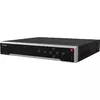 Network Video Recorder Hikvision DS-7716NI-M4/16P 16 Channels 7680x4320
Product specification Network Video Recorder Hikvision DS-7716NI-M4/16P 16 Channels 7680x4320
Manufacturer:
Hikvision
Category:
DVR & NVR Video Recording Systems
Description
The Hikvision DS-7716NI-M4/16P is a network video recorder supporting 16 channels with a maximum resolution of 7680 x 4320 pixels. It features a maximum storage capacity of 14 TB and supports various network protocols. Ideal for surveillance applications, it offers reliable performance and compatibility with Hikvision products.
The Hikvision DS-7716NI-M4/16P is a 16-channel network video recorder (NVR) designed for IP surveillance systems with support for high-resolution recording up to 7680 x 4320 pixels. The unit integrates 16 PoE-enabled network ports plus additional network connectivity to simplify camera deployment and centralize video storage. With a maximum internal storage capacity of 14 TB and support for SATA/eSATA hard drives, the recorder is intended for continuous monitoring in commercial and institutional environments where multi-camera recording and playback are required.
Advantages
The device combines multi-channel recording capability with high-resolution support, enabling detailed image capture and flexible playback options. Built-in PoE ports reduce the need for separate power supplies for cameras, streamlining installation and cabling. A mix of USB 2.0 and USB 3.2 Gen 1 Type-A ports allows for straightforward connection of external storage or peripherals, while the black metal enclosure and compact footprint are suitable for rack or shelf placement. Compatibility with common network protocols supports integration into existing surveillance infrastructures.
Suitable for
- Small to medium-sized business surveillance installations
- Retail stores and point-of-sale monitoring
- Office buildings and reception areas
- Parking lots and outdoor perimeter monitoring (with compatible IP cameras)
- Educational and institutional video recording
Key specifications
- Channels: 16 IP camera inputs
- Maximum recording resolution: up to 7680 x 4320 pixels
- Maximum internal storage capacity: 14 TB
- Network ports: 17 Ethernet (RJ-45) ports including PoE-enabled ports
- HDD interface: SATA and eSATA support for internal and external drives
- USB ports: 2 x USB 2.0, 1 x USB 3.2 Gen 1 (Type-A)
- Color: Black
- Weight: approximately 5 kg
How to use
Install the NVR in a stable, ventilated location and connect it to the local network via the Ethernet ports. Mount and connect compatible IP cameras to the PoE-enabled ports or through the network switch; the recorder will discover supported devices on the network. Install SATA hard drives up to the supported capacity or connect external storage via eSATA or USB. Use the included management software or web interface to configure recording schedules, motion detection, retention settings and user accounts. Verify network settings and ensure firmware is up to date before placing the system into continuous operation.
Usage recommendations
For reliable long-term operation, use enterprise-grade SATA drives rated for surveillance workloads, configure regular backup routines, and maintain proper ventilation around the unit. Balance resolution and frame rate settings per camera to optimize storage usage and network bandwidth. Apply firmware updates from the manufacturer and restrict remote access with secure credentials and network segmentation.
Specifications
Hard drive
- HDD interface:
- SATA, eSATA
- Number of HDDs supported:
- 5
Storage
- Maximum storage capacity:
- 14 TB
Ports & interfaces
- Networking standards:
- IEEE 802.3at, IEEE 802.3af
- USB 2.0 ports quantity:
- 2
- eSATA ports quantity:
- 1
- Power over Ethernet (PoE):
- Yes
- eSATA:
- Yes
- RS-232 ports:
- 1
- HDMI ports quantity:
- 2
- RS-232 interface:
- Yes
- RS-485 ports:
- 2
- Internal SATA ports quantity:
- 4
- VGA (D-Sub) output ports:
- 1
- Power over Ethernet (PoE) ports quantity:
- 16
- Audio RCA inputs:
- 1
- Audio RCA outputs:
- 1
- HDMI output:
- Yes
- BNC video output:
- Yes
- Video input channels:
- 16 channels
- Alarm input channels:
- 16
- Alarm output channels:
- 9
- USB 3.2 Gen 1 (3.1 Gen 1) Type-A ports quantity:
- 1
Network
- Supported network protocols:
- TCP/IP, DHCP, IPv4, IPv6, DNS, DDNS, NTP, RTSP, SADP, SMTP, SNMP, NFS, iSCSI, ISUP, UPnP, HTTP, HTTPS
- Ethernet LAN (RJ-45) ports:
- 17
- Wi-Fi:
- No
- Ethernet LAN data rates:
- 100, 1000, 10
Display
- Built-in display:
- No
Performance
- Certification:
- EN 55032:2015+A1:2020, ENIEC61000-3-2:2019+A1:2021, EN 61000-3-3:2013+A1:201 9, EN 50130-4:2011+A1:2014, EN 55035:2017+A11:2020
- Maximum resolution:
- 7680 x 4320
- Product colour:
- Black
- Audio formats supported:
- G.722, G.726, G.711 μ-law, G.711 A-law, AAC
- Rack capacity:
- 1.5U
- Video formats supported:
- H.264+, H.265, H.265+, H.264
- Supported resolutions:
- 32 MP/24 MP/12 MP/8 MP/6 MP/5 MP/4 MP/3 MP/1080p/UXGA/720p/VGA /4CIF/DCIF/ 2CIF/CIF/QCIF
- Number of simultaneously playbacked channels:
- 16 channels
- Two-way talk:
- Yes
- Input bandwidth:
- 256 Mbit/s
- Output bandwidth:
- 256 Mbit/s
Power
- Output voltage:
- 12
- Output current:
- 1 A
- AC input frequency:
- 50 - 60
- AC input voltage:
- 100 - 240
- Power consumption (max):
- 15 W
- Total Power over Ethernet (PoE) budget:
- 200 W
Weight & dimensions
- Weight:
- 5 kg
- Rack mounting:
- Yes
- Height:
- 75 mm
- Width:
- 445 mm
- Depth:
- 400 mm
Operational conditions
- Operating relative humidity (H-H):
- 10 - 90
- Operating temperature (T-T):
- -10 - 55
Features
- On/off switch:
- Yes
- Brand compatibility:
- Hikvision Digital Technology


