Dreame vacuums for fast and efficient cleaning!
In cart {{totalProductsCount}} item(s)
Your cart is empty
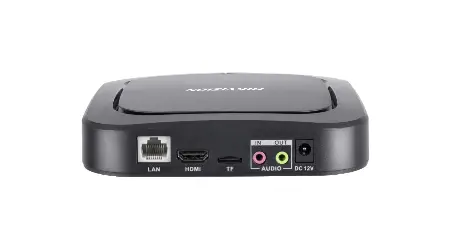
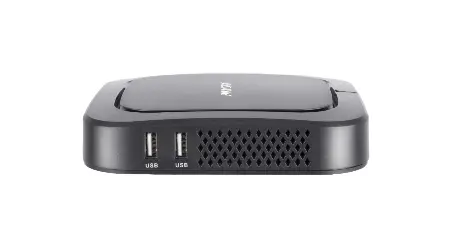
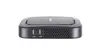
Hikvision DS-D60C-B Video Decoder 3840 x 2160 Pixels Android 6.0.1 Gigabit Ethernet Black
The Hikvision DS-D60C-B Video Decoder is a professional-grade device designed for high-definition video processing and advanced surveillance applications. Delivering a maximum video resolution of 3840 x 2160 pixels, this unit ensures sharp visual output and reliable performance for demanding monitoring environments. Operating on Android 6.0.1, it provides a stable platform with efficient signal decoding and seamless network integration via a Gigabit Ethernet interface. Housed in a compact black enclosure, the video decoder easily integrates into existing security and display infrastructures.
This video decoder offers exceptional versatility by supporting a wide variety of static and dynamic materials, including applications, pictures, audio, video, PDF documents, streaming media, and live video feeds. Centralized management capabilities allow administrators to remotely control and manage one or multiple screens, including setting timed startup and shutdown schedules, adjusting brightness and volume, and previewing screenshots. Enhanced organizational features include a multi-level structure for managing terminals, users, and programs, complemented by customizable user permissions. Security is prioritized through multi-level content checks, secure screensavers, and robust data encryption for both storage and transmission.
This device is specifically engineered for professional video decoding, surveillance, and digital signage applications, making it unnecessary for standard consumer entertainment or personal desktop use. It requires a compatible network infrastructure and display setup to function correctly.
Connect the video decoder to your network using a standard Ethernet cable and attach the display unit via the appropriate video output. Power the device using the included 12 V AC adapter. Once the Android 6.0.1 operating system boots up, configure the network settings and connect the unit to your centralized management software. Materials, schedules, and display layouts can then be managed remotely through the software interface or via the wireless remote control.
For optimal performance and security, ensure the device is connected to a stable Gigabit network and keep user permissions properly configured to prevent unauthorized content release.
{{highlightedFeature.featureTitle}}:
{{getProductFeatureValueById(product, highlightedFeature.featureId)}}
{{ productComparisonGenerationError }}