Filters you can trust. Pure water every day.

{{ totalProductsCount }}
In cart {{totalProductsCount}} item(s)
In cart {{totalProductsCount}} item(s)
Total:
{{sum | formatAmount}}
Your cart is empty
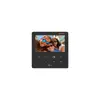 Video Intercom System Hikvision DS-KH6110-WE1 4.3" TFT Black
Product specification Video Intercom System Hikvision DS-KH6110-WE1 4.3" TFT Black
Manufacturer:
Hikvision
Category:
Network Equipment Accessories
Description
The Hikvision DS-KH6110-WE1 is a video intercom system featuring a 4.3" TFT display with a resolution of 480 x 272 pixels. It has a ROM capacity of 16 MB and supports Fast Ethernet and Wi-Fi standards 802.11b/g/n. This device operates on a Linux system, making it reliable and efficient for home security and communication purposes.
The Hikvision DS-KH6110-WE1 is a compact and reliable video intercom indoor station designed to enhance security and communication in residential or office environments. Featuring a clear 4.3-inch TFT display with a resolution of 480 x 272 pixels, this device provides a user-friendly interface for monitoring entry points and managing visitor access. Built on a stable Linux operating system, it ensures consistent performance and efficient operation for daily security needs.
Advantages
This video intercom system offers significant flexibility through its support for both wired Fast Ethernet and wireless Wi-Fi connectivity, allowing for versatile installation options in various building layouts. The inclusion of four custom buttons provides quick access to frequently used functions, simplifying the user experience. Its compact form factor makes it an ideal choice for modern interiors where space-saving equipment is preferred without compromising on functionality or security monitoring capabilities.
Suitable for
- Residential homes and villas
- Apartment complexes
- Small office environments
- Access control management for entry points
This device may not be suitable for large-scale industrial facilities requiring complex multi-zone integration or systems that demand high-definition video output beyond the standard 480 x 272 resolution. It is intended primarily for indoor use and should not be installed in outdoor areas exposed to direct weather elements.
Key specifications
- Display: 4.3-inch TFT
- Resolution: 480 x 272 pixels
- Operating System: Linux
- Connectivity: Fast Ethernet, Wi-Fi 802.11b/g/n
- Storage: 16 MB ROM
- Interface: 4 custom buttons
To use the Hikvision DS-KH6110-WE1, mount the unit on a flat indoor surface using the provided hardware. Connect the device to your local network via an Ethernet cable or configure the Wi-Fi settings through the on-screen menu. Once connected, pair the indoor station with your compatible outdoor door station to enable video streaming and two-way audio communication. The interface allows users to view live feeds and manage door locks directly from the touch-sensitive controls.
What to consider before purchase
- Ensure your existing network infrastructure supports 2.4 GHz Wi-Fi or wired Ethernet connections.
- Verify compatibility with your specific outdoor door station model.
- Confirm that the installation location has access to a stable power source.
Usage recommendations
Regularly update the device firmware through the manufacturer's management software to ensure optimal security and system stability. Keep the screen clean using a soft, dry cloth to maintain touch sensitivity.
Specifications
- Colour:
- Yes
- Weight:
- 0.1978 kg
- Wi-Fi standards:
- Wi-Fi 4 (802.11n), 802.11b, 802.11g
- Operating relative humidity (H-H):
- 10 - 90
- Package weight:
- 336.6 g
- Display diagonal: iagonal of the visible part of the screen expressed in centimeters and inches.
- 4.3 "
- Built-in microphone:
- Yes
- Operating temperature (T-T):
- -10 - 50
- Height:
- 21 mm
- LED indicators:
- Y
- Display resolution:
- 480 x 272
- Wall mountable:
- Yes
- Width:
- 120 mm
- Depth:
- 120 mm
- Connectivity technology:
- Wired
- Product colour:
- Black
- Networking standards:
- IEEE 802.11b, IEEE 802.11g, IEEE 802.11n, IEEE 802.3af
- Speakerphone:
- Yes
- Ethernet LAN (RJ-45) ports:
- 1
- Built-in speaker(s):
- Yes
- Power over Ethernet (PoE):
- Yes
- Operating system installed:
- Linux
- Wi-Fi:
- Yes
- Ethernet LAN data rates:
- 10, 100
- ROM capacity:
- 16 MB
- Ethernet interface type:
- Fast Ethernet
- Power consumption (max):
- 4 W
- Display technology:
- TFT
- Outdoor unit included:
- Yes
Instructions


