Powerful EcoFlow stations for energy anywhere!

{{ totalProductsCount }}
In cart {{totalProductsCount}} item(s)
In cart {{totalProductsCount}} item(s)
Total:
{{sum | formatAmount}}
Your cart is empty
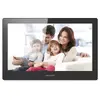 Video Intercom System Hikvision DS-KH8520-WTE1
Product specification Video Intercom System Hikvision DS-KH8520-WTE1
Manufacturer:
Hikvision
Category:
CCTV Accessories
Description
The Hikvision DS-KH8520-WTE1 is a 10.1" video intercom system featuring a TFT display with a resolution of 1024 x 600 pixels. It supports MicroSD cards up to 32 GB and offers Fast Ethernet and Wi-Fi connectivity. With a power consumption of just 6 W, this indoor unit is efficient and reliable, making it an ideal choice for home security.
The Hikvision DS-KH8520-WTE1 is a high-performance 10.1-inch video intercom indoor station designed to provide clear visual communication and reliable security management for residential and office environments. Featuring a vibrant TFT LCD touchscreen with a resolution of 1024 x 600 pixels, this device offers an intuitive interface for monitoring entry points and managing connected surveillance cameras. Its sleek design and efficient power consumption make it a practical addition to any modern security setup.
Advantages
This indoor station stands out due to its large, responsive display which ensures that visitors are easily identifiable. The integration of both Wi-Fi and Fast Ethernet connectivity provides flexible installation options, allowing for seamless network integration regardless of existing cabling. With support for local storage via MicroSD cards up to 32 GB, users can conveniently record snapshots or video clips directly on the device. The low power consumption of 6 W ensures energy efficiency during continuous operation, contributing to a sustainable and cost-effective security solution.
Suitable for
- Residential homes and apartment complexes
- Small to medium-sized office buildings
- Monitoring entry points and managing visitor access
- Integration with existing IP-based surveillance systems
When it may not be suitable
This device is designed specifically for indoor use and is not suitable for outdoor installation where it would be exposed to moisture, dust, or extreme temperatures. It may also not be the ideal choice for systems requiring large-scale centralized video management beyond standard intercom and basic surveillance monitoring.
Key specifications
- Display: 10.1-inch TFT LCD touchscreen
- Resolution: 1024 x 600 pixels
- Connectivity: Wi-Fi and 10/100 Mbps Fast Ethernet
- Storage: MicroSD card slot supporting up to 32 GB
- Power consumption: 6 W
How to use
To begin using the Hikvision indoor station, mount the device on a wall using the provided bracket and connect it to your local network via Wi-Fi or an Ethernet cable. Once powered on, follow the on-screen setup wizard to configure network settings and link the device to your outdoor intercom station or IP cameras. The touchscreen interface allows you to navigate menus, view live video feeds, and manage recorded media. Ensure the device is connected to a stable power source and that a compatible MicroSD card is inserted if you wish to utilize the local recording features.
What to consider before purchase
- Ensure your network infrastructure supports the required bandwidth for video streaming
- Verify compatibility with your existing outdoor intercom station or camera system
- Check if the mounting location has access to a stable power supply
- Confirm that the 32 GB storage capacity meets your specific recording needs
Usage recommendations
For optimal performance, keep the device firmware updated to the latest version provided by the manufacturer. Regularly check the status of the MicroSD card to ensure recordings are being saved correctly and clean the touchscreen surface with a soft, dry cloth to maintain responsiveness.
Specifications
- Colour:
- Yes
- Weight:
- 0.66 kg
- Wi-Fi standards:
- 802.11b, 802.11g, Wi-Fi 4 (802.11n)
- Power consumption (typical): Power consumption in switched-on state expressed in W.
- 6 W
- Operating relative humidity (H-H):
- 10 - 90
- Compatible memory cards:
- MicroSD (TransFlash)
- Cabling technology:
- 10/100Base-T(X)
- Package weight:
- 1118 g
- Display diagonal: iagonal of the visible part of the screen expressed in centimeters and inches.
- 10.1 "
- Built-in microphone:
- Yes
- Operating temperature (T-T):
- -10 - 55
- Height:
- 14.7 mm
- Display resolution:
- 1024 x 600
- Width:
- 254 mm
- Depth:
- 166 mm
- Connectivity technology:
- Wired & Wireless
- Product colour:
- Black
- Networking standards:
- IEEE 802.3af
- Speakerphone:
- Yes
- Ethernet LAN (RJ-45) ports:
- 1
- Built-in speaker(s):
- Yes
- Power over Ethernet (PoE):
- Yes
- Wi-Fi:
- Yes
- Ethernet LAN data rates:
- 10, 100
- Touchscreen:
- Yes
- Noise-canceling:
- Yes
- Video codecs:
- G.711 U
- Housing material:
- Acrylonitrile butadiene styrene (ABS)
- Maximum memory card size:
- 32 GB
- Echo cancellation:
- Yes
- Ethernet interface type:
- Fast Ethernet
- Touchscreen type:
- Capacitive
- Display technology:
- TFT
- Memory card slot:
- Yes
- Indoor unit included:
- Yes
- Indoor unit power type:
- DC


