Hurry and order now – up to 50% off!
In cart {{totalProductsCount}} item(s)
Your cart is empty
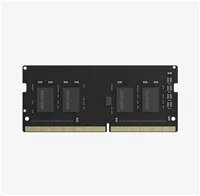
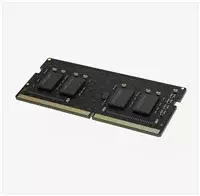
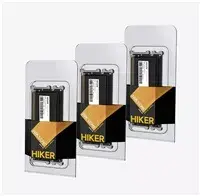
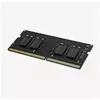
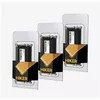
Memory Module Hikvision SODIMM DDR4 4GB 2666MHz
The Hikvision SODIMM DDR4 4GB 2666MHz memory module is a reliable component designed to enhance the performance of laptops and compact computing systems. Engineered for efficiency, this module provides a stable data transfer rate of 2666MHz, which helps in reducing system latency and improving overall responsiveness during daily operations. Its compact form factor ensures easy installation in compatible notebooks, making it a practical solution for users looking to upgrade their existing hardware for better multitasking capabilities.
This memory module offers significant improvements in system fluidity by allowing the processor to access data more quickly. The DDR4 technology is highly energy-efficient, which helps in maintaining lower power consumption levels, potentially extending battery life in portable devices. Furthermore, the module is built with high-quality components to ensure long-term reliability and consistent performance under standard operating conditions, providing a stable foundation for office applications, web browsing, and multimedia consumption.
This module is not intended for high-performance gaming rigs, professional video editing workstations, or servers that require high-capacity memory configurations. It is also incompatible with desktop motherboards that require standard DIMM modules rather than the smaller SODIMM form factor.
To install the memory module, ensure your device is powered off and disconnected from the power supply. Open the access panel on the bottom of your laptop to locate the memory slots. Carefully remove the existing module if necessary by releasing the side clips, then insert the new Hikvision module into the slot at a slight angle. Push down firmly until the side clips click into place, securing the module. Once installed, replace the access panel and power on your device; the system should automatically detect the new memory capacity.
Usage recommendations: For optimal performance, it is recommended to match the frequency and latency of this module with any existing memory already installed in your system. Always handle the module by its edges to avoid touching the gold contact pins.
{{highlightedFeature.featureTitle}}:
{{getProductFeatureValueById(product, highlightedFeature.featureId)}}
{{ productComparisonGenerationError }}