
Leave your address - as soon as the price of the product goes down, you'll know about it right away
Wireless Computer Mouse HOCO GM29 2.4G, 1600 DPI, White
In cart {{totalProductsCount}} item(s)
Your cart is empty
Wireless Computer Mouse HOCO GM29 2.4G, 1600 DPI, White
Leave your address - as soon as the price of the product goes down, you'll know about it right away
Wireless Computer Mouse HOCO GM29 2.4G, 1600 DPI, White
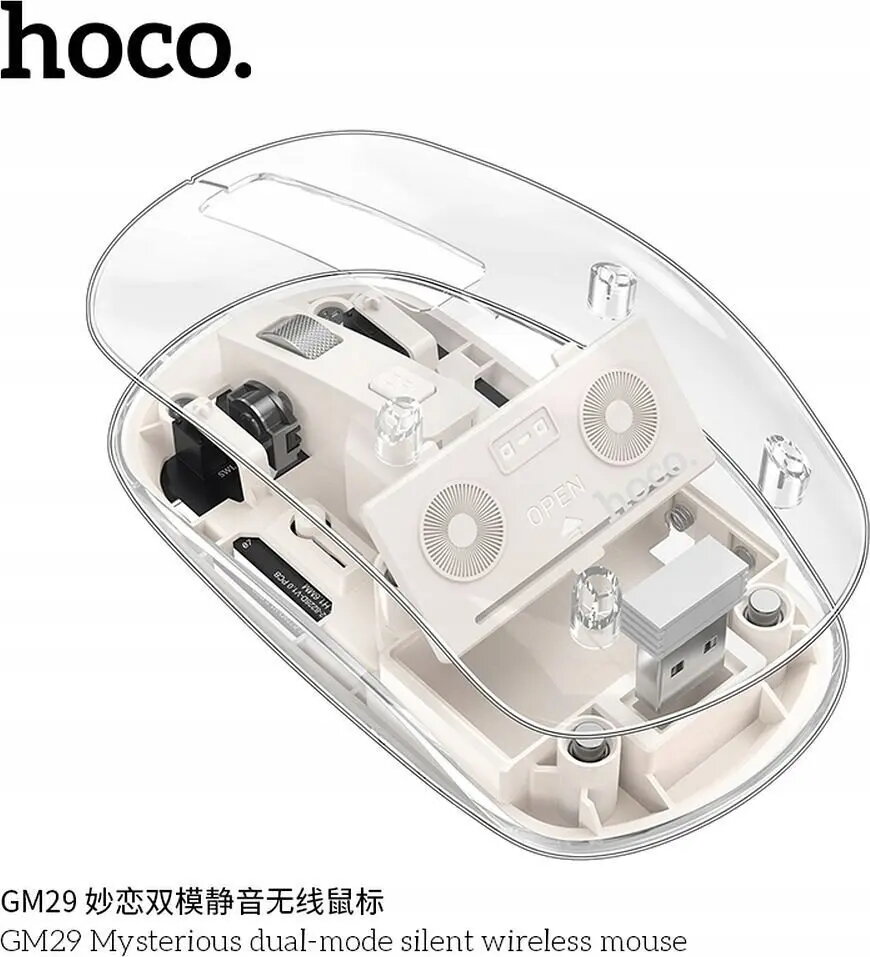
HOCO GM29 2.4G wireless computer mouse in white is a compact optical mouse designed for everyday use with desktop and laptop computers. It uses a 2.4 GHz wireless connection and a 1600 DPI sensor to deliver responsive cursor control for office work, web browsing and casual gaming. The standard two-button layout with a scroll wheel and an ergonomic profile offers straightforward operation and portability in a simple white finish.
The mouse provides a reliable wireless link over 2.4 GHz for stable cursor movement without cable constraints. The 1600 DPI optical sensor balances speed and precision for common productivity tasks and light gaming. Its compact size and lightweight construction make it easy to carry and suitable for use with notebooks and small workspaces. The standard button layout and scroll wheel ensure familiar handling and reduced learning curve for most users.
Insert the required battery or batteries according to the manufacturer’s guidelines and connect the included USB receiver to an available USB port on your computer. The mouse should be detected automatically by most modern operating systems without additional drivers. Adjust pointer speed and DPI settings through your operating system’s mouse settings if needed. Place the mouse on a suitable flat surface or mouse pad for optimal tracking.
For best battery life and stable performance, use on a clean, flat surface and avoid surfaces with reflective properties. Store the USB receiver in the mouse’s receiver compartment (if provided) when transporting. If cursor movement feels imprecise, check for low battery and clean the sensor area from dust.
{{highlightedFeature.featureTitle}}:
{{getProductFeatureValueById(product, highlightedFeature.featureId)}}