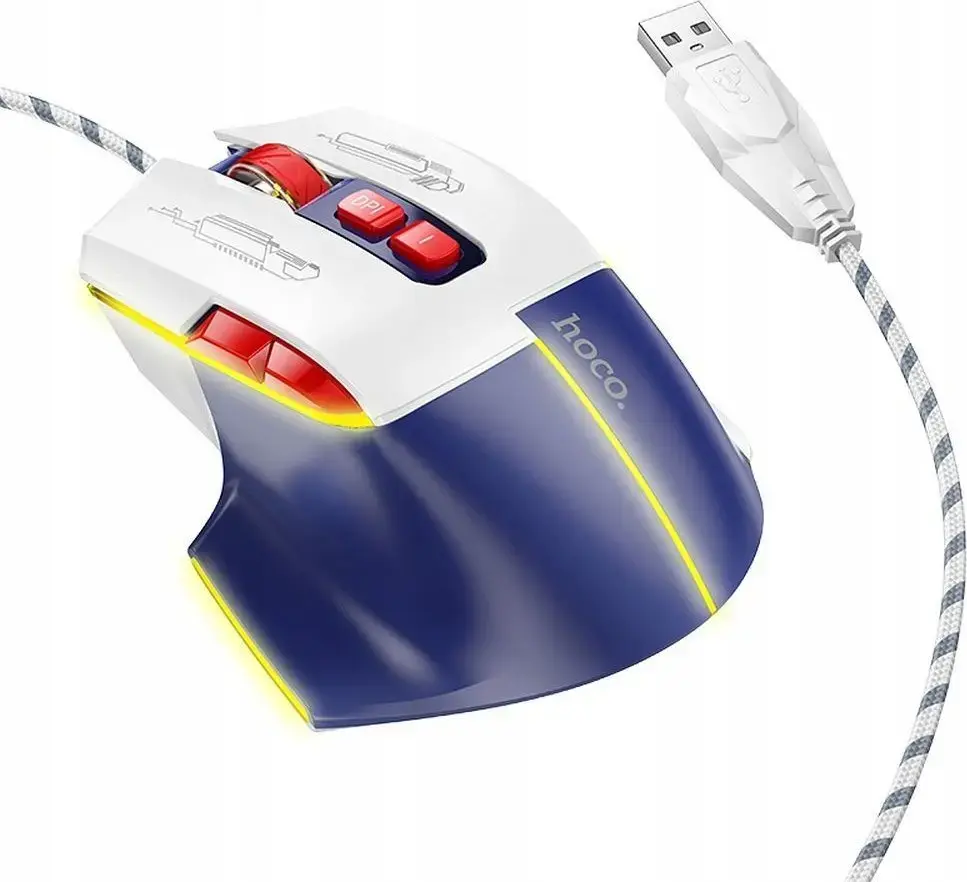
The HOCO GM31 Wired Gaming Mouse USB-A 3600 DPI White and Blue is a reliable computer mouse engineered to deliver precise cursor control and responsiveness for both gaming sessions and everyday desktop tasks. Featuring a wired USB-A connection, this peripheral ensures a stable, lag-free signal transmission without the need for battery replacements. Its ergonomic shape provides comfortable handling, reducing hand fatigue during extended computer use. Designed with a modern white and blue aesthetic, it fits seamlessly into any desktop setup, combining functionality with an appealing appearance.
Advantages
This wired gaming mouse offers consistent performance through its reliable USB-A wired connection, eliminating concerns about wireless interference or low batteries. The adjustable sensitivity reaching up to 3600 DPI allows users to tailor cursor speed and precision to their specific tasks, whether navigating detailed office documents or reacting quickly in fast-paced games. The ergonomic construction supports natural hand positioning, ensuring comfort during prolonged use. Furthermore, the plug-and-play functionality enables instant setup without requiring complex driver installations.
Suitable for
- Daily office work and document editing
- Casual gaming and fast-paced computer activities
- Web browsing and general desktop navigation
- Users preferring a reliable wired connection
When it may not be suitable
This mouse may not be ideal for competitive professional esports players who require advanced macro programming, ultra-lightweight chassis designs, or extremely high DPI thresholds exceeding standard gaming needs. Additionally, users who exclusively prefer wireless setups for cable-free desk management might find the wired connection limiting.
Key specifications
- Wired USB-A connection interface
- Maximum sensitivity of 3600 DPI
- Ergonomic design for comfortable handling
- White and blue color scheme
- Compatible with standard desktop and laptop computers
How to use
To start using the HOCO GM31 Wired Gaming Mouse, simply plug the attached USB-A cable into an available USB port on your computer. The operating system will automatically detect the peripheral and install the necessary generic drivers within seconds. Once connected, adjust your cursor sensitivity settings through your computer's operating system preferences to match your personal preference for gaming or daily office tasks. Keep the optical sensor on the underside clean from dust and debris to maintain optimal tracking accuracy.
What to consider before purchase
- Verify that your computer or device has an available USB-A port
- Consider whether a wired mouse fits your desk organization preferences
- Assess if the 3600 DPI maximum sensitivity meets your gaming and navigation requirements
Usage recommendations
For optimal performance, use the mouse on a flat, non-reflective surface or a quality mouse pad to ensure accurate optical sensor tracking. Avoid pulling or tightly wrapping the USB cable to prevent internal wire damage over time.