
Hurry and order now – up to 50% off!
In cart {{totalProductsCount}} item(s)
Your cart is empty
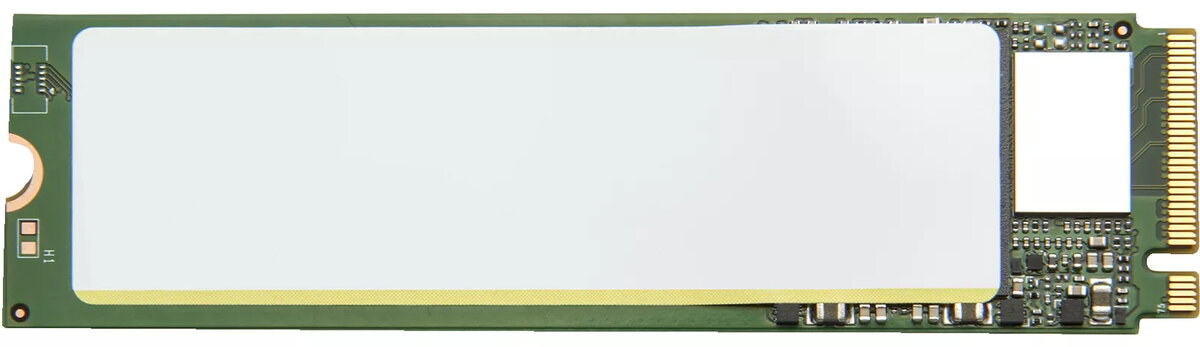
Internal Solid State Drive HP 512GB M.2 PCI Express 4.0 NVMe 4M9Z2AA
The HP 512GB M.2 PCI Express 4.0 NVMe internal solid state drive is a high-performance storage solution designed to enhance the speed and responsiveness of your computer system. Utilizing the advanced PCIe 4.0 interface, this drive delivers rapid data transfer rates, significantly reducing boot times and application loading speeds compared to traditional storage media. Its compact M.2 2280 form factor ensures compatibility with a wide range of modern laptops and desktop motherboards, providing a seamless upgrade path for users seeking improved efficiency.
This solid state drive offers substantial improvements in system performance by leveraging the high-bandwidth capabilities of the NVMe protocol. The integration of PCIe 4.0 technology allows for faster data throughput, which is essential for handling large files and demanding software applications. Its lightweight and space-saving design makes it an ideal choice for thin-and-light laptops where internal space is limited. Furthermore, the drive operates with high reliability and energy efficiency, contributing to a more stable and responsive computing environment.
This drive may not be suitable for devices that lack an M.2 slot or do not support the NVMe protocol. It is also not intended for use in systems that require massive storage capacities exceeding 512 GB, such as dedicated media servers or large-scale data archives.
To install the drive, ensure your computer is powered off and disconnected from the power source. Open your device's chassis to locate the M.2 slot on the motherboard. Insert the drive into the slot at a slight angle until it is fully seated, then secure it using the appropriate mounting screw. Once installed, initialize the drive through your operating system's disk management utility to format it for use.
For optimal performance, ensure that your motherboard BIOS is updated to the latest version and that you have installed the necessary NVMe drivers for your operating system.
{{highlightedFeature.featureTitle}}:
{{getProductFeatureValueById(product, highlightedFeature.featureId)}}
