
Dreame vacuums for fast and efficient cleaning!
In cart {{totalProductsCount}} item(s)
Your cart is empty
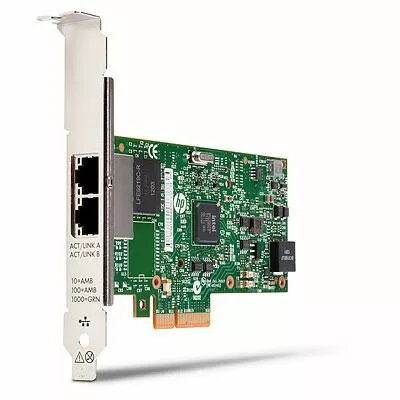
Network adapter HP 10GbE 2-port 560FLR SFP, model 684218-B21-RFB
HP 10GbE 2-port 560FLR SFP adapter, model 684218-B21-RFB, is a dual-port network interface card that provides 10 Gigabit Ethernet connectivity via SFP modules. Developed for server environments and compatible with HP ProLiant FLR slots, this network adapter is intended to increase throughput and support low-latency data transfers in virtualization and data center workloads. The adapter is identified by manufacturer part number 684218-B21-RFB and EAN 5711783575009.
The adapter delivers dual 10GbE ports using SFP interfaces to accommodate fiber or DAC transceivers, enabling flexible physical-layer options without altering server backplanes. It is designed for use in FLR-compatible HP ProLiant systems to simplify installation and maintain density in rack environments. The card supports higher network throughput and lower latency compared with standard 1GbE interfaces, helping to improve performance for storage, virtualization and clustered applications.
Install the adapter into an HP ProLiant FLR-compatible slot following the server vendor's hardware installation instructions. Fit appropriate SFP transceivers or direct attach cables (DAC) into the SFP ports according to the required media type and link distance. After physical installation, verify that the server BIOS/UEFI recognizes the adapter and install or update network drivers and firmware recommended by HP for the specific server model. Configure network settings in the server operating system or hypervisor to assign IP addresses, enable link aggregation or VLANs as required for your environment.
Use HP-supported SFP modules or DAC cables to ensure compatibility and to follow HP firmware and driver updates for reliable operation. Match cable type and transceiver specifications to network distance and speed requirements. For virtualization and storage workloads, consider enabling NIC teaming or link aggregation and monitor link statistics to balance traffic and optimize throughput.
{{highlightedFeature.featureTitle}}:
{{getProductFeatureValueById(product, highlightedFeature.featureId)}}
{{ productComparisonGenerationError }}
