A View Beyond Imagination
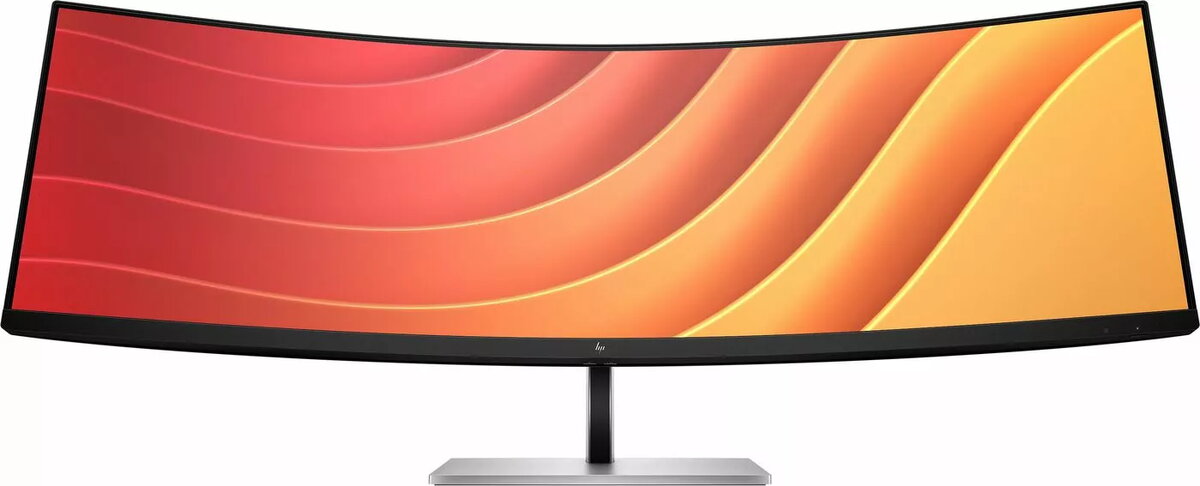
Replace two QHD monitors with this one massive, 44.5" diagonal, dual QHD curved monitor, but keep the benefits of two distinct displays. With Virtual Dual Display, split the monitor into two, so you can screen share a presentation that everyone can see on one screen and interact with your audience or content on the other[1]. Plus, you can connect 2 different computers and simultaneously view and work between them with HP Device Bridge 2.0[2].
Simple, Powerful Connections
When you’re working from home one day and the office the next, free yourself, your desk and your laptop from a mess of cables by simply connecting one USB-C® cable that connects your display and all your accessories—from webcam to keyboard—all while charging your laptop up to 100W. When you need to connect two devices, the two USB-C® ports distribute power with one port up to 65W power to each PC or 100W power to one PC and 30W power to a tablet or phone.
Comfort that Works for You
When doing your best relies on feeling your best, physical and viewing comfort is key. Easily find all-day comfort with 3-way adjustability optimized by the step-by-step Ergonomic Setup Guide[3]. See comfortably from day to night with the ambient light sensor that automatically adapts display brightness to fit your surroundings, and enjoy added comfort with HP Eye Ease, enhanced with a 165Hz refresh rate[4].
Ambient Light Sensor
Automatically adjusts your screen's brightness to the lighting of your environment for comfortable viewing.
Dual QHD Resolution
Get lost in the pixel density of two QHD screens for stunning definition.
Ultrawide, Ultra Productivity
Boost your productivity with this super ultrawide, 44.5-inch diagonal display with a 32:9 aspect ratio.
3-way Adjustability
3-way adjustability for the perfect viewing angle.
Picture By Picture
Display two computers on one monitor with Picture By Picture (PBP).
USB-C® Connectivity
Simply connect your entire setup via one USB-C® cable and charge one computer up to 100W.
HP Display Center
Customize your display with easy, intuitive HP Display Center software.
Single Power On
Instantly turn on your display and laptop.
Effortless Joypad OSD Button
It's never been easier to configure your displays settings right from the monitor. Simply navigate the on-screen menu with the joypad OSD button to adjust brightness, contrast, and color.
Ergonomic Setup Guide
Achieve all-day comfort when you apply the best practices from the Ergonomic Setup Guide.[3]
Enhanced Viewing featuring HP Eye Ease
Experience enhanced viewing with comfort and screen performance. HP Eye Ease, an always-on, low-blue light filter, helps keep your eyes comfortable throughout the day by reducing blue light without impacting color—now enhanced with a 165Hz refresh rate.[4]
Virtual Dual Display
Create two virtual unique workspaces that act like two distinct displays.[1]
HP Device Bridge 2.0
Control two devices: copy, paste, drag and drop files or data between them.[2]
99% sRGB Color Space
Ideal color reproduction with minimal effort.[4]
KVM Switch
Through just your display, boost your productivity when multi-tasking between two different computers with just your keyboard and mouse via the seamless KVM switch.[10]
More Ports. More Flexibility.
More ports means more capabilities. With an HDMI, DisplayPort™ 1.4, two USB-C® ports plus 4 additional USB-A ports, you can connect or charge multiple devices like a headset and webcam.[11]
Dependable Internet Connectivity
High speed internet connection and remote IT manageability.[12]
HP Display Manager
HP Display Manager makes remote management of the monitor easy. Simplify deployment, asset tracking, and remotely control your monitor settings, like turning the power off.[12]