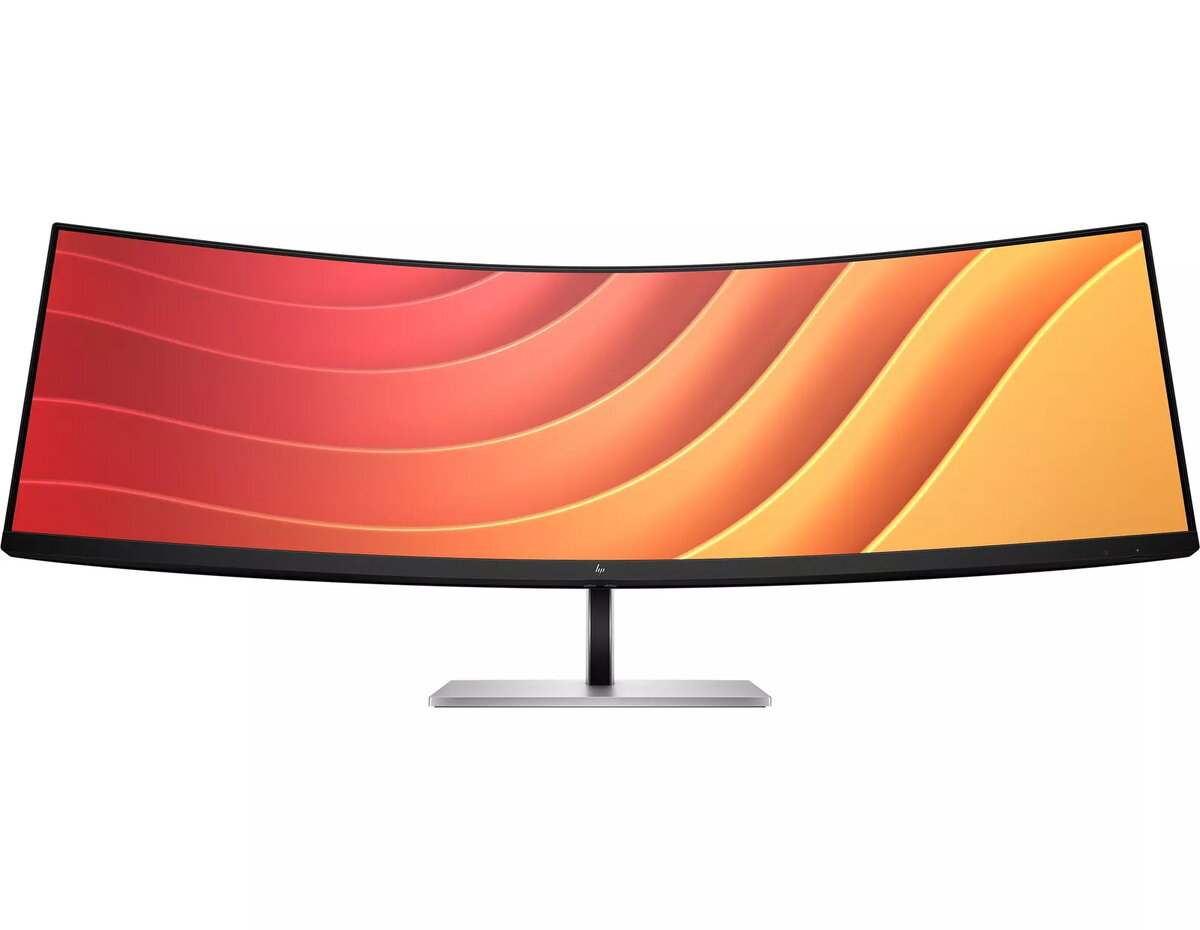
A View Beyond Imagination
Replace two QHD monitors with this one massive, 44.5" diagonal, dual QHD curved monitor, while keeping the benefits of two distinct displays. With Virtual Dual Display, split the monitor into two so you can screen share a presentation that everyone can see on one screen and interact with your audience or content on the other[1]. Additionally, connect two different computers and simultaneously view and work between them with HP Device Bridge 2.0[2].
Simple, Powerful Connections
When you work from home one day and the office the next, free your desk and laptop from cable clutter by connecting a single USB-C® cable that links your display and all your accessories — from webcam to keyboard — while charging your laptop up to 100W. When connecting two devices, the two USB-C® ports distribute power, providing up to 65W to each PC or 100W to one PC and 30W to a tablet or phone.
Comfort that Works for You
When performing at your best depends on feeling your best, physical and viewing comfort matters. Find all-day comfort easily with 3-way adjustability optimized by the step-by-step Ergonomic Setup Guide[3]. See comfortably from day to night with the ambient light sensor that automatically adapts display brightness to your surroundings, and enjoy added comfort with HP Eye Ease, enhanced with a 165Hz refresh rate[4].
Ambient Light Sensor
Automatically adjusts your screen brightness to the lighting in your environment for comfortable viewing.
Dual QHD Resolution
Experience the pixel density of two QHD screens for stunning definition.
Ultrawide, Ultra Productivity
Increase your productivity with this super ultrawide, 44.5-inch diagonal display with a 32:9 aspect ratio.
3-way Adjustability
Three-way adjustability to find the perfect viewing angle.
Picture By Picture
Display two computers on one monitor with Picture By Picture (PBP).
USB-C® Connectivity
Connect your entire setup with one USB-C® cable and charge one computer up to 100W.
HP Display Center
Customize your display with the easy, intuitive HP Display Center software.
Single Power On
Instantly turn on your display and laptop.
Effortless Joypad OSD Button
Configure your display settings directly from the monitor. Navigate the on-screen menu with the joypad OSD button to adjust brightness, contrast, and color.
Ergonomic Setup Guide
Achieve all-day comfort by applying the best practices from the Ergonomic Setup Guide.[3]
Enhanced Viewing featuring HP Eye Ease
Enjoy enhanced viewing comfort and screen performance. HP Eye Ease, an always-on low-blue light filter, helps keep your eyes comfortable throughout the day by reducing blue light without affecting color — now enhanced with a 165Hz refresh rate.[4]
Virtual Dual Display
Create two virtual workspaces that function like two distinct displays.[1]
HP Device Bridge 2.0
Control two devices: copy, paste, and drag-and-drop files or data between them.[2]
99% sRGB Color Space
Accurate color reproduction with minimal effort.[4]
KVM Switch
Boost productivity when multitasking between two computers using your keyboard and mouse through the seamless KVM switch on the display.[10]
More Ports. More Flexibility.
More ports mean more capabilities. With an HDMI, DisplayPort™ 1.4, two USB-C® ports plus four additional USB-A ports, you can connect or charge multiple devices like a headset and webcam.[11]
Dependable Internet Connectivity
High-speed internet connection and remote IT manageability.[12]
HP Display Manager
HP Display Manager simplifies remote management of the monitor. Streamline deployment, asset tracking, and remotely control monitor settings, such as turning the power off.[12]