
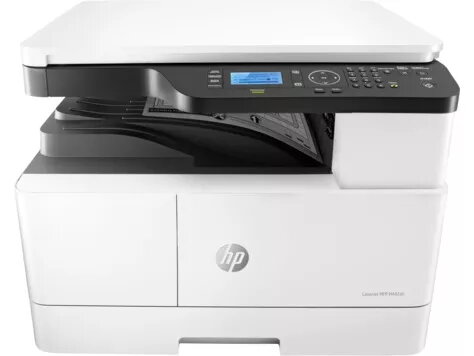
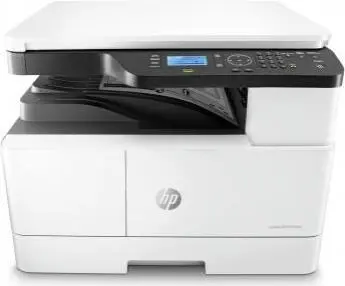
Multifunction Device HP LaserJet MFP M442dn Laser A3 Monochrome
{{selectedOffer && selectedOffer.price | formatAmount}}
Keep track of price changes
You keep track of price changes
Watch the price drop
Leave your address - as soon as the price of the product goes down, you'll know about it right away
You keep track of price changes
Multifunction Device HP LaserJet MFP M442dn Laser A3 Monochrome
{{email}}
You keep track of price changes
Multifunction Device HP LaserJet MFP M442dn Laser A3 Monochrome
{{email}}
{{selectedOffer && selectedOffer.price | formatAmount}}
Offer for legal entity, cashless payment.
Why is an item available only for a legal entity?
This is due to long delivery times and limited product warranties.
This is due to long delivery times and limited product warranties.
Short description
The HP LaserJet MFP M442dn is a multifunction device that offers high-quality laser printing with a resolution of 1200 x 1200 DPI. It prints at a speed of 24 pages per minute, making it efficient for office use. This A3 printer is designed for monochrome printing, ensuring sharp and clear text documents. With its compact design, it fits well in any workspace while providing reliable performance and easy connectivity options.

to the Customer Service Center at Kengaraga 2b, Riga
29.10.2026
{{selectedOffer.officeDeliveryString}}
free
- Delivery country: {{ userCountryName }}
Customer service center
2b. Kengaraga str., Riga, Latvia, LV-1063
29.10.2026
{{selectedOffer.officeDeliveryString}}
free
Courier Delivery
Please note that in case of a large parcel additional delivery costs may apply!
From 53.99 € (Weight: 31.50 kg)

Leasing for legal entities:
from 30.75 euros per month


