Your vision, exactly as you dream it
The clearer you see, the better you create. Trust what you see right out of the box with factory‑calibrated color accuracy on a DreamColor‑class display.[1] Jump into a wide array of vivid, lifelike hues and rich contrast thanks to IPS Black, HDR 400, 98% Display P3, and more.[2]
Productivity at its most beautiful
Get the power to take on any task, unhindered. This superfast Thunderbolt™ 4 display delivers high‑resolution video, high‑speed data, and up to 100W charging.[3] Ditch the extra cables and enjoy the freedom and performance of this single‑cable solution.

Made to fit you perfectly
For all‑day comfort, settle into your workflow by finding your screen’s perfect position with four‑way adjustability and the Ergonomic Setup Guide.[4] Help your eyes stay fresh, day or night, with the ambient light sensor that automatically adjusts the monitor’s brightness.
QHD Resolution
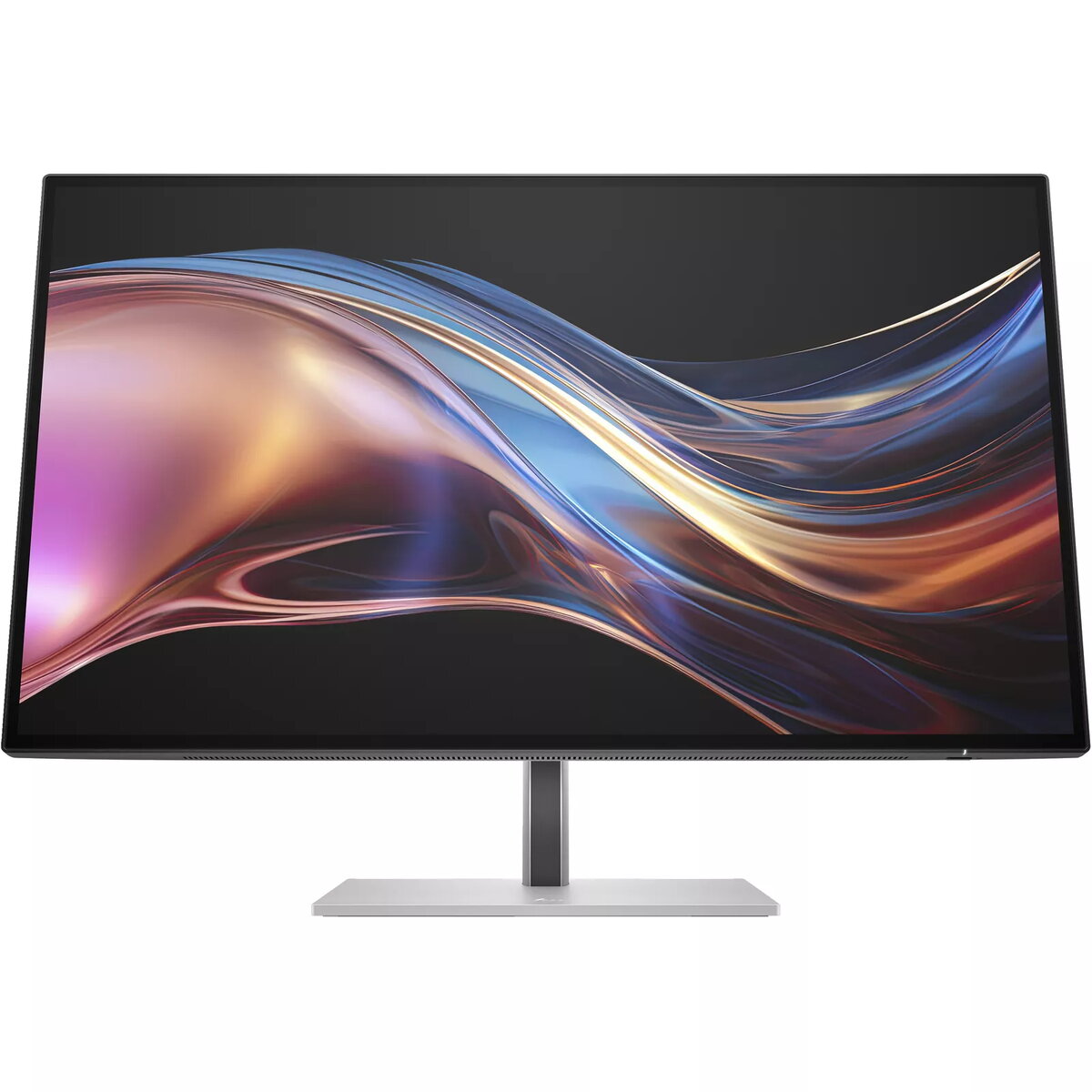
Dive into the captivating definition and sharp details of 3.7 million pixels. 2560 x 1440 Quad HD resolution transforms all your content for a stunning viewing experience on this 27" monitor.
IPS Black Technology
View brilliant visuals from any angle with deeper colors, darker shadows, and brighter highlights thanks to IPS Black. Enjoy a striking 2,000:1 contrast ratio—twice that of a traditional IPS—and ultra‑wide viewing angles.[2]
HDR and Wide Color Gamut
Replicate reality on your screen with 98% Display P3, 100% sRGB and VESA DisplayHDR™ 400 for a wide range of vibrant colors and deeper hues that represent colors as they are in the real world.[2]
AMD FreeSync™ Premium & High Refresh Rate
Enjoy smooth scrolling and ultra‑fluid, tear‑free visuals at peak performance with AMD FreeSync™ Premium* and a 120Hz refresh rate to keep you productive and engaged for work or play.[2,7]
HP User Color Recalibration
For professionals who demand exact, consistent, and top‑quality color, this feature allows users to recalibrate their displays to maintain professional‑grade color accuracy throughout the life of the monitor.[8]
Thunderbolt™ 4 Technology
Multitask like a pro with a superfast Thunderbolt™ 4 connection that delivers video and data at speeds up to 40Gbps while charging devices up to 100W with a single cable for a seamless setup.[3]
Smart KVM and PbP
Boost your productivity with the Smart KVM switch that detects and switches between two computers, so you can use one keyboard and mouse for both. Plus, view both devices side‑by‑side on screen with Picture‑by‑Picture.[9]
More Ports. More Flexibility
More ports mean more capabilities. With Thunderbolt™ 4, USB‑C® upstream, HDMI 2.0, DisplayPort™ 1.4 In and Out, RJ‑45, 1 USB‑C® 3.2 Gen 2, and 5 USB‑A 3.2 Gen 2 ports, you can daisy‑chain multiple monitors and connect a mouse, keyboard, and more.[10]
Always‑on, True Color, Low‑Blue Light Filter
HP Eye Ease is an always‑on, low‑blue light filter that helps keep your eyes comfortable throughout the day by reducing blue light without impacting color accuracy or adding a yellow color shift.
Sleek and functional design
Sleek design, maximum view—4‑sided micro‑edge bezel, adjustable stand, and natural silver finish for aesthetic appeal.
HP Display Center
Customize your monitor with the intuitive HP Display Center that lets you tailor settings, partition screens, and more — all through the host PC. Plus, learn how to find your perfect posture with help from the included HP Ergonomic Setup Guide.[11]
Peace of Mind
Enjoy peace of mind with a 3‑year limited warranty and the HP Zero Bright Dot Guarantee. For all HP Series 7 Pro monitors, even if one subpixel fails, HP will replace the entire monitor, no questions asked.[13]
Superb Color Accuracy
For color‑critical projects, trust this Pantone‑validated™ display with superb color accuracy, achieved by strict factory color calibration that ensures over 300 colors achieve a Delta E < 2, making any color difference virtually indistinguishable.
Remote Management Reimagined
HP Client Management Script Library (CMSL) makes remote manageability easy. This solution works seamlessly with Intune/SCCM to manage your display fleet using PowerShell.[12]