{{ totalProductsCount }}

In cart {{totalProductsCount}} item(s)

Total:
{{sum | formatAmount}}

Your cart is empty

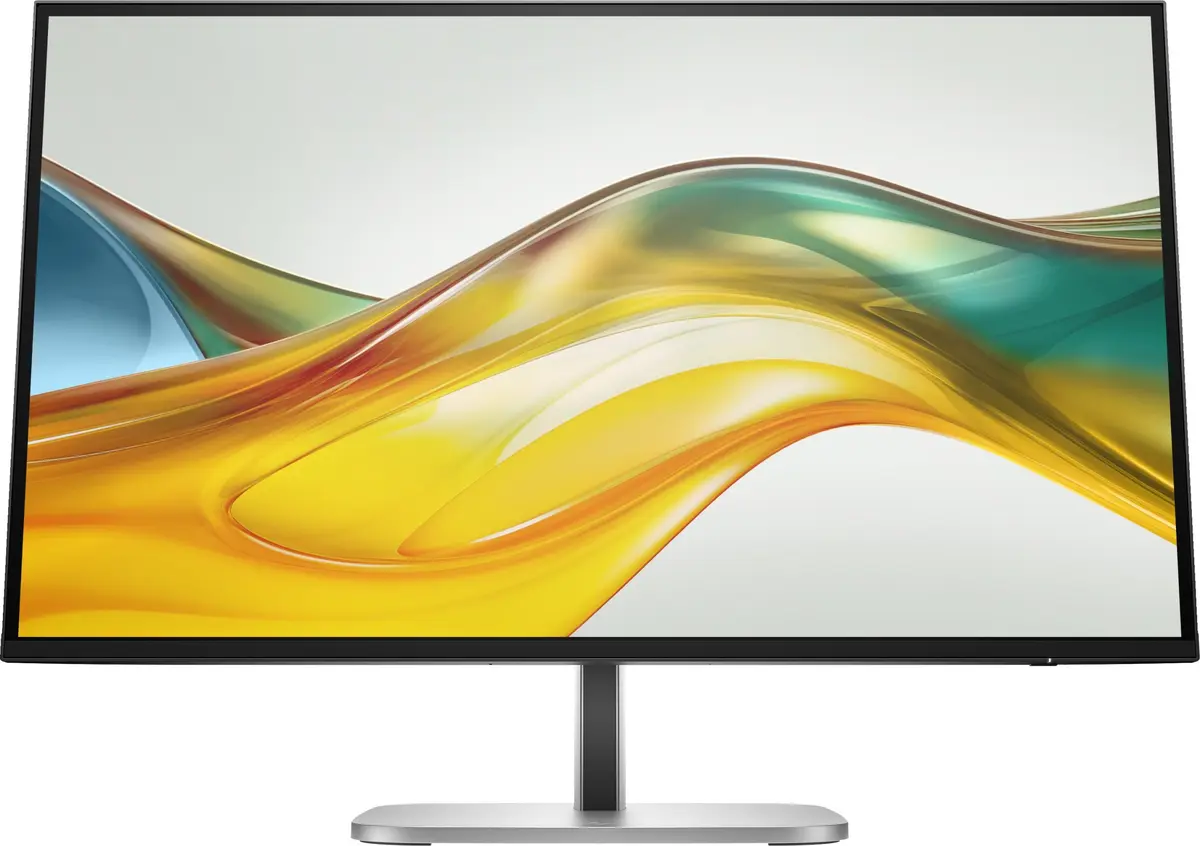
header-product Monitor HP Series 5 Pro 27 inch QHD LCD 2560 x 1440
242.49 €

Monitor HP Series 5 Pro 27 inch QHD LCD 2560 x 1440

Fast shipping
Monitor HP Series 5 Pro 27 inch Photo 1
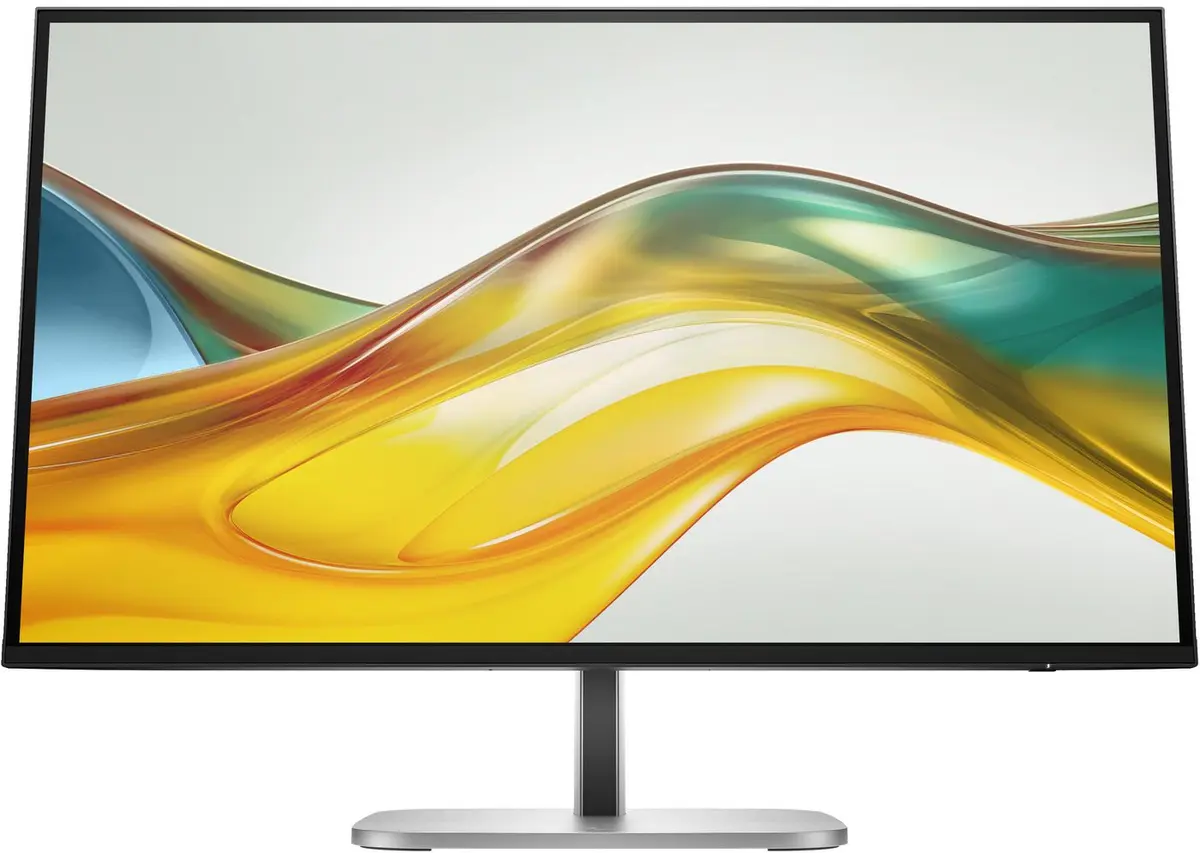
Monitor HP Series 5 Pro 27 inch Photo 2
Monitor HP Series 5 Pro 27 inch Photo 3
Monitor HP Series 5 Pro 27 inch Photo 4
Monitor HP Series 5 Pro 27 inch Photo 5
Monitor HP Series 5 Pro 27 inch Photo 6
Monitor HP Series 5 Pro 27 inch Photo 7
Monitor HP Series 5 Pro 27 inch Photo 8
Monitor HP Series 5 Pro 27 inch Photo 9
Energy label
Monitor HP Series 5 Pro 27 inch Photo 1
Monitor HP Series 5 Pro 27 inch Photo 2
Monitor HP Series 5 Pro 27 inch Photo 3
Monitor HP Series 5 Pro 27 inch Photo 4
Monitor HP Series 5 Pro 27 inch Photo 5
Monitor HP Series 5 Pro 27 inch Photo 6
Monitor HP Series 5 Pro 27 inch Photo 7
Monitor HP Series 5 Pro 27 inch Photo 8
Monitor HP Series 5 Pro 27 inch Photo 9
Energy label

Excellent choice

Keep track of price changes You keep track of price changes
Watch the price drop

Leave your address - as soon as the price of the product goes down, you'll know about it right away

You keep track of price changes

Monitor HP Series 5 Pro 27 inch QHD LCD 2560 x 1440

{{email}}
You keep track of price changes

Monitor HP Series 5 Pro 27 inch QHD LCD 2560 x 1440

{{email}}
{{selectedOffer && selectedOffer.price | formatAmount}}

Short description

The HP Series 5 Pro 27 inch QHD Monitor - 527pq features a 27" diagonal display with a resolution of 2560 x 1440 pixels. It utilizes LCD technology with a matte surface and has a quick response time of 5 ms. The monitor offers a native aspect ratio of 16:9 and wide viewing angles of 178° both horizontally and vertically. It includes a built-in USB hub (3.2 Gen 1) and supports VESA mounting and height adjustment, all in a sleek black design.
Available at price 242.49 €: 40 pcs.
Total available for order: 1365 pcs.
Warranty: 3 Years
SKU: 11131330
free shipment

Cheapest delivery:

Unisend LV

Pick-up points

Unisend LV

Cost

1.99 €

Deliver

{{selectedOffer.parcelStationDeliveryString}}

Customer service center
2b. Kengaraga str., Riga, Latvia, LV-1063
Thursday {{selectedOffer.officeDeliveryString}}
free
Courier Delivery Please note that in case of a large parcel additional delivery costs may apply!
10.11.2026 {{selectedOffer.courierDeliveryString}}
From 7.93 € (Weight: 9.20 kg)
Parcel couriers
Unisend LV / Latvijas Pasts nodaļa
10.11.2026 {{selectedOffer.parcelStationDeliveryString}}
From 1.99 €
0 credit

Esto — pay in 6 equal parts

today

0 €

afterward

6 mth. × 40.42 €

overpayment

0 €

All payment Methods:
Cash payment, Bank transfer, Bank cards on-line, Apple Pay, Google Pay, Installment
36 months installment: from 6.74 euros per month
Together cheaper
{{product.price | formatAmount}}
{{product.title}}
{{productBundle.reference.specialPrice | formatAmount}}
{{productBundle.title}}
{{productBundlePreviousPrice | formatAmount}}
{{productBundleSpecialPrice | formatAmount}}

You saving {{productBundleYouSave | formatAmount}}

Product information

Description

HP Series 5 Pro 27" QHD Monitor (2560 x 1440) delivers a 27-inch IPS LCD panel with a matte surface, 16:9 aspect ratio and wide 178° viewing angles. The monitor provides refined visual clarity with Quad HD resolution, a 5 ms response time and 350 cd/m² typical brightness, housed in a sleek black design with VESA compatibility and an integrated USB 3.2 Gen 1 hub.

Advantages

The monitor combines a high-resolution QHD panel and IPS technology for accurate colors and wide viewing angles, together with a 5 ms response time for general productivity and multimedia. A built-in USB hub simplifies peripheral connections while VESA mounting and height adjustment enable ergonomic placement. The matte screen reduces reflections for clearer viewing in lit environments.

Suitable for

  • Office productivity and multitasking
  • Content review and image editing that benefit from QHD clarity
  • General multimedia consumption and web browsing
  • Workspaces requiring adjustable ergonomics and VESA mounting

Key specifications

  • Display diagonal: 27"
  • Resolution: 2560 x 1440 (Quad HD)
  • Panel type: IPS LCD
  • Aspect ratio: 16:9
  • Viewing angles: 178°/178°
  • Response time: 5 ms
  • Brightness (typical): 350 cd/m²
  • Contrast ratio (typical): 1500:1
  • Pixel pitch: 0.23 x 0.23 mm
  • Built-in USB hub: Yes (USB 3.2 Gen 1)
  • VESA mounting: Yes
  • Built-in speakers: No
  • Weight: 6.2 kg
  • Color: Black

How to use

Place the monitor on a stable surface or mount it using a VESA-compatible arm or bracket. Connect the video source to a compatible input on the monitor (use appropriate cable and input on your PC or laptop). Plug USB devices into the integrated USB 3.2 Gen 1 hub if needed. Adjust the screen height and tilt to achieve a comfortable viewing angle and reduce glare; use the matte surface to minimise reflections.

Usage recommendations

For best results, pair the monitor with a computer capable of outputting 2560 x 1440 resolution. Set the operating system display scaling as needed for readable text and optimal workspace. Keep firmware and graphics drivers up to date and position the monitor so the top of the screen is at or just below eye level to maintain ergonomic posture.

Specifications

Display diagonal: Size of the display for this product, measured diagonally, usually in inches.
27 "
Display resolution: The number of distinct pixels in each dimension that can be displayed. It is usually quoted as width × height, with the units in pixels: for example, "1024 × 768" means the width is 1024 pixels and the height is 768 pixels. The higher the number of pixels, the sharper the image.
2560 x 1440
HD type: Type of supported High Definition (e.g. Full HD, 4K Ultra HD).
Quad HD
Panel type:
IPS
Display technology: The technology used in the display e.g. plasma, LED.
LCD
Power consumption (standby): The amount of electricity that is consumed when the product is on standby.
0.5 W
Power consumption (typical): Amount of power consumed by this model, often expressed in watts (W). Typical values that manufacturers give are power consumption when off, standby/suspended mode, typical use, maximum usage.
30 W
Energy efficiency class (HDR): Energy efficiency class is a standard classification that is used all over Europe and which is understandable at first sight. Products can be efficiently compared according to classes, starting from A (the most energy efficient class), and ending with G (the most energy-intensive class). The classification of energy efficiency is based on annual energy consumption which is being calculated on the basis of several different parameters.
E
Energy efficiency class (SDR): Energy efficiency class is a standard classification that is used all over Europe and which is understandable at first sight. Products can be efficiently compared according to classes, starting from A (the most energy efficient class), and ending with G (the most energy-intensive class). The classification of energy efficiency is based on annual energy consumption which is being calculated on the basis of several different parameters.
E
VESA mounting:
Yes
DisplayPorts quantity: Number of DisplayPorts. A DisplayPort is a digital display interface developed by the Video Electronics Standards Association (VESA). The interface is primarily used to connect a video source to a display device such as a computer monitor, though it can also be used to carry audio, USB, and other forms of data.
1
Headphone out: The socket for connecting headphones to the device.
No
HDMI: HDMI (High-Definition Multimedia Interface) is a compact audio/video interface for transferring uncompressed video data and compressed/uncompressed digital audio data from a HDMI-compliant device ("the source device") to a compatible computer monitor, video projector, digital television, or digital audio device. HDMI is a digital replacement for existing analog video standards.
Yes
HDMI ports quantity: The number of sockets (ports) for HDMI connections. HDMI (High-Definition Multimedia Interface) is a compact audio/video interface for transferring uncompressed video data and compressed/uncompressed digital audio data from a HDMI-compliant device ("the source device") to a compatible computer monitor, video projector, digital television, or digital audio device. HDMI is a digital replacement for existing analog video standards.
1
Built-in USB hub: Whether or not the device features a USB hub to connect more than one other device via USB.
Yes
Market positioning: Under which category can the device be positioned in the market, e.g. camera phone.
Business
AMD FreeSync: The product includes AMD Freesync Technology for the dynamic synchronization of the graphic card and the monitor in order to avoid screen tearing.
No
NVIDIA G-SYNC:
No
Touchscreen: A screen of a laptop, smartphone, etc., that responds to touch so you can control the interface using your fingers.
No
Native aspect ratio: The aspect ratio is the ratio of the width of an image to its height. The native aspect ratio is the one which the projector/display is particularly designed for. Images shown in native aspect ratio will utilize the entire resolution of the display and achieve maximum brightness. Images shown in other than native aspect ratio will always have less resolution and less brightness than images shown in native aspect ratio.
16:9
Built-in speaker(s): The device contains speaker(s) to produce sound.
No
Product colour: The colour e.g. red, blue, green, black, white.
Black
All features

Logistics data

UNSPSC-code:
43211902
Country of origin: Country where the device is made. Aka Country of manufacture (COM).
China, Vietnam

Technical details

Sustainability compliance:
Yes
Sustainability certificates:
ENERGY STAR, EPEAT, TCO, EPEAT Climate +, TCO10
Sustainable technologies and materials:
At least 85% ITE-derived closed loop plastic; Contains ocean-bound plastic; At least 35% recycled metal including 90% recycled aluminum in the stand; Contains 20% recycled glass in the monitor panel; Molded paper pulp cushion inside box is made of 100% recycled or certified sources; Low halogen; Outside box and corrugated cushions are made of 100% recycled or certified sources
Compliance certificates: Indicates which regulatory, safety, and environmental standards the product complies with, as verified by recognized authorities or certification bodies.
CECP, GS mark, CCC, CB, EAC, BIS, Federal Communications Commission (FCC), CE, BSMI
General Product Safety Regulation (GPSR) URL:
https://support.hp.com/us-en/document/ish_6126692-6126777-16?openCLC=true

Other features

Supplied AC adapter type:
(ABB) 198122904709; (ABU) 198122904761, 198122904709, 198122904761
Built-in camera: The product has an integrated camera.
No
Aspect ratio: The aspect ratio is the ratio of the width of a shape to its height. For example, 4:3 is common for standard displays and 16:9 is the ratio for Widescreen TV.
16:9
Viewable size, horizontal: The viewable size is often somewhat smaller than the actual size of a monitor, because there is a border around the image.
596.7 mm
Viewable size, vertical:
335.7 mm
Bundled software: Software distributed with another product such as a piece of computer hardware or other electronic device, or a group of software packages which are sold together. A software suite is an example of bundled software, as is software which is pre-installed on a new computer.
HP Display Center; HP Client Management Script Library
Power supply type: The type of power supply which this product uses.
Internal
Cable lock slot: Holes on the edge of devices through which a cable lock can be passed, so the device can be locked to a desk etc.
Yes
Height adjustment: The part of the device that can be adjusted to change the height.
Yes
Tilt angle range:
-5 - 20
Pivot:
Yes
Digital horizontal frequency:
30 - 152
Digital vertical frequency:
50 - 100
Quick start guide: Instructions, either online, as a computer program or in paper form, to allow you to set up and start using the product quickly.
Yes
Swivelling:
Yes
Backlight type:
Edge LED
Pivot angle:
-90 - 90
Packaging content:
Monitor; DisplayPort™ cable; HDMI cable; Warranty card; USB Type-B to A cable; Quick Setup Poster; AC power cord
Weight (without stand):
4600 g
Height (without stand):
356.7 mm
Depth (without stand):
46.9 mm
Low halogen:
Yes
Maximum refresh rate:
100 Hz

Certificates

Certification:
BIS; BSMI; CB; CCC; CE; CECP; cTUVus; EAC; FCC; GS Mark; ICES; ISO 9241-307; KC; KCC; NOM; PSB; RCM; SEPA; TUV-S; VCCI; WEEE; ISC; California Energy Commission (CEC); WW application; UAE; TGM; NRCS; PSE; Ukraine EE; TÜV Low Blue Light Hardware Solution certified; Works with Chromebook certified; Korea MEPS; CEL Grade 2; Australian-New Zealand DoC; EMF

Operational conditions

Non-operating relative humidity (non-condensing): Range of relative humidity (non-condensing) in which a non-operating product can be stored.
20 - 80
Storage relative humidity (H-H):
20 - 80
Operating relative humidity (H-H):
5 - 95
Operating temperature (T-T): The minimum and maximum temperatures at which the product can be safely operated.
5 - 35

Packaging content

Cables included:
HDMI, DisplayPort, USB Type-A to USB Type-B, AC
Warranty card:
Yes
Tilt adjustment: The tilt, which means the angle at which the device is pointing (up or down), can be changed.
Yes
Stand included:
Yes

Packaging data

Package weight: Weight of the packaged product.
9200 g
Package height: The distance from the top to the bottom of the packaging.
446 mm
Package depth: The distance from the front to the back of the packaging.
160 mm
Package width: The distance from one side of the packaging to the other.
699 mm
Package type: The type of product package e.g. box.
Box

Weight & dimensions

Weight (with stand):
6200 g
Height (with stand):
543.8 mm
Depth (with stand):
228.9 mm
Width (with stand):
613.4 mm
Weight: Weight of the product without packaging (net weight). If possible, the net weight is given including standard accessories and supplies. Please note that sometimes the manufacturer leaves out the weight of accessories and/or supplies.
6.2 kg
Width (without stand):
613.4 mm

Power

Energy efficiency scale: Range of energy efficiency levels classifying devices from most to least energy-efficient.
A to G
AC input frequency:
50/60
AC input voltage: The voltage of the AC electricity that is inputted into the product.
100 - 240
Energy consumption (SDR) per 1000 hours: Power consumption in switched-on state expressed in W.
22 kWh
Power consumption (max): The maximum amount of power used by the device.
72 W
Power consumption (off):
0.3 W
Power consumption (standby): The amount of electricity that is consumed when the product is on standby.
0.5 W
Power consumption (typical): Amount of power consumed by this model, often expressed in watts (W). Typical values that manufacturers give are power consumption when off, standby/suspended mode, typical use, maximum usage.
30 W
Energy efficiency class (HDR): Energy efficiency class is a standard classification that is used all over Europe and which is understandable at first sight. Products can be efficiently compared according to classes, starting from A (the most energy efficient class), and ending with G (the most energy-intensive class). The classification of energy efficiency is based on annual energy consumption which is being calculated on the basis of several different parameters.
E
Energy efficiency class (SDR): Energy efficiency class is a standard classification that is used all over Europe and which is understandable at first sight. Products can be efficiently compared according to classes, starting from A (the most energy efficient class), and ending with G (the most energy-intensive class). The classification of energy efficiency is based on annual energy consumption which is being calculated on the basis of several different parameters.
E

Ergonomics

Swivel angle range:
-45 - 45
Adjustable height (max):
150 mm
VESA mounting:
Yes

Ports & interfaces

DisplayPorts quantity: Number of DisplayPorts. A DisplayPort is a digital display interface developed by the Video Electronics Standards Association (VESA). The interface is primarily used to connect a video source to a display device such as a computer monitor, though it can also be used to carry audio, USB, and other forms of data.
1
HDMI version:
2.0
Headphone out: The socket for connecting headphones to the device.
No
DisplayPort version:
1.2
DisplayPort out version:
1.2
HDMI: HDMI (High-Definition Multimedia Interface) is a compact audio/video interface for transferring uncompressed video data and compressed/uncompressed digital audio data from a HDMI-compliant device ("the source device") to a compatible computer monitor, video projector, digital television, or digital audio device. HDMI is a digital replacement for existing analog video standards.
Yes
USB Type-A downstream ports quantity:
4
Number of USB Type-B upstream ports quantity:
1
USB upstream port type:
USB Type-B
USB hub version:
3.2 Gen 1 (3.1 Gen 1)
HDMI ports quantity: The number of sockets (ports) for HDMI connections. HDMI (High-Definition Multimedia Interface) is a compact audio/video interface for transferring uncompressed video data and compressed/uncompressed digital audio data from a HDMI-compliant device ("the source device") to a compatible computer monitor, video projector, digital television, or digital audio device. HDMI is a digital replacement for existing analog video standards.
1
Built-in USB hub: Whether or not the device features a USB hub to connect more than one other device via USB.
Yes

Design

Panel mounting interface: The product can be used wih VESA mounting interfaces.
100 x 100
Screen shape:
Flat
Colour name:
Jet black
Feet colour: The colour of the feet, which are the projecting part on which a device/piece of furniture, or each of its legs, stands.
Silver, Black
Detachable stand:
Yes
Product colour: The colour e.g. red, blue, green, black, white.
Black
Market positioning: Under which category can the device be positioned in the market, e.g. camera phone.
Business

Performance

HP segment:
Business
HDCP: High-bandwidth Digital Content Protection (HDCP) is a form of digital copy protection to prevent copying of digital audio and video content as it travels across connections.
Yes
On Screen Display (OSD):
Yes
Low Blue Light technology:
Yes
Flicker-free technology:
Yes
AMD FreeSync: The product includes AMD Freesync Technology for the dynamic synchronization of the graphic card and the monitor in order to avoid screen tearing.
No
NVIDIA G-SYNC:
No

Display

Colour gamut:
100 %
Horizontal scan range:
30 - 152
Vertical scan range:
50 - 100
Colour depth:
8 bit
Supported graphics resolutions: The graphic resolutions that can be displayed by the device. The graphic resolution describes the width and height dimensions of a display, such as a computer monitor, measured in pixels.
1024 x 768 (XGA), 1280 x 1024 (SXGA), 1280 x 720 (HD 720), 1440 x 900 (WXGA+), 1600 x 1200 (UXGA), 1600 x 900, 1680 x 1050 (WSXGA+), 1920 x 1080 (HD 1080), 1920 x 1200 (WUXGA), 2560 x 1440, 640 x 480 (VGA), 720 x 400, 720 x 480, 720 x 576, 800 x 600 (SVGA)
Surface hardness:
3H
Display bezel technology:
Micro-Edge
Display diagonal (metric): This is the size of the display screen, measured diagonally.
68.6 cm
Pixel pitch: This is the parameter of a picture tube, which specifies the shortest distance between two dots of the same colour. The principle is: the smaller the dot pitch, the better sharpness of image.
0.23 x 0.23
Display number of colours:
16.7 million colours
Viewing angle, vertical: Maximum vertical angle at which a display can be viewed with acceptable visual performance.
178 °
Viewing angle, horizontal: Maximum horizontal angle at which a display can be viewed with acceptable visual performance.
178 °
Contrast ratio (dynamic): A property of a display system, defined as the ratio of the luminance of the brightest color (white) to that of the darkest color (black) that the system is capable of producing.
10000000:1
Contrast ratio (typical): The difference in light intensity between the brightest white and the darkest black.
1500:1
Response time: The response time is the time difference between the moment that a source (for example a video card) sends a signal and that equipment (for example a monitor) receives or display the signal. (Used abbreviations: R/F = Rise and Fall.)
5 ms
Touchscreen: A screen of a laptop, smartphone, etc., that responds to touch so you can control the interface using your fingers.
No
sRGB coverage (typical):
100 %
Colour gamut standard:
sRGB
Haze rate:
25 %
Pixel density:
109 ppi
Anti-glare screen: Always gives an optimal view, even in direct sunlight.
Yes
Display surface:
Matt
Response time measurement type:
GTG (Gray to Gray)
Display brightness: Brightness is the amount of radiating light emitted from the screen. The brightness rating is measured in candellas per square meter, commonly known as 'nits'.
350 cd/m²
Display brightness (typical): Display brightness, measured by its Luminance, presented as a figure in nits. Typical brightness ratings for monitors range from 250 to 350 nits with a target value of between 80 to 120 nits being suitable for most displays in a normal viewing environment.
350 cd/m²
Panel type:
IPS
HD type: Type of supported High Definition (e.g. Full HD, 4K Ultra HD).
Quad HD
LED backlight: A backlight is a form of illumination used in liquid crystal displays (LCDs). One type of backlight is made by LEDs, which can be either white or RGB (red green blue). White LEDs are used most often in notebooks and desktop screens, and in virtually all mobile LCD screens. RGB LEDs for backlighting are found in high-end color proofing displays such as HP DreamColor LP2480zx monitor or selected HP EliteBook notebooks, as well as newer consumer grade displays such as Dell's Studio series laptops which have an optional RGB LED display.
Yes
Display technology: The technology used in the display e.g. plasma, LED.
LCD
Display diagonal: Size of the display for this product, measured diagonally, usually in inches.
27 "
Native aspect ratio: The aspect ratio is the ratio of the width of an image to its height. The native aspect ratio is the one which the projector/display is particularly designed for. Images shown in native aspect ratio will utilize the entire resolution of the display and achieve maximum brightness. Images shown in other than native aspect ratio will always have less resolution and less brightness than images shown in native aspect ratio.
16:9
Display resolution: The number of distinct pixels in each dimension that can be displayed. It is usually quoted as width × height, with the units in pixels: for example, "1024 × 768" means the width is 1024 pixels and the height is 768 pixels. The higher the number of pixels, the sharper the image.
2560 x 1440

Audio

Built-in speaker(s): The device contains speaker(s) to produce sound.
No

Description

Machine translation.

Reasons to buy

Elevate your productivity

See more of your work and get more done on this 27" QHD resolution monitor. A lightning-fast 100 Hz refresh rate[1] brings out every detail. Elevate your view even more by experiencing bright, vibrant, consistent colors with 100% sRGB[1] and HP Progressive White Balance.[2]Elevate your productivity

Designed to inspire

Change the way you see your desk. See more of your display with the 3-sided borderless with micro-edge bezel design. To get even more done, daisy-chain[3] this display with another HP Series 5 Pro USB-C monitor[4] or pair it with a dock.Designed to inspire

Take control of your comfort

Find a way to feel your best all day with 4-way adjustability optimized by the step-by-step Ergonomic Setup Guide[5] in HP Display Center[9]. Keep your eyes comfortable with HP Eye Ease by reducing blue light without impacting color.Take control of your comfort

QHD Resolution

Dive into the captivating definition and sharp details of 3.7 million pixels. 2560 x 1440 Quad HD resolution transforms all your content for a stunning viewing experience on this 27" monitor. [1]

IPS Technology

No matter where you are or sit, IPS technology ensures image accuracy and consistency across wide 178-degrees horizontal and vertical viewing angles. [1]

100 Hz Refresh Rate

With a 100 Hz refresh rate this monitor is capable of clear details, smoothly moving from frame to frame, allowing for fast split-second reaction time. [1]

More Contrast

See the nuanced differences of color, shadow, and highlights thanks to the enhanced 1500:1 contrast ratio. [1]

High Brightness

350 nits of brightness lets you see clearly. Enhance your visual performance for work or simply enjoying entertainment. [1]

100% sRGB Color Gamut

Enjoy highly accurate colors on screen with 100% sRGB. This HP monitor provides ideal color reproduction with minimal effort. [1]

Progressive White Balance

Work better with content that looks the same on both screens. Progressive White Balance is an HP technology that provides consistent white-point matching from screen-to-screen. [2]

Sleek Design, Clean Space

See and do more on your screen with a 3-sided borderless with micro-edge bezel design that maximizes your viewing area for a sleek design and virtually seamless dual-monitor setups.

More Ports. Easily Accessible.

More ports means more capabilities. With HDMI 2.0, DisplayPort™ 1.2, USB-B (upstream), and 4 USB-A 3.2 ports, you can connect multiple devices. Easy rear-facing design makes connecting a breeze. [8]

Endless Adjustability

With 4-way adjustability you can customize pivot, tilt, height adjust, and swivel settings to fit you, your desk, and your needs.

Always-on, True Color, Low-Blue Light Filter

HP Eye Ease is an always-on, low-blue light filter that helps keep your eyes comfortable throughout the day by reducing blue light without impacting color accuracy or adding a yellow color shift.

Ergonomic Setup Guide

With world-class ergonomic practices at your fingertips, you have the knowledge to fine-tune your display's 4-way adjustability to achieve optimal comfort, all day, thanks to the step-by-step Ergonomic Setup Guide in HP Display Center. [5,9]

HP Display Center

Customize your monitor with the intuitive HP Display Center that lets you tailor your settings, partition screens, and more—all through the host PC. Plus, learn how to find your perfect posture with help from the included HP Ergonomic Setup Guide. [5,9]

Works with Chromebook Certified

The Works With Chromebook badge on a device means it’s optimized to work with your Chromebook and other Chrome OS devices. Enjoy a seamless experience across Works With Chromebook certified accessories. [10]

Increased Energy Efficiency

HP is committed to helping protect our shared future by minimizing the energy our monitors consume to help reduce energy demand. This monitor is held to the highest energy saving standard with an ENERGY STAR® rating and EPEAT® Gold Registration. [11]

Similar products

{{product.title}}
Show details Hide details

{{highlightedFeature.featureTitle}}:

{{getProductFeatureValueById(product, highlightedFeature.featureId)}}

{{product.price | formatAmount}}

Product comparison

This product page focuses on the Monitor HP Series 5 Pro 27 inch QHD LCD 2560 x 1440, which is compared against similar HP business alternatives. All products in this comparison share core similarities: they use IPS panels with matte surfaces, include built-in USB 3.2 Gen 1 hubs, support VESA mounting, and are designed for professional office environments. The primary differences lie in screen resolution (QHD versus Full HD), display size, and advanced connectivity options such as USB-C or Ethernet.

⚙️ The table below compares the most relevant technical specifications and features: screen size and resolution, panel type, USB hub inclusion, port variety, and ergonomic adjustment capabilities for daily productivity.

Comparison parameterMonitor HP Series 5 Pro 27 inch QHD LCD 2560 x 1440HP Series 5 Pro 27 inch FHD Monitor 1920 x 1080HP Series 5 Pro 527pf 27-inch Full HDHP Series 5 Pro 524pf 23.8-inch Full HDHP Series 5 Pro 524pu 23.8-inch IPS Full HD USB-CHP E27 G5 27-inch Full HD Business MonitorPractical significance
Display diagonal27 "27 "27 "23.8 "23.8 "27 "27-inch displays provide more screen real estate, while 23.8-inch models fit better in compact desk spaces.
Display resolution2560 x 1440 (Quad HD)1920 x 1080 (Full HD)1920 x 1080 (Full HD)1920 x 1080 (Full HD)1920 x 1080 (Full HD)1920 x 1080 (Full HD)QHD resolution offers sharper text and more workspace for multitasking compared to standard Full HD.
Panel typeIPS (LCD)IPS (LCD)IPS (LCD)IPS (LCD)IPS (LCD)IPS (LCD)All options use IPS panels with wide 178° viewing angles, ensuring consistent color accuracy from various viewing positions.
Connectivity and portsUSB hub, HDMI, DisplayPortUSB hub, HDMI, DisplayPortUSB hub, HDMI, DisplayPortUSB hub, HDMI, DisplayPortUSB hub, USB-C (up to 100 W), Ethernet, HDMI, DisplayPortUSB hub, HDMI, DisplayPortThe 524pu model includes USB-C and Ethernet, simplifying laptop connection and wired network access without extra dongles.
ErgonomicsVESA, height adjustmentVESA, height adjustmentVESA, height adjustmentVESA, height adjustmentVESA, height adjustmentVESA, height adjustmentAll models support ergonomic height adjustment and VESA mounting for flexible office setups.

◎ The table below evaluates how well each model suits specific user needs, workspace constraints, and professional usage scenarios.

Use caseRecommended productWhy
Multitasking and working with detailed spreadsheetsMonitor HP Series 5 Pro 27 inch QHD LCD 2560 x 1440The QHD resolution on a 27-inch screen provides the extra workspace needed to view multiple documents simultaneously.
Standard office tasks on a larger screenHP Series 5 Pro 27 inch FHD Monitor 1920 x 1080Suitable for users who prefer a 27-inch display size but do not require higher pixel density for their daily tasks.
Compact office desksHP Series 5 Pro 524pf 23.8-inch Full HD LCD MonitorThe smaller 23.8-inch diagonal fits restricted desk layouts while retaining all essential professional features.
Single-cable laptop connectivity and powerHP Series 5 Pro 524pu 23.8-inch IPS Full HD USB-C Monitor 100 HzUSB-C Power Delivery up to 100 W and Ethernet support turn the monitor into a convenient docking station.

The main advantage of the Monitor HP Series 5 Pro 27 inch QHD LCD 2560 x 1440 over the alternatives is its higher Quad HD resolution combined with a comfortable 27-inch size and professional office features like an integrated USB hub and ergonomic stand. It is the best choice for users who need extra screen area for productivity and detailed work. If you only require standard Full HD or need USB-C power delivery for a laptop, other models in the Series 5 Pro family may be more suitable alternatives.

Might be useful
{{product.manufacturerName}}
{{product.categoryName}}
{{product.title}}
{{product.specialPrice}}
{{product.price}}
Stock data
Warehouse Stock Delivery to the store Store Price
BT10 40 Thursday Best delivery
Fast shipping
242.49 € Best price
WH94 28 17.11.2026
252.49 €
WH166 123 17.11.2026
255.49 €
Show all offers Hide
Available only for legal entities
Warehouse Stock Delivery to the store Store Price
WH332 40 17.11.2026
257.49 €
WH109 50 02.12.2026
267.49 €
EU6 65 30.12.2026
296.99 €
Show all offers Hide
Fast shipping
242.49 €
Stock: 40
Delivery Date: Thursday Best delivery
Warehouse: BT10
252.49 €
Stock: 28
Delivery Date: 17.11.2026
Warehouse: WH94
255.49 €
Stock: 123
Delivery Date: 17.11.2026
Warehouse: WH166
263.49 €
Stock: 54
Delivery Date: 17.11.2026
Warehouse: WH149
270.99 €
Stock: 11
Delivery Date: 17.11.2026
Warehouse: WH355
275.99 €
Stock: 12
Delivery Date: 17.11.2026
Warehouse: WH113
293.99 €
Stock: 3
Delivery Date: 13.11.2026
Warehouse: WH321
371.99 €
Stock: 95
Delivery Date: Friday
Warehouse: BT45
Available only for legal entities
257.49 €
Stock: 40
Delivery Date: 17.11.2026
Warehouse: WH332
267.49 €
Stock: 50
Delivery Date: 02.12.2026
Warehouse: WH109
296.99 €
Stock: 65
Delivery Date: 30.12.2026
Warehouse: EU6
299.99 €
Stock: 65
Delivery Date: 30.12.2026
Warehouse: EU6
337.49 €
Stock: 4
Delivery Date: 17.11.2026
Warehouse: WH15
408.99 €
Stock: 599
Delivery Date: 17.11.2026
Warehouse: EU9
441.99 €
Stock: 176
Delivery Date: 02.12.2026
Warehouse: EU4

Customer reviews

Customer questions

FAQ

How much does the Monitor HP Series 5 Pro 27 inch cost, and is it available for purchase?

The price is 242.49 € (valid at the time of publication and already includes all taxes). The item is available for order — 1365 pcs. are in stock, and you can place your purchase right now with delivery across Latvia and Europe or choose pickup at the Riga collection point. We offer favorable purchase terms, including the option to split the payment into convenient monthly installments. Availability and price are updated in real time, so we recommend placing your order in advance.

If I order this product today, when will I receive my order?

If you place your order today, delivery will be as fast and convenient as possible. You will be able to pick up your order on Thursday at the Riga pickup point or choose delivery across Latvia and Europe. We carefully inspect every purchase and pack it securely for safe transportation.

What payment options are available?

AiO.lv offers several payment methods: Cash payment, Bank transfer, Bank cards on-line, Apple Pay, Google Pay, Installment. All transactions are 100% secure and encrypted.

Can Monitor HP Series 5 Pro 27 inch be purchased with a lease?

Yes, the purchase is available both on credit and with an interest-free installment plan. We work with leading banks and leasing companies in Latvia, allowing you to make your purchase on convenient terms — with a minimal down payment and a repayment period from 3 to 36 months. You can apply for credit or installments for the Monitor HP Series 5 Pro 27 inch online, and the application process is as simple as possible:
  • Select the product on the website and add it to your cart;
  • When placing your order, choose the payment method “Installments”;
  • Fill in the required details for the lending partner;
  • Receive a decision within a few minutes.
For more information about available payment options, interest-free installment terms, and credit conditions in Latvia, please visit the Payment page.

Can this product be purchased for a company (with VAT)?

Yes. AiO.lv works with legal entities in Latvia and across Europe. The product price already includes VAT. For certain product categories, as well as for companies from other EU countries with a valid VAT number, a 0% VAT rate may apply. We issue the invoice immediately after the order is placed, support electronic BIS invoices, and automatically generate all necessary accounting documents. You can complete the purchase for a company online — simply select the company profile and choose bank transfer as the payment method during checkout.

What is the warranty period?

All HP products come with an official 2 Years warranty. It covers all manufacturing defects and malfunctions that may occur during use. The warranty is valid at all authorized HP service centers and through AiO.lv

Can the product be returned after purchase?

Yes, you can return the product within 14 days of purchase if you bought it as a consumer (not a legal entity). Returns are possible without giving any reason — the main condition is that the product retains its original appearance and full set of accessories. We will make the process as simple and convenient as possible: just contact our customer support team, and we will help you arrange the return.

Where should I contact for warranty service?

For warranty-related questions you can contact the AiO.lv (SIA VSPRO) customer support team. We will assist with consultation, warranty claim processing, and coordination with certified service centers.

How can I tell if this product suits my needs?

When making a choice, we recommend paying attention to the key features: display diagonal, display resolution, hd type, panel type, display technology, power consumption (standby), power consumption (typical), energy efficiency class (hdr), energy efficiency class (sdr), vesa mounting, displayports quantity, headphone out, hdmi, hdmi ports quantity, built-in usb hub, market positioning, amd freesync, nvidia g-sync, touchscreen, native aspect ratio, built-in speaker(s), product colour, compatibility with your devices or usage conditions, material quality, functionality, and warranty terms. These characteristics will help you determine how well the model meets your needs.

Where can I download the instructions for Monitor HP Series 5 Pro 27 inch?

You can download the instructions in PDF format from the “Instructions” section on the product description page. The file contains complete information about installation, setup, and usage.
warranty
14-Day Return Policy
We are confident in our quality, but if the purchase doesn’t fit — you have 14 days to return the product with peace of mind.
shipping
Fast Delivery
Get your orders as quickly as possible — right to your door, parcel lockers, or pickup points across Latvia and the EU.
payment
Secure Payment
Pay the way you prefer: cash, VISA, MasterCard, Apple Pay, Google Pay, bank transfer, or 0% installment plan.
warranty
Quality Since 2008
AiO.lv has been on the market for over 18 years and has earned trust — with more than 6000 genuine positive reviews on Google.