QHD Resolution
Dive into the captivating definition and sharp details of 3.7 million pixels. 2560 x 1440 Quad HD resolution transforms all your content for a stunning viewing experience on this 27" monitor.
[1]IPS Technology
No matter where you are or sit, IPS technology ensures image accuracy and consistency across wide 178-degree horizontal and vertical viewing angles.
[1]100 Hz Refresh Rate
With a 100 Hz refresh rate this monitor delivers clear detail and smooth motion from frame to frame, allowing for fast, split-second reactions.
[1]More Contrast
See nuanced differences in color, shadow, and highlights thanks to the enhanced 1500:1 contrast ratio.
[1]High Brightness
350 nits of brightness lets you see clearly. Improve your visual performance for work or entertainment.
[1]100% sRGB Color Gamut
Enjoy highly accurate on-screen colors with 100% sRGB. This HP monitor provides reliable color reproduction with minimal effort.
[1]Progressive White Balance
Work better with content that looks the same on multiple screens. Progressive White Balance is an HP technology that provides consistent white-point matching from screen to screen.
[2]USB-C Connectivity
Keep your setup simple and seamless with a display that has everything built in. Connect a keyboard and mouse to the ports on the back of this monitor and use a single USB-C cable to your notebook for data, video, and up to 100W of charging.
Daisy-Chain a Second HP Series 5 Pro Monitor
Display even more with DisplayPort™ by daisy-chaining a second HP Series 5 Pro monitor for the perfect dual-display setup.
[4,5]More Ports. More Power. Easily Accessible.
Packed with ports including full-function USB-C, HDMI 2.0, DisplayPort™ 1.4, USB-C downstream, plus three USB-A 3.2 ports.
[12]Sleek Design, Clean Space
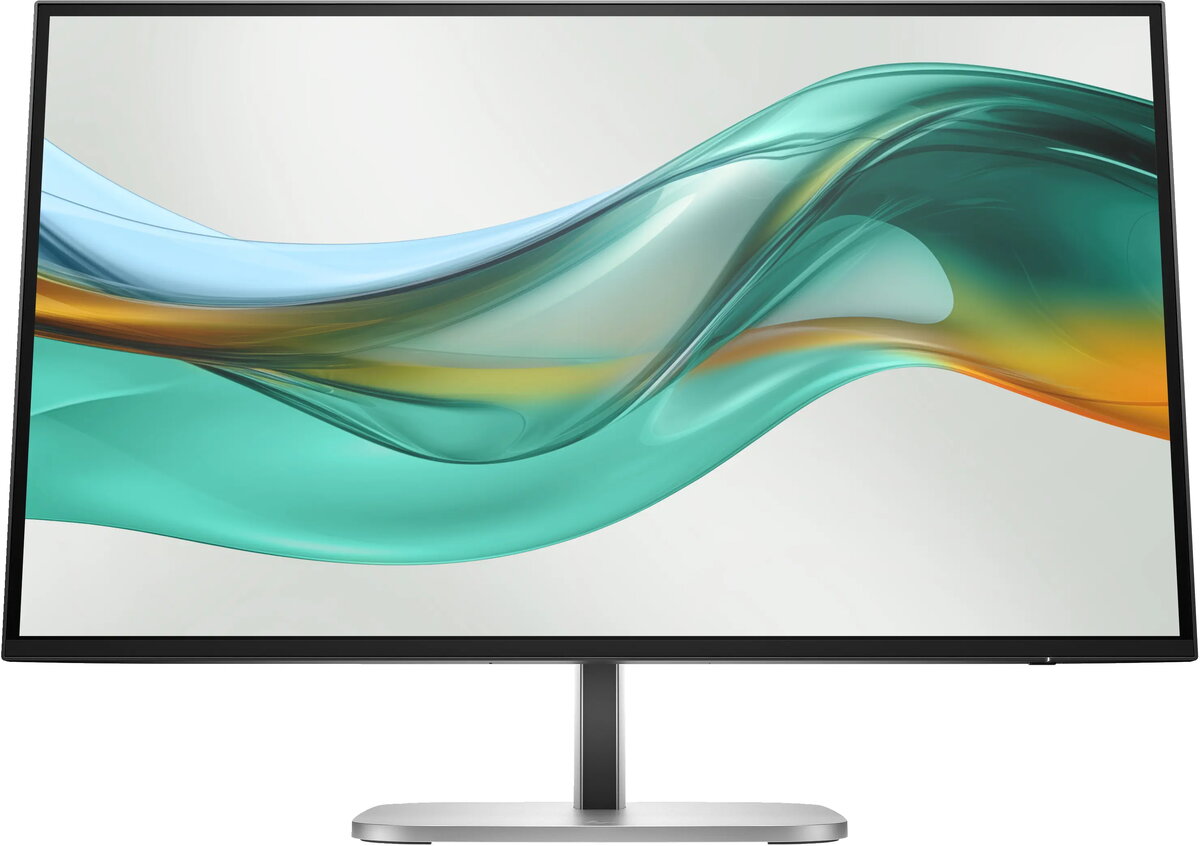
See and do more on your screen with a 3-sided borderless micro-edge bezel design that maximizes your viewing area for a sleek look and virtually seamless dual-monitor setups.
Endless Adjustability
With 4-way adjustability you can customize pivot, tilt, height, and swivel settings to fit you, your desk, and your needs.
Always-on, True Color, Low-Blue Light Filter
HP Eye Ease is an always-on low-blue light filter that helps keep your eyes comfortable throughout the day by reducing blue light without impacting color accuracy or adding a yellow color shift.
Ergonomic Setup Guide
With world-class ergonomic practices at your fingertips, you can fine-tune your display's 4-way adjustability to achieve optimal comfort all day, using the step-by-step Ergonomic Setup Guide in HP Display Center.
[6,7]HP Display Center
Customize your monitor with the intuitive HP Display Center that lets you tailor settings, partition screens, and more—all through the host PC. Plus, learn how to find your perfect posture with help from the included HP Ergonomic Setup Guide.
[6,7]Remote Management Reimagined
HP Client Management Script Library (CMSL) makes remote manageability easy. This solution works with Intune/SCCM to manage your display fleet using PowerShell.
[13]Single Power On
Instantly turn on your display and PC, even when the lid is closed, by pressing the power button on the bottom of the display.
[14]Increased Energy Efficiency
HP is committed to protecting our shared future by minimizing the energy our monitors consume. This monitor meets high energy-saving standards with an ENERGY STAR rating and EPEAT Gold registration.
[15]Your center of productivity
Get more done with a hub for productive work. Connect any device
[3] with a single USB-C cable for up to 100W power delivery. See your work in smooth, crisp detail with a 100 Hz refresh rate
[1], while enjoying vibrant, consistent colors with 100% sRGB
[1] and HP Progressive White Balance
[2].
Designed to work beautifully together
Transform your space into a seamless workplace. The 3-sided borderless micro-edge bezel design lets you see more than ever. Daisy-chain
[4] another HP Series 5 Pro monitor
[5] for a perfect dual-display setup and improved productivity.
Take control of your comfort
Stay comfortable all day with 4-way adjustability optimized by the step-by-step Ergonomic Setup Guide
[6] in HP Display Center
[7]. Keep your eyes comfortable with HP Eye Ease by reducing blue light without affecting color.