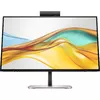
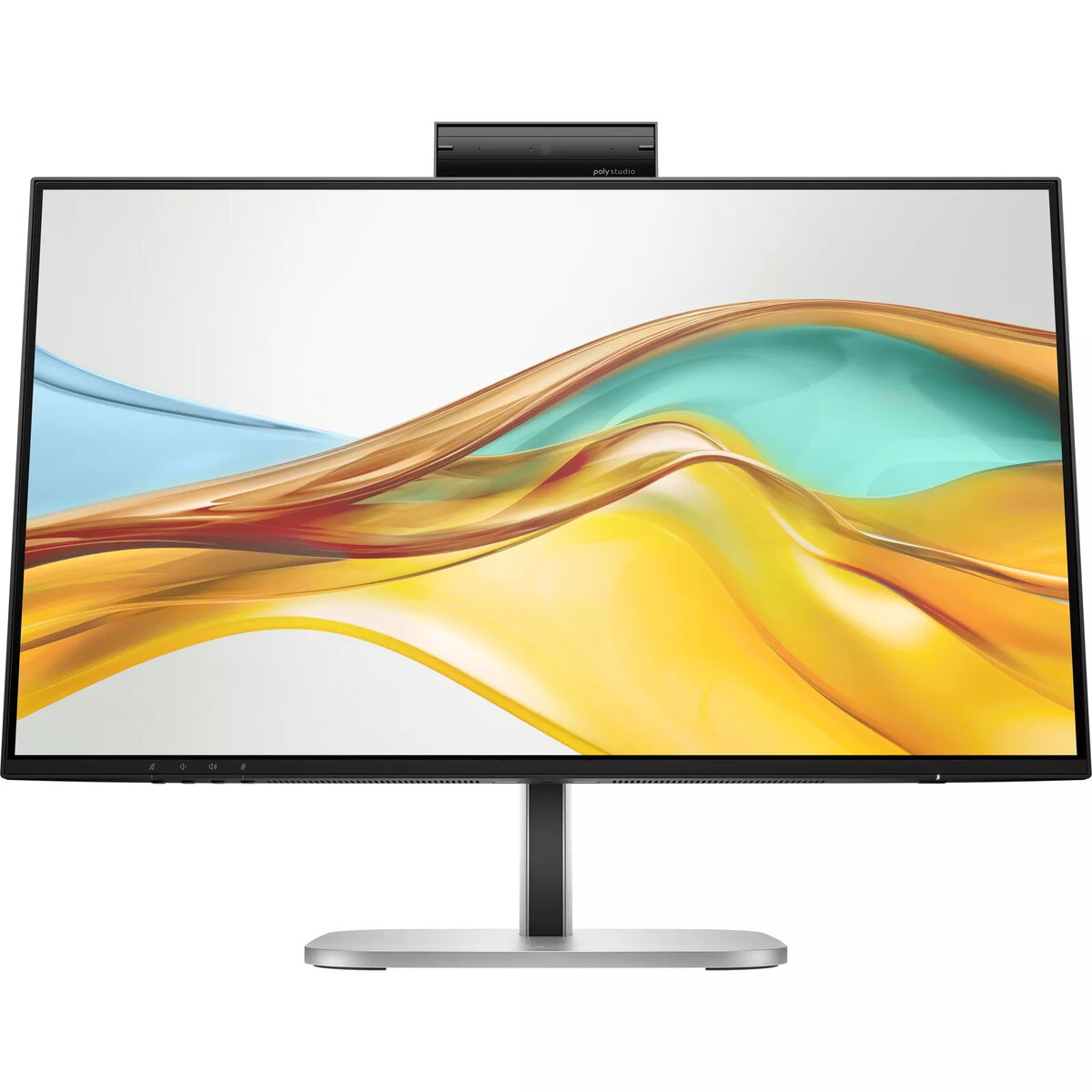
Conference with confidence
Look and sound your best effortlessly with a Poly Studio 5MP pop-up tiltable webcam and AI Noise Reduction—all on a display with Auto Lock and Awake to keep your business your own. Simply pop down the webcam after your call for on-demand privacy.

Your center of productivity
Make this monitor your hub for clutter-free productivity. Seamlessly work between two computers[2] while a single USB-C® cable handles 100W power delivery. Get even more done with a dual display and daisy-chain another HP Series 5 Pro monitor.[1]
Take control of your comfort
Feel your best all day with 4-way adjustability and a sleek, 3-sided borderless design. Keep your eyes comfortable with the Ambient Light Sensor and HP Eye Ease to reduce blue light without impacting color.
Sharp & Privacy Ready 5MP Webcam
The Poly Studio 5MP pop-up tiltable webcam delivers superb camera quality and includes advanced collaboration tools. A Time of Flight proximity sensor enables Auto Lock and Awake for on-demand privacy.
AI Noise Reduction
Upgrade your conference call experience with HP AI-based noise reduction filters. Reduce distractions such as dogs, sirens, construction, and other meetings so you’re heard clearly regardless of what’s happening around you.
Intuitive Conferencing Experience
Collaborate confidently with a suite of enhanced camera software features. Auto framing keeps you front and center, and background blur minimizes distractions.
Integrated 4 x 3W Down Firing Speakers
The integrated, down-firing 4 x 3W speakers deliver clear audio without adding extra cables or external speakers to your desk. Never miss a word with this clean-desk solution.
Meetings Made Effortless
Seamlessly collaborate with a Microsoft Teams compatible and Zoom Certified monitor. Access conferencing controls quickly using the control buttons on the display.
FHD Resolution
Focus on finer details and enjoy sharp visuals with 1920 x 1080 FHD resolution on this 23.8" diagonal monitor. [7]
IPS Technology
No matter where you sit, IPS technology ensures image accuracy and consistency across wide 178-degree horizontal and vertical viewing angles. [7]
Enhanced Visual Performance
See nuanced differences in color, shadow, and highlights thanks to the enhanced 1500:1 contrast ratio and clear content with 350 nits of brightness. [7]
100% sRGB Color Gamut
Enjoy highly accurate on-screen colors with 100% sRGB. This HP monitor provides reliable color reproduction with minimal effort. [7]
Progressive White Balance
Work better with content that looks consistent across screens. Progressive White Balance is an HP technology that provides matching white points from screen to screen. [8]
USB-C® Power Delivery
Keep your setup simple with a display that has everything built in. Connect a keyboard and mouse to the ports on the back of this monitor and use a single USB-C® cable to your notebook for data, video, and up to 100W of charging.
Daisy Chain a Second HP Series 5 Pro Monitor
Display even more with DisplayPort™ by daisy-chaining a second HP Series 5 Pro monitor for an expanded multi-display setup. [1,9]
Smart KVM
Boost productivity with the Smart KVM switch that detects and switches between two computers, so you can multi-task with one keyboard and mouse. [2]
More Ports. More Power. Easily Accessible.
More ports mean more capabilities. With HDMI 2.0, DisplayPort™ 1.4 In and Out, USB-C® 3.2 (upstream), RJ-45, audio jack, USB-B (upstream) and 3 USB-A 3.2 ports you can connect multiple devices. The easy rear-facing design makes connecting a breeze. [10]
Sleek Design, Clean Space
See and do more on your screen with a 3-sided borderless micro-edge bezel design that maximizes viewing area for a sleek look and virtually seamless dual-monitor setups.
Ambient Light Sensor
Keep your eyes comfortable day or night without lifting a finger. The ambient light sensor automatically adjusts screen brightness to your environment, so your screen is bright during the day and dimmed in the evenings.
Ergonomic Setup Guide
With world-class ergonomic practices at your fingertips, you can fine-tune the display's 4-way adjustability for optimal comfort using the step-by-step Ergonomic Setup Guide in HP Display Center. [11,12]
Always-on, True Color, Low-Blue Light Filter
HP Eye Ease is an always-on, low-blue light filter that helps keep your eyes comfortable throughout the day by reducing blue light without affecting color accuracy or causing a yellow tint.