


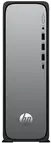
Computer HP Slim Desktop S03-0136ng Intel i3-14100 16GB RAM 512GB SSD Intel HD Graphics Windows 11 Home
Offer for a legal entity, non-cash payment.
Short description


Cheapest delivery:
Unisend LV
Product information
Description
The HP Slim Desktop S03-0136ng features an Intel i3-14100 processor combined with 16GB of RAM and a 512GB SSD, delivering responsive performance for everyday computing. Intel HD Graphics handles multimedia playback and light gaming, while Windows 11 Home provides a modern interface and built-in security updates. The slim chassis and straightforward port layout make this desktop suitable for small workspaces at home or in the office.
Advantages
This configuration balances processing power and energy efficiency, enabling smooth multitasking across web browsing, office applications and media playback. A 512GB solid-state drive shortens boot and application load times compared with traditional hard drives. The compact design occupies minimal desk space and offers practical connectivity for peripherals and external storage.
Suitable for
- Daily office work: email, spreadsheets, word processing
- Home computing: web browsing, streaming, video calls
- Light content creation: photo editing and simple multimedia tasks
- Education and remote learning
Key specifications
- Processor: Intel Core i3-14100, multi-core architecture for standard desktop workloads
- Memory: 16GB RAM for responsive multitasking
- Storage: 512GB solid-state drive for fast boot and application launch
- Graphics: Integrated Intel HD Graphics for video playback and casual gaming
- Operating system: Windows 11 Home with security and usability features
- Form factor: Slim desktop chassis suitable for tight workspaces
How to use
Unpack the desktop and connect power, a monitor, keyboard and mouse using the rear and front I/O ports. Follow the on-screen setup to configure Windows 11 Home, sign in with or create a Microsoft account if desired, and install updates and drivers. Use the included storage to install productivity software, back up personal files to external media or cloud services, and apply regular system updates to maintain security and performance.
Usage recommendations
For optimal performance, keep the operating system and drivers up to date, use a surge protector for power stability, and periodically clean vents to prevent dust buildup. For heavier workloads or advanced gaming, consider adding an external GPU solution or upgrading components where supported.


