
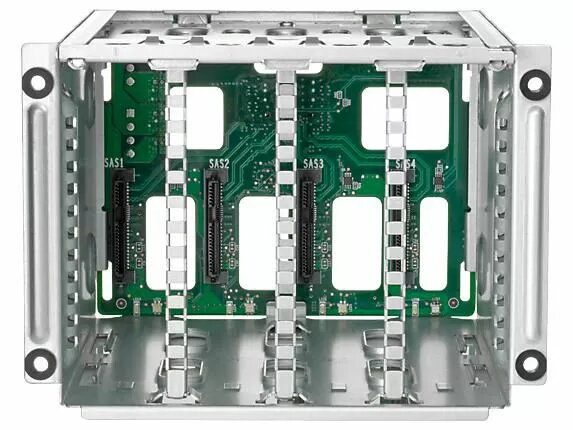
Replacement media cage HP Enterprise ML350 Gen9 LFF 726561-B21-RFB for large form factor drives is a chassis-mounted bay designed for HP Enterprise ML350 Gen9 servers. It provides a secure, serviceable enclosure for installing and holding LFF storage drives, enabling maintenance, upgrades, and the restoration or expansion of drive capacity in compatible ML350 Gen9 systems. The unit is intended as a field-replaceable component to simplify drive replacement and long-term serviceability while preserving compatibility with the server platform.
Advantages
The media cage is engineered to match ML350 Gen9 mechanical and connector interfaces, allowing straightforward installation without modification to the server chassis. It supports large form factor (LFF) drives and organizes drive mounting and retention to reduce handling time during replacements. As an OEM-compatible part from HP Enterprise with MPN 726561-B21-RFB and EAN 5706998665799, it facilitates consistent fit and function for maintenance and upgrades.
Suitable for
- Replacing a damaged or worn media cage in HP Enterprise ML350 Gen9 servers
- Upgrading server storage capacity with additional or different LFF drives
- Field service and on-site maintenance requiring a direct-fit chassis bay
- System rebuilds where original drive mounting hardware is missing
Key specifications
- Brand: HP Enterprise
- Model / MPN: 726561-B21-RFB
- EAN: 5706998665799
- Compatibility: HP Enterprise ML350 Gen9 servers
- Drive form factor supported: LFF (large form factor)
- Function: Chassis-mounted media cage for installing and securing storage drives
How to use
Power down the ML350 Gen9 server and follow standard server safety and grounding procedures before beginning. Remove the server cover and any obstructing components to access the drive bay area. Unfasten and extract the existing media cage if present, disconnecting any connectors or cagescrews as required by the server service manual. Position the replacement 726561-B21-RFB media cage into the chassis bay, align mounting points and connectors, then secure it with the original screws or fasteners. Install LFF drives into the cage according to drive mounting and cabling guidelines, reconnect any data and power connectors, replace the server cover, and power on to verify drive detection and system operation.
Usage recommendations
Use this media cage only in HP Enterprise ML350 Gen9 systems and follow HP service documentation for disassembly and reassembly procedures. Handle drives and the cage in an electrostatic-discharge‑safe environment, and verify firmware and controller compatibility for newly installed drives to ensure reliable operation.