
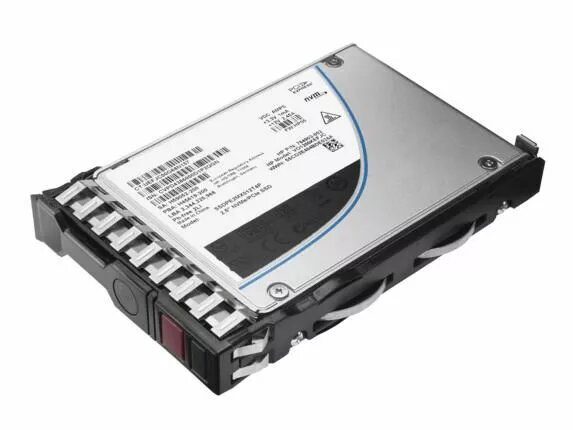
The HP 240GB SATA 6G Mixed Use SFF 875703-001-RFB hard drive is a 240GB solid-state drive designed for enterprise and server environments. It uses a SATA interface with up to 6 Gbps transfer rate and a small form factor (SFF) compatible with systems that accept SFF drives. The drive is intended for mixed-use workloads, balancing read and write performance for desktop, server, and storage appliance applications where reliable, compact solid-state storage is required.
Advantages
This HP Enterprise SSD offers low latency and faster access times compared with traditional hard disk drives, while maintaining consistent performance for mixed read/write workloads. The SATA 6G interface ensures compatibility with a wide range of motherboards and controllers, and the SFF form factor enables deployment in space-constrained server bays or compact workstations. The 240GB capacity provides a balance between usable storage space and efficiency for operating systems, applications, and cache duties.
Suitable for
- Boot drive for servers and workstations
- Application and database storage with moderate I/O intensity
- Cache or tiered storage in hybrid systems
- Compact or rack-mounted systems that require SFF drives
Key specifications
- Brand: HP Enterprise
- Model / MPN: 875703-001-RFB
- Capacity: 240GB
- Interface: SATA 6 Gbps
- Form factor: SFF (Small Form Factor)
- Type: Mixed Use SSD (suitable for balanced read/write workloads)
- Category: SSD
How to use
Install the HP 240GB SATA 6G Mixed Use SFF drive into a compatible drive bay or adapter for SFF drives, and connect to a SATA 6 Gbps port on the motherboard or RAID controller. Initialize and format the drive using the operating system or storage management tools according to the intended role (boot, application storage, cache). For RAID configurations, follow the server or controller documentation for proper RAID setup and verification. Ensure firmware and driver updates from HP Enterprise are applied when available.
Usage recommendations
For reliable operation, use the drive within the environmental and electrical specifications provided by your server or system vendor, monitor drive health with appropriate SMART tools or HP management software, and implement regular backups for critical data. Select RAID or redundancy options where required to meet availability targets for enterprise deployments.