
Hurry and order now – up to 50% off!
In cart {{totalProductsCount}} item(s)
Your cart is empty
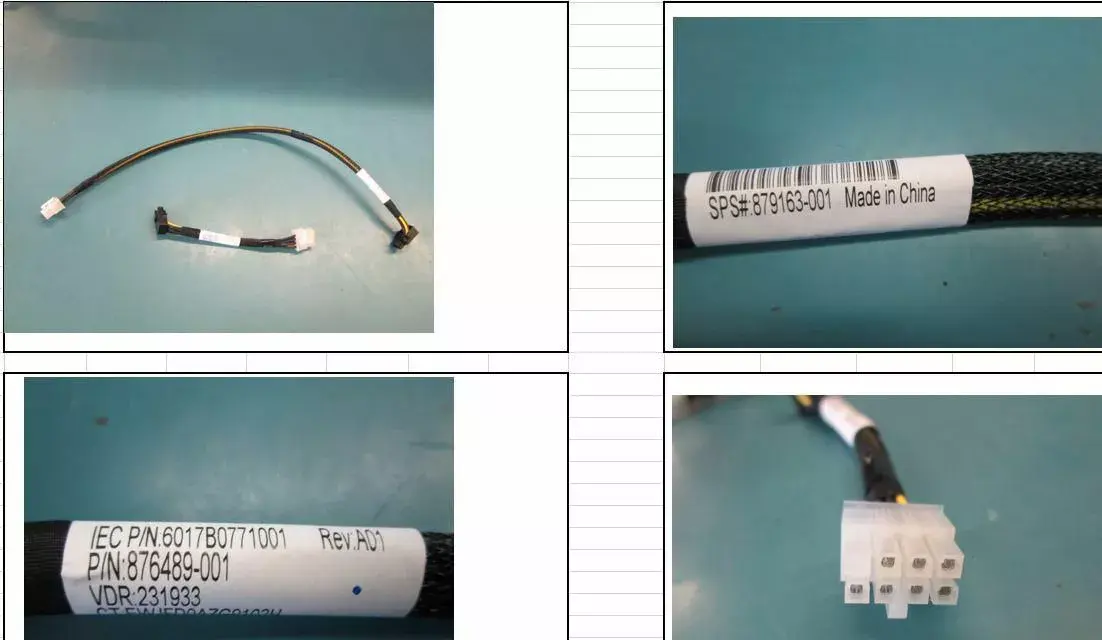
HP Enterprise 879163-001 8-Pin to 8-Pin SAS HDD Backplane Power Cable for ML350 Gen10 45cm
The HP Enterprise 8-Pin to 8-Pin SAS HDD Backplane Power Cable is a specialized internal component designed to facilitate reliable power delivery within the HPE ProLiant ML350 Gen10 server architecture. Measuring 45 cm in length, this original equipment manufacturer cable is engineered to connect the server motherboard or power distribution board to the SAS HDD backplane, specifically supporting 8x SFF expansion cages. By utilizing genuine HPE components, users ensure hardware compatibility and maintain the integrity of the server's internal power management system.
This power cable offers a precise fit for the ML350 Gen10 series, eliminating the risks associated with third-party or non-standard cabling. Its robust construction ensures stable electrical conductivity, which is essential for the consistent operation of high-performance SAS hard drives. The 45 cm length provides sufficient slack for clean cable management within the chassis, promoting better airflow and reducing clutter. Using this dedicated cable helps maintain the manufacturer's warranty standards and ensures that the server's storage expansion modules receive the exact voltage and current required for stable data processing.
This cable is specifically designed for the ML350 Gen10 server series and is not compatible with other server models or different generations of HPE hardware. It should not be used for non-SAS storage configurations or in systems where the power pinout requirements differ from the standard HPE 8-pin backplane specification.
Before installation, ensure the server is powered down and disconnected from all power sources. Open the server chassis and locate the SAS HDD backplane and the corresponding power output port on the system board or power distribution unit. Route the cable carefully through the existing cable management clips to avoid interference with cooling fans or other components. Connect one end of the 8-pin cable to the power source and the other end to the backplane connector, ensuring both ends are firmly seated until the locking mechanism engages. Once installed, secure the chassis cover and reconnect the power cables to verify the storage expansion is recognized by the system BIOS.
Usage recommendations: Always perform hardware installations in an electrostatic discharge (ESD) safe environment. Do not force the connectors into place; if resistance is felt, verify the alignment and orientation of the pins.
{{highlightedFeature.featureTitle}}:
{{getProductFeatureValueById(product, highlightedFeature.featureId)}}
{{ productComparisonGenerationError }}