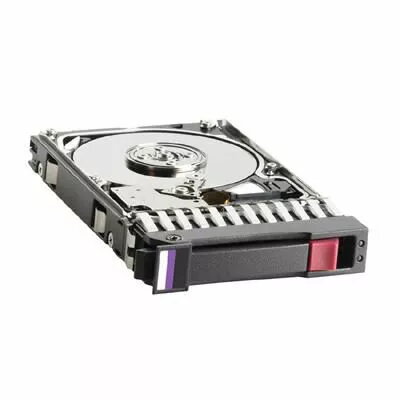
The Hewlett Packard Enterprise 900GB 2.5in 6G SAS 10K is a 2.5-inch enterprise-class hard disk drive designed for use in rack and blade servers, storage enclosures, and high-density arrays. Offering 900GB of raw capacity and a 10,000 RPM spindle speed, this HDD delivers consistent random I/O performance and predictable latency for mixed transactional and sequential workloads. The 6 Gbps SAS interface provides a dual-port, high-reliability connection suitable for RAID arrays and hot-swap server environments.
Advantages
This HDD provides a balance of capacity, performance and reliability for enterprise storage tiers that require HDD-level capacity with improved IOPS compared to lower-RPM disks. The 2.5-inch form factor supports higher drive density and reduces enclosure footprint, while the 10K rotation speed contributes to lower access times and improved sustained throughput for database, virtualization and mail/file services. The SAS interface supports multipath and redundant configurations, enabling stable operation in clustered and redundant storage systems.
Suitable for
- Database servers and online transaction processing (OLTP)
- Virtual machine hosts and hyperconverged infrastructure
- Large-scale mail, file and content repositories
- Tiered storage arrays and RAID configurations
- Backup appliances and nearline storage with frequent access
Key specifications
- Form factor: 2.5 inch
- Capacity: 900 GB
- Interface: 6 Gbps SAS (Serial Attached SCSI)
- Rotational speed: 10,000 RPM
- Designed for: Enterprise-class server and storage use
- Hot-swap capable: Yes (typical for enterprise 2.5" SAS drives)
How to use
Install the drive into a compatible 2.5-inch SAS drive bay or caddy following your server or storage enclosure manufacturer instructions. Use supported RAID controllers or host bus adapters configured for 6 Gbps SAS to ensure proper link negotiation. For hot-swap environments, confirm drive carrier seating and enclosure indicators before inserting or removing the drive. Initialize and format the drive through your operating system or storage management software as part of the array or as a standalone volume, applying the desired RAID level and partitioning scheme for your workload.
Usage recommendations
For optimal reliability and performance, use this 10K SAS drive in systems with proper cooling, vibration control and enterprise-class controllers. Place drives with similar performance characteristics in the same RAID group, monitor drive health with vendor tools, and follow the enclosure manufacturer's guidance for hot-swap operations and firmware updates.