Proactive Observability into Network and Application Performance with Vendor Agnostic UXI
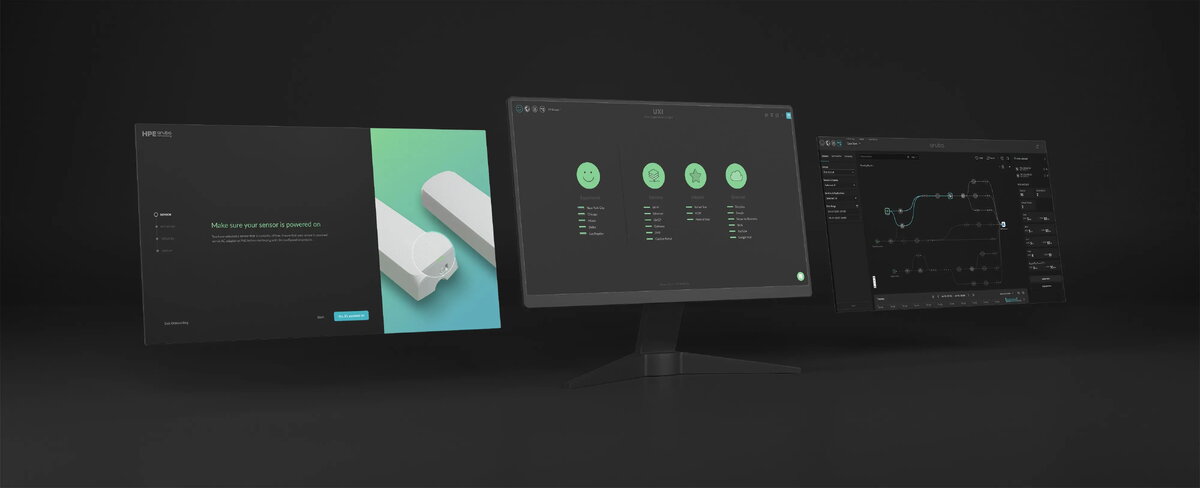
Proactive observability with path analysis: Get an end-to-end blueprint of outbound traffic over the global network and visualize the cause and the location of the issue impacting end-user digital experience.
Wi-Fi 6E monitoring: Validate the deployment of Wi-Fi 6E network with an industry-first Wi-Fi 6E hardware sensor.
Single glance network health monitoring: Understand how your campus or branch network works for end-users with just a single glance at the HPE Aruba Networking User Experience Insight Dashboard, and help ensure the SLAs and XLAs are met.
Automatic triage: Capture intermittent issues as they happen and get to the root cause for rapid troubleshooting. IT teams can download the PCAP file for further analysis or go back in time up to 30 days to validate any network changes.
Data push destination: Create customer dashboards by sending test results and issue data captured by HPE Aruba Networking UXI to a destination that you manage. The current options are AWS S3, Google™ BigQuery™, Elasticsearch, Splunk (beta), BigPanda (beta), or you can set up a generic HTTP endpoint.
24x7 Monitoring with Dedicated Hardware Sensors
Run up to 20K tests per day: HPE Aruba Networking User Experience Insight Sensor tests up to four networks and all the configured enterprise and web applications, running up to 20K tests per day, taking any guesswork out of the picture.
Backup mobile connection: The fully managed onboard mobile connection provides connectivity to the UXI Sensor when it cannot connect to Wi-Fi, cannot authenticate, or when the Wi-Fi backhaul is down.
Last gasp power backup: An array of supercapacitors provides backup power for the UXI Sensor to notify you of a power issue, ensure the sensor can check network status, and enter sleep mode gracefully.
Web application testing: Tests hop-by-hop user journeys on different web applications by recording a user workflow using Selenium and uploading it to the UXI Dashboard for testing.
In depth Digital Experience Monitoring with UXI Agent
Run synthetic tests from Windows, Mac, Android devices: The UXI Agent empowers IT teams with unparalleled visibility into the end-user digital experience by providing deep insights into network, application, and device performance.
Device analysis: UXI Agent provides added analysis into device performance by offering details like PID, serial number, battery percentage, health status, temperature, IP address, and location to help IT rapidly troubleshoot issues.
User self-service portal for end-users: When installed on laptops, the agent provides a performance overview tab for end-users that highlights network status and applications being tested, plus commonly requested device and network information for IT teams such as OS, ISP, PHY Mode, and MSC Index.
Rapidly Troubleshoot Helpdesk Tickets Related to Network Issues on Zebra Devices
Run synthetic tests from Zebra devices: Deployed on handheld Zebra devices, the agent continuously runs synthetic tests to monitor network and configured applications. When it detects an issue, it enters automatic triage mode to identify the root cause.
Roaming and voice analysis: Provides additional analysis into device VoIP call quality and roaming performance. Using 802.11mc, the agent can pinpoint the exact location (on a floor map) of Zebra devices affected by network or application-related issues.