
Dreame vacuums for fast and efficient cleaning!
In cart {{totalProductsCount}} item(s)
Your cart is empty
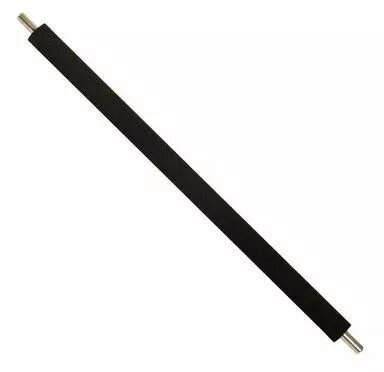
Transfer Roller Service Kit HP F2A68-67910 for LaserJet printers — transfer roller replacement kit
The Transfer Roller Service Kit HP F2A68-67910 for LaserJet printers contains a replacement transfer roller designed to restore consistent toner transfer during the imaging process. This kit supplies the critical roller component that ensures toner is transferred cleanly from the photoconductor drum to paper, helping to correct transfer streaks, reduce faint printing, and maintain overall print quality in compatible HP LaserJet devices.
The replacement transfer roller is built to match the original part’s form and function, offering even toner transfer and reliable surface contact across the sheet path. Using a purpose-made roller reduces the risk of transfer-related artifacts such as streaks, smudges, or uneven density. Installing a new transfer roller can extend the service life of the printer and supports consistent output across single- and double-sided jobs.
Power off the printer and follow the device-specific service manual to access the transfer roller assembly. Remove the imaging unit or access panel as instructed, extract the old transfer roller carefully to avoid toner contamination, and install the new roller in the correct orientation until it seats securely. Reassemble the imaging unit or panels and run a printer initialization or cleaning cycle if available. Verify print output with a test page to confirm the transfer issue has been resolved.
Replace the transfer roller when persistent transfer defects appear despite cleaning the drum and replacing toner cartridges. Use proper electrostatic discharge precautions and consult the printer’s service documentation for torque and alignment details to avoid damage to the imaging assembly.
{{highlightedFeature.featureTitle}}:
{{getProductFeatureValueById(product, highlightedFeature.featureId)}}
