
Powerful EcoFlow stations for energy anywhere!
In cart {{totalProductsCount}} item(s)
Your cart is empty
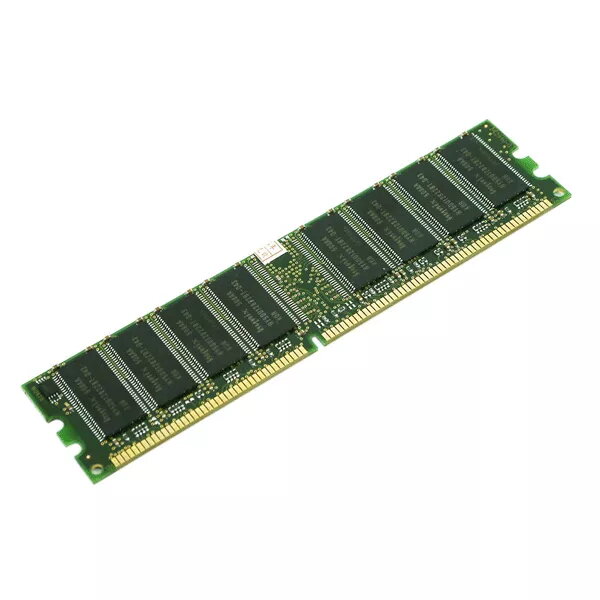
Memory module HP L58565-001 16 GB DDR4 2933 MHz ECC 288-pin DIMM
HP L58565-001 16 GB DDR4 2933 MHz ECC 288-pin DIMM is a server-grade memory module engineered for increased system capacity and improved data integrity in multi‑threaded and data‑centric environments. The module implements DDR4 technology at a 2933 MHz clock rate and a 288-pin DIMM form factor, with ECC support to detect and correct single‑bit errors that can occur during operation. It is intended for use in compatible HP servers and workstations where reliability and consistent performance under sustained load are required.
This 16 GB DDR4 module provides a balance of capacity and speed suitable for common server workloads. ECC functionality enhances reliability by detecting and correcting memory errors, reducing the risk of data corruption in mission‑critical applications. The 2933 MHz frequency contributes to responsive performance for multi‑threaded processes and virtualization tasks, while the 288‑pin DIMM format ensures compatibility with standard DDR4 memory sockets used in many server and workstation motherboards.
Power down the system and disconnect it from the power source before installing the memory module. Open the server or workstation chassis following the manufacturer’s service guidelines. Align the 288‑pin DIMM with the memory slot, ensuring the notch on the module matches the slot key, then press evenly until the retaining clips engage. After installation, close the chassis, reconnect power, and verify that the system recognizes the new memory in BIOS/UEFI or system management tools. For best results, install modules in matched pairs or according to the motherboard/vendor memory population recommendations.
Use this ECC module in systems that explicitly support DDR4 2933 MHz ECC DIMMs and follow the server or workstation vendor’s compatibility list. When mixing memory, match capacity, speed, and ECC capability to avoid performance or stability issues. Regularly check firmware and BIOS updates to ensure optimal compatibility and system stability.
{{highlightedFeature.featureTitle}}:
{{getProductFeatureValueById(product, highlightedFeature.featureId)}}
{{ productComparisonGenerationError }}
