
This is due to long delivery times and limited product warranties.
Hurry and order now – up to 50% off!
In cart {{totalProductsCount}} item(s)
Your cart is empty
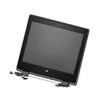
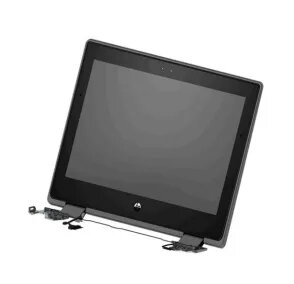
Display HP ProBook x360 11 G5 L83961-001
The HP L83961-001 display assembly is a replacement 11.6-inch HD touchscreen module designed for the HP ProBook x360 11 G5. It includes an HD webcam and uses an LED SVA panel with a chalkboard gray finish, offering clear visuals and touch responsiveness suitable for everyday computing needs.
This display assembly provides a direct fit for the HP ProBook x360 11 G5, preserving factory mounting points and connector compatibility. The HD (1366×768) touchscreen delivers accurate touch input, while the integrated HD webcam supports basic video calls. The LED SVA panel offers consistent brightness (220 nits) and wide viewing angles for typical laptop use.
Power off the laptop and disconnect the battery before beginning installation. Remove the existing bezel and display assembly following service manual instructions for the HP ProBook x360 11 G5. Disconnect the display cable and webcam connector, replace with the L83961-001 assembly, reconnect all cables, secure mounting screws, reattach the bezel, and reconnect the battery. Power on the laptop and verify touchscreen responsiveness and webcam functionality.
Handle the display assembly carefully to avoid pressure on the panel. Use ESD precautions during installation and ensure connectors are firmly seated. If uncertain about installation, consult a professional service technician or refer to HP repair documentation for the ProBook x360 11 G5.
{{highlightedFeature.featureTitle}}:
{{getProductFeatureValueById(product, highlightedFeature.featureId)}}
