
Dreame vacuums for fast and efficient cleaning!
In cart {{totalProductsCount}} item(s)
Your cart is empty
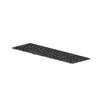
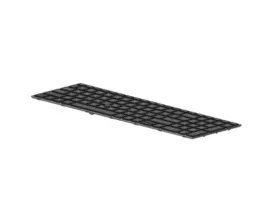
Keyboard HP M20128-041
The HP M20128-041 Keyboard is a replacement laptop keyboard designed to restore or upgrade typing functionality for compatible HP laptops. It features a German (QWERTZ) layout and integrated backlighting to support typing in low-light environments. The keyboard is intended to match the mechanical fit and electrical connectors of the original unit to ensure straightforward installation and reliable operation.
This keyboard offers a factory-style key arrangement with tactile key response appropriate for laptop use, along with adjustable backlit keys that improve visibility when lighting is limited. The construction is tailored for compatibility with the corresponding HP laptop model, providing consistent key spacing and travel. The backlight reduces typing errors in dim conditions and helps maintain productivity without external lighting.
Install the keyboard by powering down the laptop, disconnecting the battery if accessible, and removing the laptop housing or bezel as required to access the keyboard mounting screws and ribbon cable. Carefully release the ribbon cable connector, remove the old keyboard, position the replacement so that mounting points align, and reconnect the ribbon cable. Reassemble the housing and restore power to verify key and backlight operation. Refer to the laptop service manual for detailed disassembly and reassembly steps specific to the laptop model.
Handle the keyboard and ribbon cable with care to avoid damaging delicate connectors. Test keyboard and backlight functionality before fully reassembling the device. Use anti-static precautions during installation and follow the laptop manufacturer’s service instructions to maintain warranty and device integrity.
{{highlightedFeature.featureTitle}}:
{{getProductFeatureValueById(product, highlightedFeature.featureId)}}
{{ productComparisonGenerationError }}
