
Hurry and order now – up to 50% off!
In cart {{totalProductsCount}} item(s)
Your cart is empty
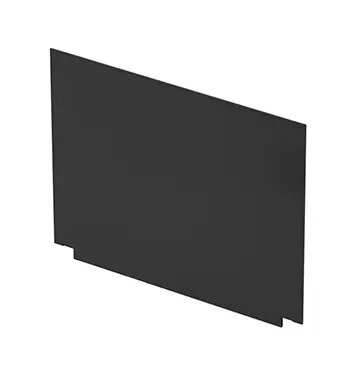
HP M24291-001 13.3-inch Full HD Laptop Display Panel
The HP M24291-001 is a high-quality 13.3-inch Full HD laptop display panel engineered to restore the visual performance of your compatible HP notebook. This replacement screen provides a sharp, clear image quality, making it an ideal solution for repairing damaged or malfunctioning laptop displays. Designed to meet strict manufacturing standards, this panel ensures that your device returns to its original operational state, providing a reliable viewing experience for both professional tasks and personal media consumption.
This replacement display panel offers excellent visual clarity with its Full HD resolution, ensuring that text, images, and videos appear crisp and detailed. By choosing this specific component, you ensure full compatibility with your HP device, which simplifies the installation process and guarantees that the hardware functions as intended. The panel is built for durability and consistent performance, helping to extend the lifespan of your laptop by providing a high-quality visual interface that matches the original specifications of your machine.
This display panel may not be suitable for users attempting a self-repair without prior technical experience or the correct tools, as laptop screen replacement requires precision and care. Additionally, it is not compatible with laptop models outside of the specific HP series designed for this hardware, so verification of your device model is essential before purchase.
To install the HP M24291-001 display panel, first ensure the laptop is completely powered off and the battery is disconnected to prevent electrical shorts. Carefully remove the screen bezel and unscrew the mounting brackets holding the old panel in place. Disconnect the video cable from the back of the screen, attach it to the new panel, and secure the unit back into the laptop housing. It is highly recommended to follow a service manual specific to your laptop model to ensure all steps are performed correctly.
Usage recommendations: Handle the new display panel with extreme care, avoiding pressure on the screen surface. Always perform the installation in a clean, static-free environment to prevent damage to the internal components.
{{highlightedFeature.featureTitle}}:
{{getProductFeatureValueById(product, highlightedFeature.featureId)}}
{{ productComparisonGenerationError }}
