
Powerful EcoFlow stations for energy anywhere!
In cart {{totalProductsCount}} item(s)
Your cart is empty
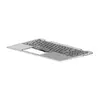
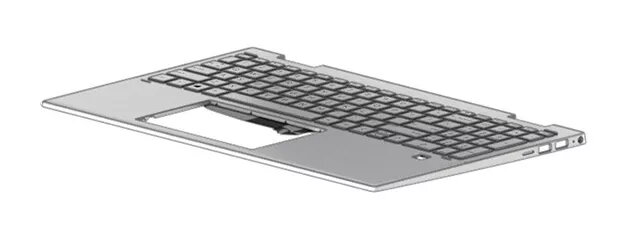
Keyboard HP M45130-B31
This HP M45130-B31 keyboard is a backlit replacement unit with an integrated fingerprint reader and a Dutch (NL) layout. Designed for compatibility with specific HP laptop models, it provides a direct-fit replacement that restores original functionality. The construction is durable and intended for regular daily use, improving key visibility in low-light environments.
The backlit keys improve visibility when typing in dim conditions, while the built-in fingerprint reader enables secure and convenient biometric login. As an OEM-compatible HP part (MPN M45130-B31) with a Dutch layout, it offers straightforward installation and reliable mechanical response comparable to the original keyboard.
Power off the laptop and disconnect any power sources. Remove the laptop’s bottom cover or keyboard bezel following the manufacturer’s service instructions, then disconnect the old keyboard’s ribbon cable and remove mounting screws. Position the HP M45130-B31 keyboard, secure it with the original screws, reconnect the ribbon cable, and reassemble the laptop. After powering on, verify backlight operation and enroll fingerprints in the operating system’s security settings.
Handle the keyboard ribbon cable and connector carefully to avoid damage. Use appropriate tools and follow HP service guides for your specific laptop model. If unsure, seek professional installation to ensure proper fit and functionality.
{{highlightedFeature.featureTitle}}:
{{getProductFeatureValueById(product, highlightedFeature.featureId)}}
{{ productComparisonGenerationError }}
