
Save time and money with our discounts!
In cart {{totalProductsCount}} item(s)
Your cart is empty
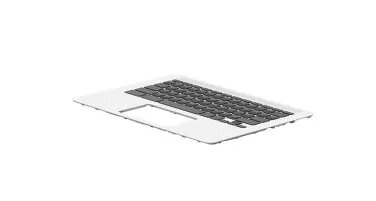
HP M47207-031 Laptop Keyboard UK English Layout
The HP M47207-031 laptop keyboard is a high-quality replacement component designed specifically for compatible HP notebook models. This keyboard features a standard UK English layout, ensuring that all keys are positioned exactly where you expect them for efficient and accurate typing. As a genuine spare part, it maintains the original tactile feel and performance standards of your device, making it an ideal solution for restoring a laptop that has suffered from damaged, unresponsive, or worn-out keys.
Choosing this replacement keyboard offers the benefit of seamless integration with your existing HP hardware. Because it is engineered to meet strict manufacturer specifications, you can expect a perfect fit and reliable connectivity. The keyboard provides a consistent typing experience that matches the original factory equipment, ensuring that your productivity remains uninterrupted. Its durable construction is designed to withstand daily use, providing a long-lasting solution for your laptop maintenance needs.
This keyboard is not compatible with all HP laptop models, so it is essential to verify your specific device model before purchase. It is also not suitable for users who require a different regional keyboard layout, such as US English or other international configurations.
To install the keyboard, first ensure that your laptop is powered off and disconnected from any power source. Remove the battery if your model allows for it. Carefully open the laptop casing or remove the top cover assembly according to your specific model's service manual. Disconnect the ribbon cable from the motherboard, remove the old keyboard, and insert the new unit. Secure the connections, reassemble the laptop, and test the keys to ensure proper functionality.
For optimal performance and to avoid damage to internal components, always handle the ribbon cable with care during installation. If you are unsure about the replacement process, consult the official HP service guide for your specific laptop model or seek assistance from a qualified technician.
{{highlightedFeature.featureTitle}}:
{{getProductFeatureValueById(product, highlightedFeature.featureId)}}
