
Dreame vacuums for fast and efficient cleaning!
In cart {{totalProductsCount}} item(s)
Your cart is empty
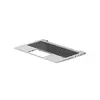
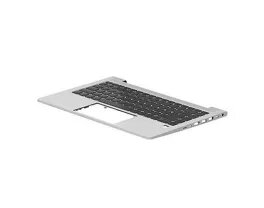
Laptop keyboard HP N17709-B31 — Backlit Dutch keyboard for HP EliteBook 640 G9
Replacement laptop keyboard HP N17709-B31 with a Dutch layout and integrated backlight designed for the HP EliteBook 640 G9. This direct-fit spare part restores full typing functionality and provides adjustable illumination for working in low-light conditions. The keyboard matches the original key spacing and keycap profiles to maintain a familiar typing experience for business users and service technicians performing repairs or upgrades.
The backlit Dutch keyboard offers consistent key travel and firm tactile feedback while preserving the original laptop aesthetic and mounting points. Built to fit the EliteBook 640 G9 without modification, it reduces installation time and the risk of compatibility issues. The integrated backlight improves visibility in dim environments, making it easier to type accurately during extended use or travel. Materials and switch mechanisms are chosen to ensure reliable daily operation and longevity comparable to OEM components.
Power off the laptop and disconnect any power sources before beginning replacement. Remove the bottom case or access panel following the manufacturer’s service instructions to reach the keyboard mounting points. Carefully detach the existing keyboard’s ribbon cable from the motherboard connector, release any retaining clips, and remove the old unit. Position the replacement keyboard so that screw holes and clips align, secure it in place, and reconnect the ribbon cable ensuring the connector latch is properly engaged. Reassemble the laptop and power on to verify keyboard operation and backlight functionality. If necessary, adjust keyboard backlight settings via operating system controls or function-key shortcuts.
Handle the keyboard and ribbon connector with care to avoid damage to flex cable contacts. Use an ESD-safe workspace and tools during installation. If unsure about disassembly steps, consult official service manuals or seek assistance from a qualified technician to ensure correct fitment and preserve warranty conditions.
{{highlightedFeature.featureTitle}}:
{{getProductFeatureValueById(product, highlightedFeature.featureId)}}
{{ productComparisonGenerationError }}
