
JBL speakers and headphones for pure and deep sound!
In cart {{totalProductsCount}} item(s)
Your cart is empty
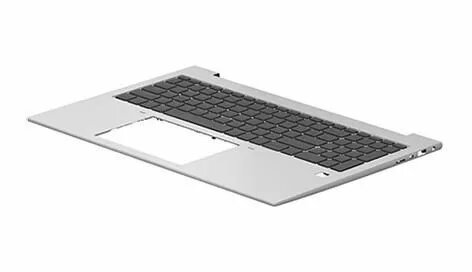
Notebook top cover HP N93085-B31 replacement part for compatible HP laptops, compatible with models using MPN N93085-B31
The HP notebook top cover is a high-quality replacement component designed specifically for compatible HP laptop models. This OEM part serves as a direct substitute for damaged, cracked, or worn-out upper lid assemblies, ensuring that your device regains its original structural integrity and aesthetic appeal. By replacing the top cover, you provide essential protection for the display panel and the hinge mechanism, which are critical for the daily operation and longevity of your laptop.
This replacement top cover offers a precise fit, matching the exact dimensions and mounting points of the original component. Using an authentic replacement part ensures seamless integration with the existing laptop chassis, maintaining the structural stability of the screen assembly. It effectively restores the exterior appearance of the device, making it an ideal solution for refurbishing laptops that have suffered from physical wear or accidental damage. The durable construction provides reliable protection for internal components, including the display and antenna cables housed within the lid.
This component is not a universal part and will not fit laptop models outside of the specific compatibility range for this assembly. It is not suitable for users who do not have the necessary tools or technical experience to safely disassemble and reassemble the laptop display housing.
To install the top cover, first ensure the laptop is powered off and disconnected from any power source. Carefully remove the screen bezel and disconnect the display cables and hinges according to the service manual for your specific laptop model. Transfer the display panel, camera module, and wireless antennas from the old cover to the new replacement part. Once all components are securely mounted, reattach the hinges and the bezel, ensuring all screws are tightened correctly to maintain structural alignment.
It is highly recommended to consult the official HP service manual for your specific laptop model before attempting any hardware replacement to avoid damaging internal components or ribbon cables.
{{highlightedFeature.featureTitle}}:
{{getProductFeatureValueById(product, highlightedFeature.featureId)}}
{{ productComparisonGenerationError }}
