
Dreame vacuums for fast and efficient cleaning!
In cart {{totalProductsCount}} item(s)
Your cart is empty
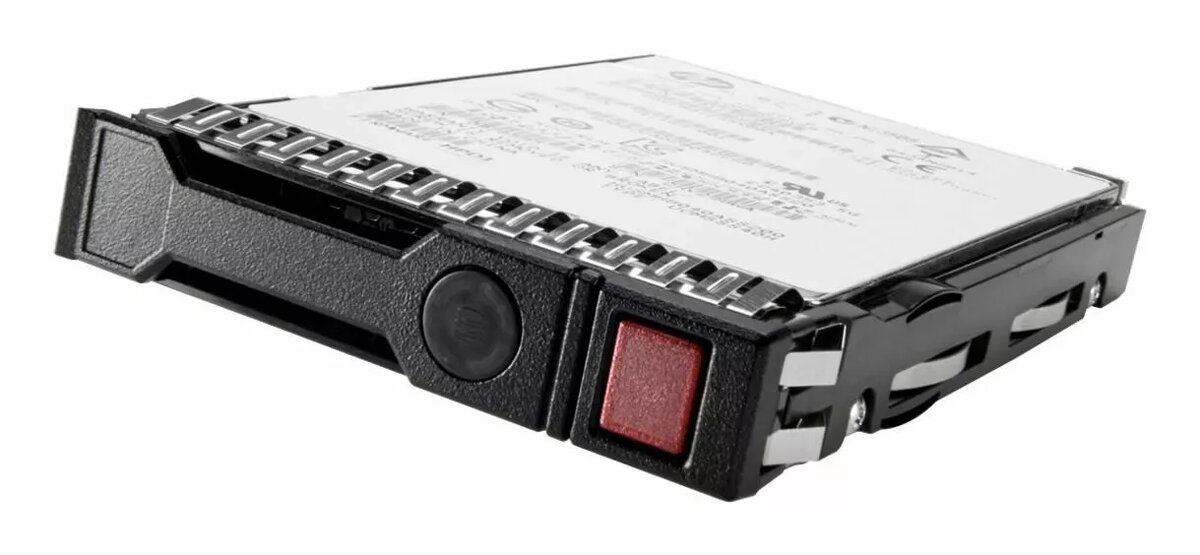
HP 16TB SAS 12G 7.2K LFF Hard Disk Drive
The HP 16TB SAS 12G 7.2K LFF hard disk drive is a high-capacity storage solution engineered for demanding enterprise server environments. This drive provides a robust platform for managing massive datasets, ensuring that critical business information remains accessible and secure. With its advanced SAS interface and reliable mechanical architecture, it serves as a foundational component for data centers requiring consistent performance and high-density storage capabilities.
This hard drive offers significant advantages for organizations needing to scale their storage infrastructure without compromising on reliability. The 12Gb/s SAS interface facilitates rapid data transfer rates, which is essential for maintaining efficiency in multi-user server environments. Furthermore, the 7200 RPM spindle speed strikes an optimal balance between power consumption and data access times, making it an energy-efficient choice for long-term storage operations. The LFF design allows for seamless integration into existing server chassis, simplifying the deployment process for IT administrators.
This drive is not intended for use in consumer-grade desktop computers or laptops, as it requires a SAS-compatible controller and specific server-grade hardware. It is also not optimized for high-performance computing tasks that require the ultra-low latency provided by Solid State Drives.
To install the drive, ensure the server is powered down and disconnected from the power source. Insert the drive into an available LFF drive bay within the server chassis, ensuring it is properly seated and locked into place. Once installed, initialize the drive through your server's RAID controller or operating system management software to configure it for your specific storage requirements.
For optimal performance and data integrity, it is recommended to use this drive within a configured RAID array. Regularly monitor the drive's health status using server management tools to proactively identify and address potential hardware issues.
{{highlightedFeature.featureTitle}}:
{{getProductFeatureValueById(product, highlightedFeature.featureId)}}
{{ productComparisonGenerationError }}
