
Dreame vacuums for fast and efficient cleaning!
In cart {{totalProductsCount}} item(s)
Your cart is empty
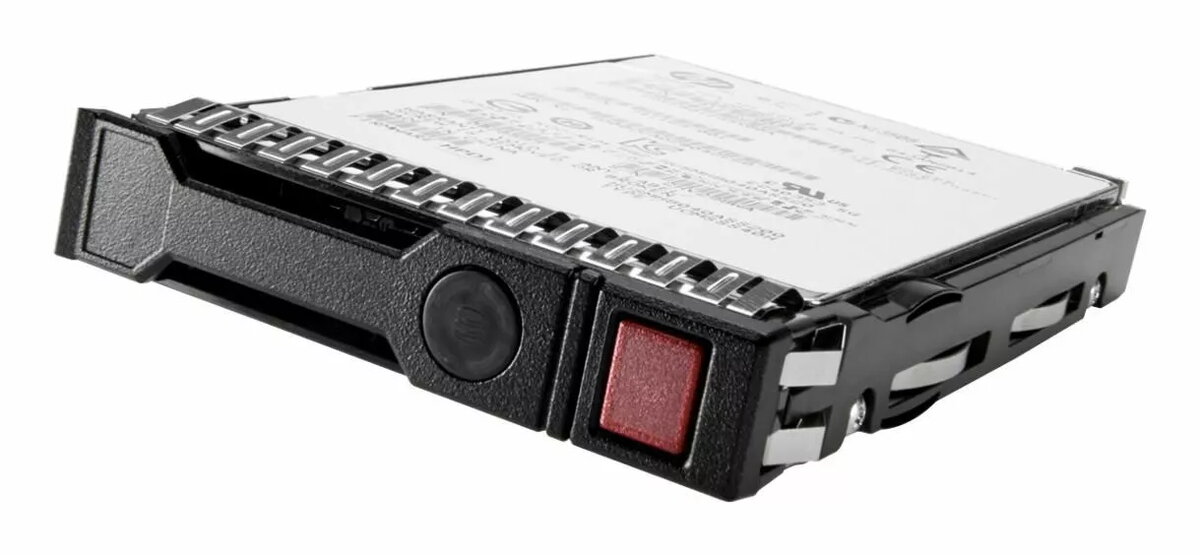
HP 16TB SAS 12G 7.2K LFF Hard Disk Drive
The HP 16TB SAS 12G 7.2K LFF hard disk drive is a high-capacity storage solution engineered for demanding enterprise server environments. This drive offers a massive 16TB of storage space, making it an ideal choice for data-intensive applications that require reliable and consistent performance. With its 12Gb/s SAS interface, the drive ensures high-speed data transfer rates, while the 7200 RPM spindle speed provides a balance between power efficiency and rapid data access, supporting the needs of modern data centers.
This hard drive stands out due to its substantial storage capacity, which allows for the consolidation of large datasets onto a single platform, thereby simplifying storage management. The SAS 12G interface is specifically designed for enterprise-grade reliability, offering improved error detection and correction capabilities compared to standard consumer drives. Its robust construction ensures longevity and stability under continuous operation, making it a dependable component for critical server infrastructure where uptime and data integrity are paramount.
This drive is designed for enterprise server hardware and is not compatible with standard desktop computers or laptops. It requires a SAS controller and a chassis that supports LFF (Large Form Factor) drives, making it unsuitable for personal computing setups or systems lacking the necessary enterprise-grade interface support.
To install the drive, ensure your server is powered down and disconnected from the power source. Insert the drive into an available LFF drive bay within your server chassis, ensuring it is securely locked into place. Once installed, initialize the drive through your server's RAID controller or operating system disk management utility to configure it for your specific storage requirements.
For optimal performance and data protection, it is recommended to use this drive within a RAID configuration. Regularly monitor the drive's health status using your server management software to proactively identify and address potential hardware issues before they impact data availability.
{{highlightedFeature.featureTitle}}:
{{getProductFeatureValueById(product, highlightedFeature.featureId)}}
{{ productComparisonGenerationError }}
