
JBL speakers and headphones for pure and deep sound!
In cart {{totalProductsCount}} item(s)
Your cart is empty
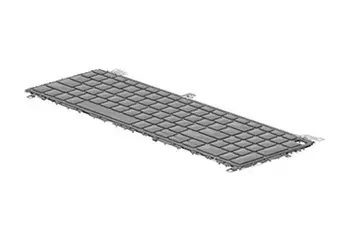
HP P42484-B31 Laptop Keyboard with Backlight, Dutch Layout
The HP P42484-B31 is a high-quality replacement keyboard designed specifically for compatible HP laptop models. This genuine spare part features a Dutch language layout and includes integrated backlighting, which significantly enhances visibility when working in dim environments or during late-night tasks. Engineered for durability and precise tactile feedback, this keyboard serves as a reliable solution for restoring your laptop's input functionality to its original factory standard.
Choosing this genuine HP replacement keyboard ensures seamless compatibility and optimal performance with your device. The integrated backlight feature provides consistent illumination across the keys, reducing eye strain and improving typing accuracy in low-light conditions. Because it is an original manufacturer component, it offers a perfect fit and reliable mechanical response, ensuring that your typing experience remains comfortable and efficient over long periods of use.
This keyboard is not suitable for users who require a different language layout, such as US English or QWERTY international, as the key mapping is specific to the Dutch configuration. Additionally, it will not function with laptop models that are not explicitly compatible with this specific part number.
Installation of this keyboard should be performed by a qualified technician or an experienced user, as it requires opening the laptop chassis and disconnecting internal components. Before beginning, ensure the laptop is powered off and the battery is disconnected to prevent electrical shorts. Carefully remove the old keyboard by following the specific service manual for your laptop model, then connect the ribbon cable of the new keyboard to the motherboard connector, ensuring it is seated firmly before securing the unit back into place.
To maintain the longevity of your keyboard, avoid exposing it to liquids or excessive dust. If cleaning is necessary, use a slightly damp, lint-free cloth and ensure the device is powered off. Do not use harsh chemical cleaners that could damage the key labels or the backlight diffusion layer.
{{highlightedFeature.featureTitle}}:
{{getProductFeatureValueById(product, highlightedFeature.featureId)}}
{{ productComparisonGenerationError }}
